
How long does it take for free photo prints to arrive?
· 11 min read

Free photo prints do not have a single arrival time: use the delivery estimate for your particular order, and check whether it includes printing as well as postage. A dispatch date is not an arrival date, so do not treat an order confirmation or a dispatch notification as a promise that your photos will reach you that day.
TL;DR
- How long does it take for free prints to arrive? Your order’s delivery estimate is the relevant guide.
- Pixaprints offers personalised photo printing; check the timing attached to your chosen order before planning a gift.
- Separate printing, dispatch and delivery when checking where your photo prints are.
- If the estimated arrival window has passed, contact the seller with your order reference and delivery details.
How long does it take for free photo prints to arrive?
Use the arrival estimate attached to your order, not a general claim about free prints. For a 2026 order, read the current delivery wording before placing it, then keep the confirmation so you can check the dates later.
The word free does not tell you when printing starts, when the parcel leaves or when it reaches your address. If you are still choosing an offer, the guide to whether free photo prints in the UK are actually free covers a separate question from delivery timing.
These stages tell you different things:
| Stage | What it tells you | What it does not establish |
|---|---|---|
| Order confirmation | Your order has been acknowledged | That the photos have been printed or posted |
| Printing | Your photos are being produced, if that status is shown | That the delivery journey has started |
| Dispatch | The seller reports that the order has been sent | That it has reached your address |
| Delivery | The parcel has reached its destination, subject to the delivery record | That the contents have been checked |
Read the wording rather than guessing from the email subject. If a message says only that your order has been received, look for a separate delivery estimate or further status information.
Why this matters
A small stack of photographs can be the finishing touch for a birthday card, family album or present for grandparents. The important date is when you need the prints in your hands, not when you press the order button.
For a gift needed in 2026, compare that occasion with the stated arrival window before committing. An estimate that overlaps your celebration is not a comfortable gift deadline. Leave room to open the package, check the pictures and put your gift together.
If you have already ordered, separating printing from delivery also helps you ask the right question. You need an order-status update before dispatch; after dispatch, you need information about the delivery journey.
How to work out your order’s expected arrival
Follow the information attached to your actual purchase. A search result, an old screenshot or someone else’s experience is not a substitute for your order details.
1. Find the estimate
Look in your order confirmation and any account or order-status information the seller provides. Find wording that refers to delivery or arrival, rather than assuming that a production or dispatch estimate covers the whole journey.
Save the original message. If later correspondence changes the estimate, keep that too so you can explain the sequence clearly when asking for help.
2. Check the starting point
Read what starts the clock: order placement, order acceptance or dispatch. These are different events, and counting from the wrong one gives you the wrong expected arrival date.
If the wording is unclear, ask the seller whether the stated period includes printing. Do not add separate production and delivery periods together unless the terms describe them as separate stages.
3. Check the day type
Look for working days or calendar days. A calendar week contains 7 calendar days, including 5 weekdays and 2 weekend days; those labels are not interchangeable when you calculate a delivery window.
Read the seller’s definition of working days, including its treatment of weekends and bank holidays. Do not assume that a weekend date advances a working-day estimate.
4. Check the latest update
If a dispatch message exists, compare it with the original estimate and any delivery information supplied. Use tracking only when tracking details have actually been provided.
An unchanged status does not tell you the reason for a delay. Keep the wording factual: what the message says, when you received it and whether the stated arrival window has ended.
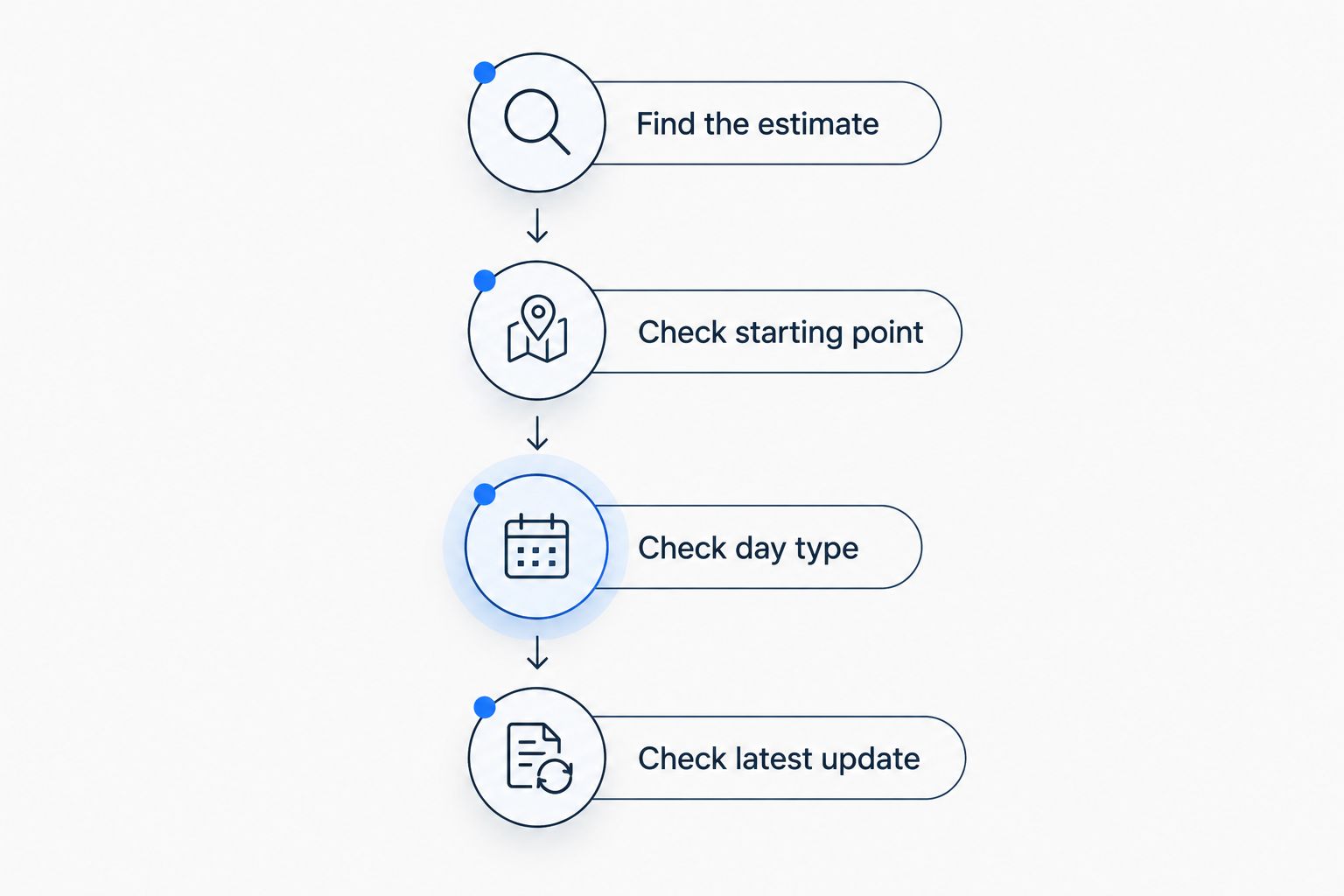
Check what the estimate covers before counting the days.
Once you have those details, you can distinguish an order still within its stated window from one that needs a follow-up. You do not need to guess a universal delivery time.
Why your expected arrival date varies
The useful question is what your particular delivery estimate includes. Check these details rather than assuming that every free-print offer follows the same timetable:
- Estimate type. A dispatch estimate describes a different milestone from an arrival estimate. Identify which one you have been given.
- Starting event. An estimate counted from dispatch is not counted from the moment you upload your photos. Use the starting event stated in the terms.
- Day definition. Working-day wording changes how you count weekends and bank holidays. Follow the definition attached to the order.
- Delivery service. Use the service named in your order details. Do not substitute the timing associated with another delivery option.
- Destination. Check that the quoted estimate applies to your delivery address and postcode. Read any location-specific wording before relying on it.
These are checks to make, not explanations for an individual late parcel. Only an order update can establish what is happening to your order.
Avoid diagnosing a delay from the time of year alone. For an order placed around a 2026 bank holiday, check the relevant working-day wording rather than adding an arbitrary delay yourself.
What should you do if your free photo prints are late?
Contact the seller when the stated arrival window has passed, unless the order instructions tell you to report a particular issue sooner. Include enough information for someone to identify the order and understand the problem without a long exchange.
Have these details ready:
- Your order reference and the name used when ordering.
- The email address associated with the purchase.
- The delivery postcode and confirmation that you entered the address correctly.
- The original arrival estimate and any revised estimate.
- The latest order status and any tracking information supplied.
Ask for a specific update: has the order been dispatched, what is its current status, and what is the next step? If you need the pictures for an occasion, mention that date without assuming it changes the service terms.
Keep the conversation together where possible. Sending the same enquiry repeatedly does not add useful information; a clear record makes it easier to see what has already been confirmed.
If the parcel is marked as delivered
Check the delivery record for a location, recipient or other delivery details, if supplied. Look in the place described and ask anyone at your address who might have accepted it.
If you still cannot locate the parcel, report that exact situation to the seller. A delivered status and a parcel you cannot find need a different explanation from an order that has not yet been dispatched.
If there is no dispatch message
Check your junk folder and the email address used at checkout before assuming there has been no update. If order-status information is available, compare it with your messages.
If the arrival window has passed without a clear update, ask the seller to confirm the order’s status. Do not place a duplicate order simply because you cannot find an email.
Does “dispatched” mean my prints will arrive that day?
Dispatched means sent, not delivered. It does not, by itself, establish a same-day arrival date.
Read the delivery information attached to the dispatch message, if there is any. Keep the dispatch date separate from the expected arrival date when deciding whether the parcel is late.
For a 2026 birthday or anniversary, use the arrival estimate to plan your gift. A dispatch notification is useful progress information, but it is not the moment your photographs are ready to put in the card.
Do weekends count towards photo print delivery?
Weekends count towards a calendar-day period, but you must check the seller’s definition for a working-day period. Do not convert one type of estimate into the other without reading the terms.
The distinction matters most when you order near a weekend or bank holiday. If you cannot tell how the days are counted, ask for the expected arrival date rather than trying to interpret an ambiguous period yourself.
Can I rely on free prints for a last-minute gift?
Rely on the order’s stated timing, not on the word free. If the arrival window leaves no time to check and prepare the pictures, choose a gift plan that does not depend on that parcel arriving first.
Pixaprints photo printing suits people who want to turn personal photographs into keepsakes. That makes the service relevant to thoughtful gifts, but the order’s stated timing still needs to fit your occasion; personalisation does not establish a delivery date.
Before ordering for a 2026 celebration, have your photos ready and review the crop carefully. This is your chance to catch a missing face at the edge or an unwanted screenshot before submitting the order.
If you are already waiting and the celebration comes first, you can give a personal note explaining which memory you have chosen to print. Keep the eventual arrival date out of the note unless it has been confirmed.
FAQ
How long does it take for free prints to arrive in the UK?
Use the delivery estimate attached to your UK order; there is no single arrival time established by the phrase free prints. Check whether the estimate includes printing and whether it uses working days or calendar days.
Where can I find my photo print delivery estimate?
Look in your order confirmation and any order-status information the seller provides. Check that the date refers to arrival rather than dispatch.
Does an order confirmation mean my photos have been posted?
No, an order confirmation does not establish that your photos have been posted. Look for a separate dispatch update or ask the seller to confirm the current status.
Can I track my free photo prints?
Use tracking if your order includes tracking details. If none have been supplied, check the order updates or ask the seller how to check delivery progress.
What should I do if my prints have not arrived?
Check whether the stated arrival window has passed, then contact the seller with your order reference and latest status. If the parcel is marked as delivered, explain that you cannot locate it.
Can I change the delivery address after ordering?
Ask the seller whether an address change is still possible for your order. Do not assume that editing an account address changes an order already submitted.
How do I check delivery timing for a Pixaprints photo printing order?
Check the timing supplied with your Pixaprints photo printing order and any subsequent updates. Distinguish the expected arrival date from the dispatch date before planning around it.
One last thing
Put your own ready-to-use date in the diary, not just the celebration date. Prints intended for a handmade card, album or display need to be in your hands before you can finish the gift.
When the package arrives, open it and check the contents before storing it away. If something is wrong, keep the packaging and order details together so you can describe the issue clearly. Then you can get back to the enjoyable part: giving those memories a place in everyday life.