
How to preserve and reprint treasured family photographs
· 11 min read
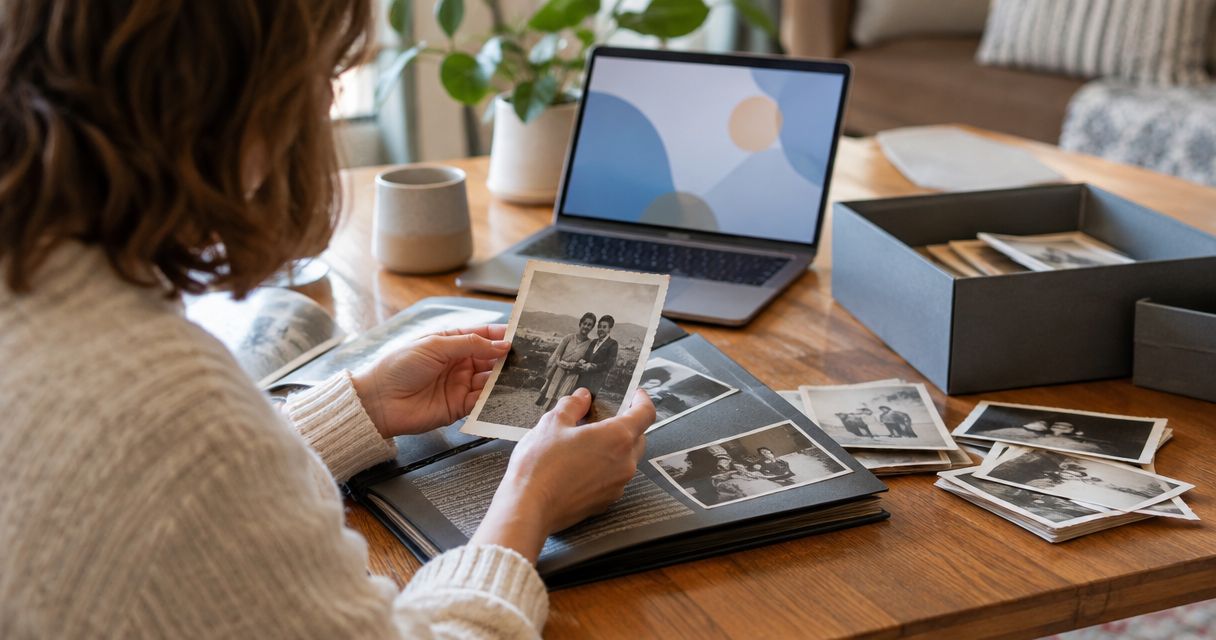
Preserve old family photographs by handling them carefully, storing them in photo-safe enclosures away from light and damp, and making digital copies before editing or reprinting. Keep the originals and untouched scan files: a restored copy helps you enjoy the picture, but it does not replace the original photograph.
TL;DR
- Learning how to preserve old family photographs starts with protecting originals, not trying to clean away damage.
- Scan both sides, keep an untouched master file and edit a separate copy for reprinting.
- Pixaprints suits families turning uploaded photographs into personalised photo gifts; preserve the physical originals separately.
- Display copies rather than irreplaceable originals, and record the names and stories behind each picture.
How to preserve old family photographs
Protect the original, digitise it faithfully, then prepare a separate file for printing. Follow this order whether you have a loose wedding portrait or an album full of childhood holidays. If your aim is a shared family collection, this guide to creating a comforting family photo album helps you plan what to include after digitising.
1. Check the condition before handling
Start on a clean, dry table, away from food and drinks. Wash and thoroughly dry your hands, then hold stable paper prints by their edges without touching the image surface.
Look for flaking, tears, mould, dampness or photographs stuck to glass or album pages. Do not peel, flatten or separate a stuck photograph. Stop handling unstable material and seek advice from a photograph conservator; damage to the image surface is not a home-cleaning project.
Keep photographs in their existing order while you assess them. An album sequence can explain a journey, occasion or relationship that an isolated picture cannot.
2. Record the story before separating anything
Photograph album spreads before removing any loose pictures. Capture handwritten captions, the arrangement of photographs and any notes tucked between pages.
Record names, places and occasions in a separate catalogue. If someone identifies a relative, distinguish a confirmed identification from a guess rather than silently turning uncertainty into family history.
Use 2026 as the digitisation date for a scan made this year, not as the date the original picture was taken. Keep those fields separate so future relatives can understand the record.
3. Scan the front and back
Use a flatbed scanner for stable, loose paper photographs, provided they fit without bending. Clean the scanner glass according to its instructions before placing a photograph on it; never spray cleaner onto the photograph.
For small paper prints, 600 pixels per inch is a useful scanning starting point, particularly when you intend to crop or enlarge. It is not a guarantee of extra detail: a blurred original remains blurred, and increasing the setting cannot recover information that was never recorded.
Scan the reverse when it carries writing, stamps or other clues. Photograph oversized, mounted or fragile items without forcing them flat, and seek specialist advice for negatives, slides or unfamiliar photographic materials.
4. Keep a master and make an editing copy
Save an untouched master scan before adjusting colour, removing marks or cropping. TIFF supports lossless master files; JPEG is useful for sharing and uploading, but repeated lossy saves can discard image information.
Use descriptive filenames and separate folders for masters and print-ready copies. A name such as family-picnic-front-scan-2026.tif records the subject, side and scanning year without pretending to know the original date.
Store captions alongside the files, not just inside an editing application. A simple text document or spreadsheet makes those details easier to transfer with the photographs.
5. Back up the files and check them
Use the established 3-2-1 backup approach: 3 copies, on 2 types of storage, with 1 copy off-site. For example, keep your working collection on a computer, another copy on an external drive and an off-site copy in suitable cloud storage.
Check that files open and that you can recover a sample from each backup. Synchronisation alone is not the same as a recoverable backup: an accidental deletion can spread between synchronised devices.
6. Rehouse the physical originals
Choose sleeves, folders and boxes explicitly suitable for photographic storage. Materials tested under the Photographic Activity Test offer a more useful selection criterion than an unexplained archival label.
Keep the collection in a stable, dry interior space, away from direct sunlight, radiators and plumbing. Avoid lofts, garages and other places with large environmental swings, and do not pack boxes so tightly that you must bend photographs to remove them.
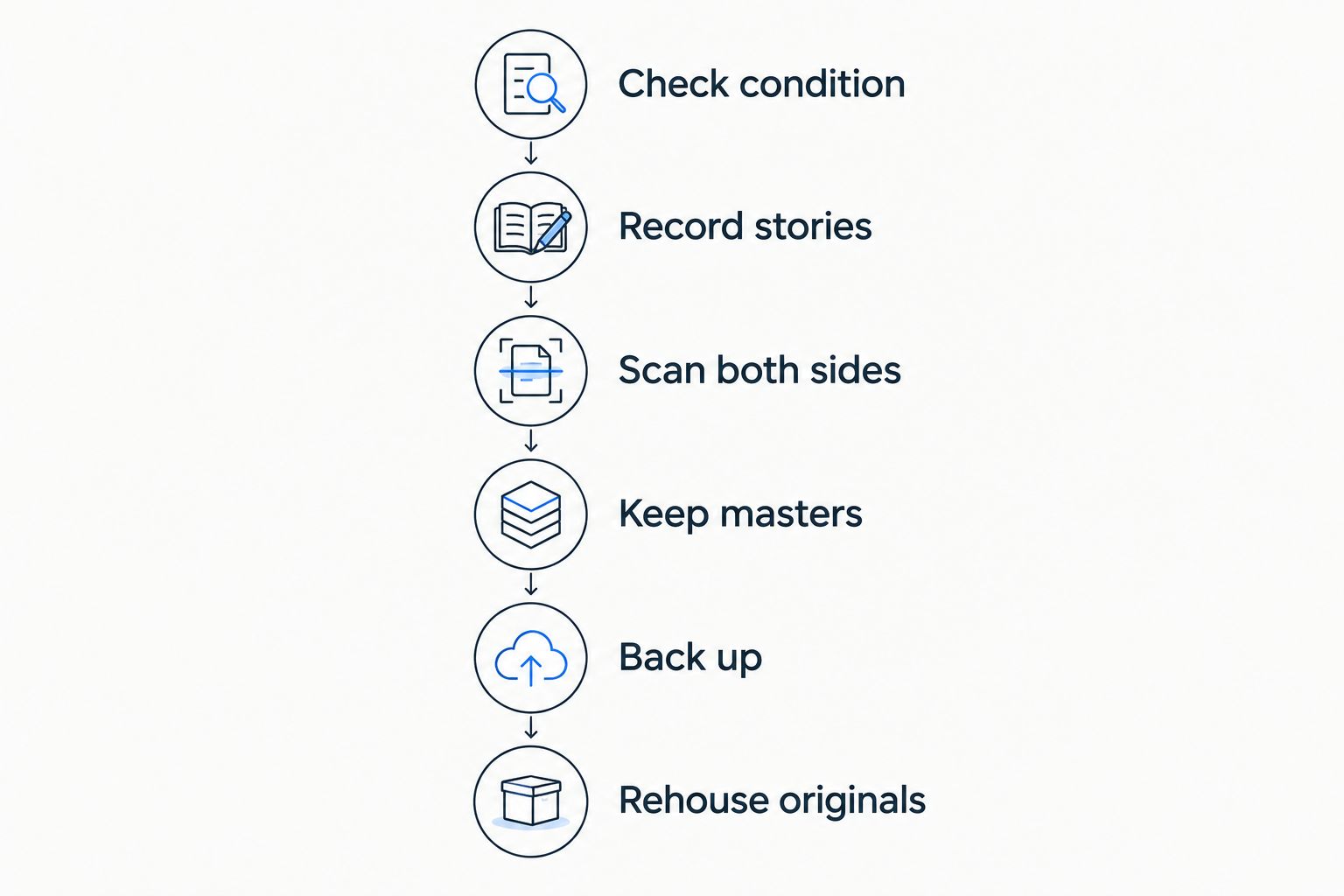
Make a faithful digital record before preparing an edited copy for printing.
Why this matters
An old photograph carries more than the visible scene. Its handwriting, mounting, edges and place in an album can all contribute to its history; a tightly cropped digital copy leaves some of that evidence behind.
Preservation also separates everyday enjoyment from long-term care. You can pass around a new print at a family gathering while keeping the fragile original safely stored. A preservation project started in 2026 should leave your family with both usable copies and a clear record of what each copy represents.
Should you scan old photographs or photograph them?
Use a flatbed scanner for stable loose prints; use a camera when the object cannot safely lie flat. Neither method repairs physical damage, and both need careful checking before you put the original away.
| Method | Best for | Main advantage | Main limitation |
|---|---|---|---|
| Flatbed scanning | Stable, loose paper photographs | Keeps the picture flat and evenly aligned | Unsuitable when flattening or contact risks damage |
| Camera copying | Mounted, oversized or bound photographs | Captures the object without pressing it against glass | Requires careful lighting, alignment and glare control |
| Specialist digitisation | Fragile or unfamiliar photographic materials | Allows handling and capture suited to the material | Requires discussing the item's condition and your requirements |
For camera copying, keep the camera parallel to the photograph and use even, indirect light. Avoid flash reflections and check that the corners are as sharp as the centre. A phone is useful for a quick record, but inspect the saved image rather than assuming the preview proves it is suitable for printing.
If a photograph stays in an album, capture the full page as well as the individual image. Keep both files so the detailed copy remains connected to its original context.
How do you prepare an old photograph for reprinting?
Work from a duplicate of your master file. Start with orientation and gentle tonal adjustments, then decide whether marks genuinely distract from the picture or form part of its history.
Keep restoration separate from preservation
A colour correction changes how a photograph looks; it does not establish what the original scene looked like. Colourisation, reconstructed faces and replacement backgrounds go further by adding interpretation.
Keep those versions clearly labelled. A restored portrait can be a lovely gift, but future relatives should still be able to find the unaltered scan and understand which details were changed.
Match the print to the available detail
At 300 pixels per inch, a 6 × 4 inch print needs 1,800 × 1,200 pixels. This is a useful preparation target, not a promise that every photograph needs the same resolution or will look equally sharp.
Check the actual pixel dimensions after cropping. Enlarging a file adds pixels, but it does not recreate the fine detail missing from a small or out-of-focus original.
Check the crop before ordering
Old photographs do not always match modern print proportions. A fill-the-frame crop can remove a handwritten border, a person's shoulder or part of a group at the edge.
Keep the whole image when the edges matter. Inspect the layout preview, especially faces near the sides, and check any warning about image quality. Judge a test print before committing to a larger family set.
For a reprint project in 2026, keep a short note of the final crop and edits alongside the master. That makes later copies easier to reproduce without starting again.
Why preservation and reprint quality vary
The right next step depends on the photograph in front of you, not simply its age. Check these factors before choosing equipment or making edits:
- Physical condition: cracks, flaking and stuck surfaces change what handling is safe.
- Photographic material: paper prints, negatives, slides and mounted photographs require different treatment.
- Original detail: a sharp source offers more usable information than an already blurred picture.
- Capture quality: glare, camera movement, dirty scanner glass and poor alignment reduce the usefulness of a digital copy.
- Crop and enlargement: removing much of an image leaves fewer original pixels for the finished print.
- Storage environment: light, moisture and unstable conditions affect the physical original even after it has been scanned.
These factors explain why a high-resolution file can still produce a disappointing enlargement. Check the source, the capture and the crop before blaming the printer.
Can you clean old photographs at home?
Do not use water, household cleaners, solvents or adhesive removers on old photographs. Different photographic processes react differently, and an apparently simple wipe can damage the image layer.
Avoid rubbing marks, scraping surfaces or using an eraser. For a stable photograph with loose surface dust, ask a conservator about suitable dry-cleaning methods rather than experimenting on an irreplaceable picture.
Keep anything showing suspected mould apart from the rest of the collection and seek professional advice. Do not brush it across your working table or put it on a shared scanner.
Is a reprint better than displaying the original?
A reprint is the better choice for everyday display when the original is irreplaceable. Display exposes photographs to light, and mounting or framing can introduce additional handling risks.
A copy is replaceable, but it still needs sensible care. Keep displayed photographs away from direct sun and damp areas, and retain the print-ready file so you can make another copy when needed.
Pixaprints is best for families who want personalised photo gifts from their own uploaded photographs. That gives your digitised pictures another use, but a new photo book or canvas is an enjoyment copy, not a substitute for preserving the original and its master scan.
How do you keep the names and stories with the pictures?
Create a catalogue that links each original to its scan, edited version and caption. Include the people shown, the location, the occasion, who supplied the information and anything still uncertain.
Record the full caption rather than relying on a filename alone. Filenames become unwieldy when they contain every relative's name, and a picture's history often needs more explanation than a short label allows.
Ask relatives to review unidentified images while you can still discuss them together. In your 2026 catalogue review, preserve disagreements as notes instead of choosing the most confident answer automatically.
FAQ
What's the safest way to preserve old family photographs?
Protect originals in photo-safe enclosures, store them away from light and damp, and make backed-up digital copies. Keep the untouched scans as well as any edited versions.
Can I scan a photograph without taking it out of an album?
Use camera copying when removing a photograph would risk damage. Capture the full album page as well as the individual image, and never force a binding flat.
What resolution should I use to scan old family photos?
600 pixels per inch is a useful starting point for small paper photographs that you intend to crop or enlarge. Higher settings cannot recover detail missing from the original.
Should I keep the original after making a digital copy?
Yes, keep the original after digitising it. A scan does not preserve the physical object, and the original can contain details your first capture missed.
Can I remove scratches from an old family photo?
Edit scratches on a duplicate digital file, not on the physical photograph. Keep an untouched master scan so your restoration remains separate from the historical record.
Can I use digitised family photographs for Pixaprints gifts?
Pixaprints lets you upload personal photographs to create personalised photo gifts. Prepare a separate print-ready copy and check the crop and image quality before ordering.
Is cloud storage enough to preserve my family photo collection?
Cloud storage alone leaves your collection dependent on a single storage arrangement. Keep additional independent copies and check that you can recover files from your backups.
One last thing
The back of a photograph can be as valuable as the front. A studio stamp, address or handwritten nickname can help connect an otherwise anonymous portrait to your family story.
Before you put a photograph away, check that its reverse, album context and accompanying notes have been captured too. The most useful collection is not simply a folder of clear pictures; it is a set of pictures your family can still identify.