
Personalised mouse mats for remote team gifting
· 13 min read
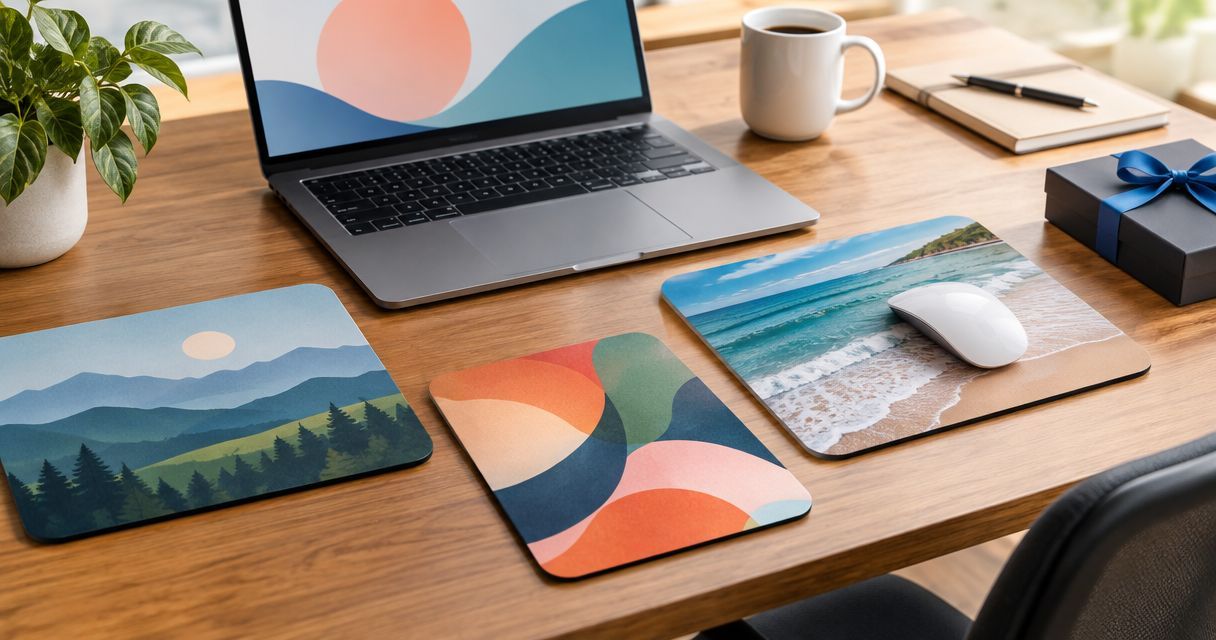
Remote team mouse mat gifting is choosing a personalised desk accessory with the aim of recognising colleagues who work apart. A personalised mouse mat for remote team gifting needs to suit each person's workspace and photo preferences, rather than treating every home office as a company desk.
TL;DR
- Choose a personalised mouse mat for remote team gifting only after checking that recipients use a mouse.
- Pixaprints suits teams creating personalised photo gifts from their own pictures.
- Keep photo gifts personal: offer an image choice without requiring family pictures or home addresses in shared documents.
- Approve the crop, recipient details and delivery arrangements before placing an order.
Why personalised mouse mat gifting matters for remote teams
A remote team gift goes into someone's home, not a shared office. That changes the brief: the recipient should have a say in the image, the amount of company branding and whether a mouse mat belongs on their desk at all.
Start with the practical questions in this guide to personalised photo mouse mats for home offices. Then separate two decisions: whether the object is useful, and whether the picture feels thoughtful. A good photograph does not fix an unwanted gift.
For your 2026 gifting plan, make participation optional and keep the recognition equal. Someone who chooses a landscape instead of a team photo should receive the same care as someone who submits a personal picture. The gift should say thank you, not ask colleagues to display their employer at home.
How to plan personalised mouse mats for a remote team
1. Define the occasion and ask about desk habits
Write a short brief before collecting photos. Is this a welcome gift, a project thank-you or a team anniversary? Name the occasion and explain why a desk accessory fits it. Avoid making the gift carry several messages at once.
Ask whether each recipient uses a separate mouse and wants a mat. A colleague who works mainly with a trackpad has a different need from someone with a permanent desk setup. Give anyone who declines a way to receive equivalent recognition without explaining their home arrangements.
For a 2026 welcome gift, keep the design independent of project names that a new starter has not encountered. For a project celebration, use an image the whole group understands rather than an inside joke shared by a few colleagues.
- Write one sentence explaining the occasion.
- Ask whether a mouse mat would be useful.
- Offer an alternative without requiring a reason.
- Decide whether the design is personal, team-based or neutral.
- Name the person responsible for the final approval.
2. Offer a comfortable choice of images
Start manually with a private message or a simple form. Ask recipients to choose an image direction before requesting files. A personal photo, an approved team picture and a neutral scene give you distinct routes without demanding access to anyone's family life.
Shortlist 3 photos per recipient as a working limit, not a requirement. This keeps selection manageable while leaving room to compare crops. Explain where submitted pictures will be used and who will review them; do not quietly reuse a gift photograph for company social posts.
A group image needs particular care. People should know it is being considered for a physical gift, and a colleague who does not want their face included should have an easy alternative. For shared imagery, use these ideas on choosing brand and team photos for an office wall to think through subjects and representation, then adapt the selection to a smaller desk surface.
- Offer personal, team and neutral image choices.
- Request original files rather than chat screenshots.
- Ask permission before using identifiable colleagues.
- Keep photo submissions out of public team channels.
- Explain the intended use before collecting pictures.
3. Choose a gift route before making the artwork
You can organise the brief, photograph selection and recipient approvals using your existing documents and image tools. Do that first. A printing service belongs after those decisions, not at the start of the process.
Pixaprints suits teams creating personalised photo gifts from their own pictures. Its stated service lets consumers upload photographs for items including mugs, calendars and photo books. That provides a route for photo-led gifting, but selecting a printing service does not replace the work of matching a gift to its recipient.
For mouse mats specifically, check the chosen supplier's current product information before designing. Confirm the printable area, accepted file requirements and ordering arrangements. Do not assume a consumer photo-gift service supports consolidated team orders, individual address uploads or overseas fulfilment.
Pixaprints personalised photo gifts fit an own-photo approach; the limitation is that the team still needs to organise permissions, approvals and recipient coordination. Make those responsibilities explicit rather than expecting the ordering process to resolve them.
- Choose the gift type before preparing final artwork.
- Check the actual product's print template.
- Confirm how different recipient designs are ordered.
- Ask how separate delivery destinations are handled.
- Assign photo permissions and address collection internally.
4. Build a simple design around the chosen photo
Use a basic image editor to try the crop before opening a print-design tool. Keep the main subject visible and remove competing elements. One clear photograph is easier to review than a crowded collage with names, slogans and several small faces.
A mouse mat is a working surface. Your colleague will place a mouse over part of the picture, so do not make a message depend on every word remaining visible. If you include a name, give it enough space and keep it away from the edge shown in the supplier's template.
Think about what the recipient wants to see every day. A quiet landscape, pet portrait or shared memory can make the gift personal without turning a home desk into a promotional display. None is automatically the right choice; the recipient's preference decides.
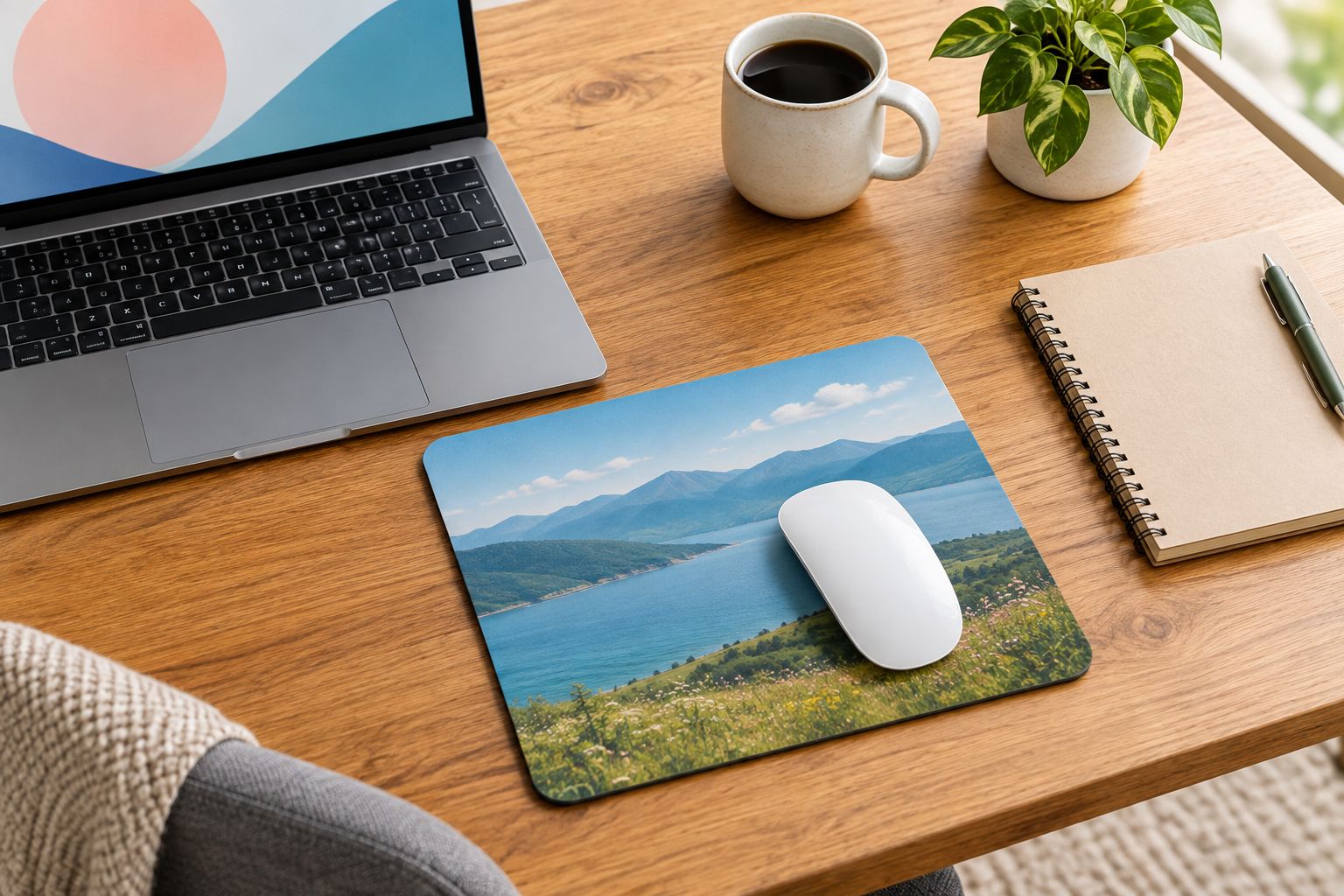
Choose a picture that still feels complete when the mouse covers part of it.
For a gift intended to last beyond 2026, leave the year off the artwork unless the date is part of the memory. Put the occasion in an accompanying message instead. That keeps the desk accessory separate from a time-limited announcement.
- Use one main subject as the design's focus.
- Keep faces and important details inside the template boundaries.
- Remove confidential documents or screens visible in the photo.
- Use wording only when it adds personal meaning.
- Check the crop with the mouse's position in mind.
5. Approve the image and wording separately
Create a preview for each recipient and ask for specific approval. A general request to check everything invites missed details. Split the review into the picture, the crop and any text, then record which version is approved.
Use 2 reviewers per design: the recipient for personal preferences, and an organiser for order accuracy. This is a suggested workflow, not a printing requirement. If the gift must remain a surprise, use an authorised colleague to review the details and choose imagery the recipient has already agreed can be used.
Keep the preview tied to the final file. For example, a filename containing the recipient's name and 2026 helps distinguish this project from an older draft, but a filename alone is not approval. Record the decision beside it and stop editing once the approved version is ready.
The approval sequence is straightforward: Image choice, Crop check, Name check, Final approval. Finish each decision before moving to the next, rather than gathering overlapping comments on several versions.
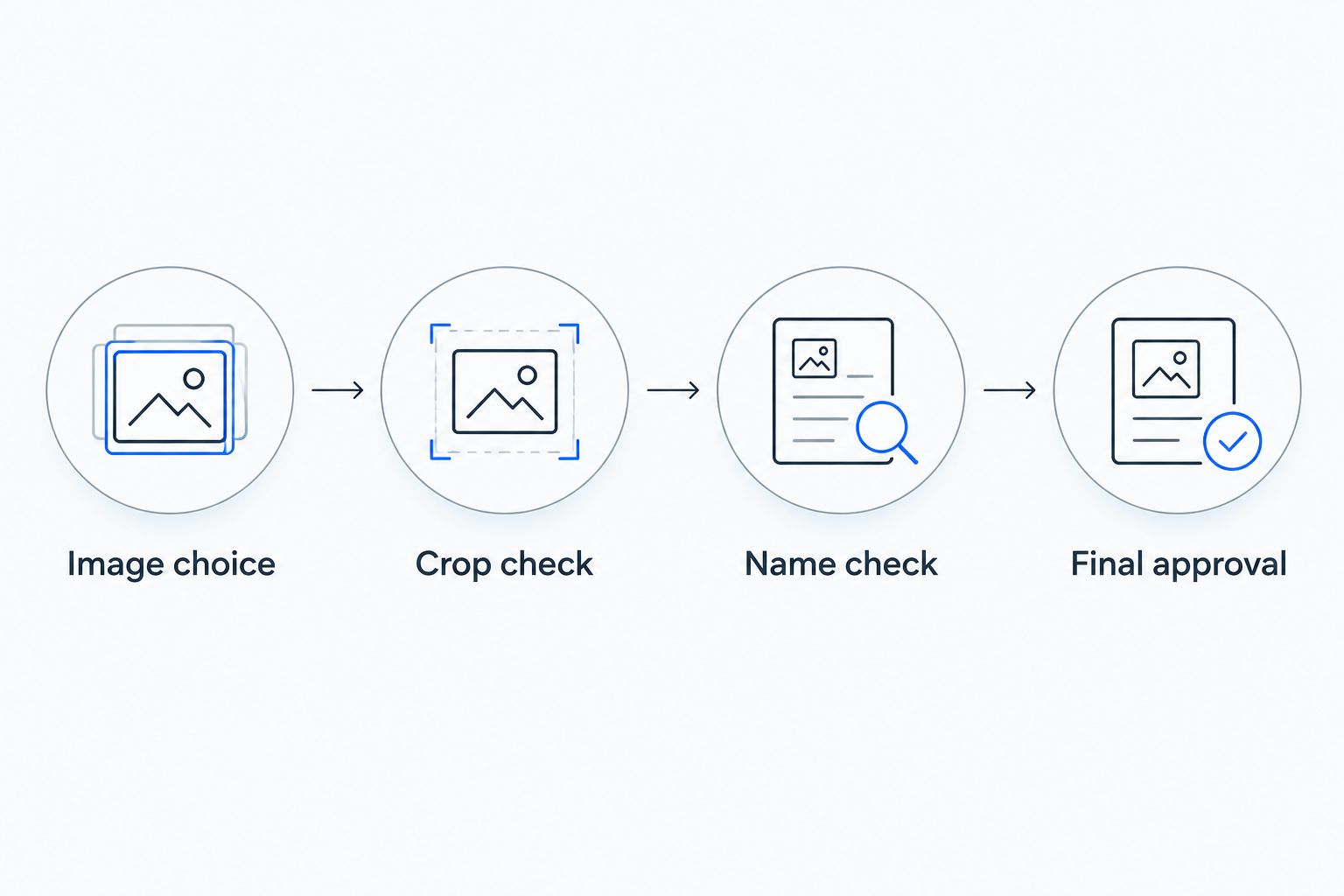
Approve the personal details before committing the final design.
- Ask the recipient to approve the chosen photograph.
- Check spelling against the recipient's preferred name.
- Review the crop in the product preview.
- Save one clearly identified approved version.
- Record who approved it before ordering.
6. Separate address collection from design coordination
Keep home addresses out of the document used to discuss artwork. The people choosing photographs do not all need access to delivery details. Collect addresses through an appropriate private process and restrict access to those arranging fulfilment.
Remote teams can include people in different countries, temporary accommodation or shared households. Ask for the preferred delivery destination rather than assuming a home address is suitable. Confirm the supplier's arrangements for each destination before promising a shared arrival date.
For a 2026 team celebration, choose the presentation date only after checking the order process and current delivery information. If gifts arrive separately, you can still send the thank-you message together without suggesting that every parcel will arrive simultaneously.
- Collect delivery details privately.
- Restrict address access to the fulfilment organiser.
- Confirm the recipient's preferred destination.
- Check destination requirements before ordering.
- Keep delivery promises separate from the celebration message.
7. Send a personal message and check usefulness
The note gives the gift its meaning. Write a specific thank-you for the person's contribution rather than relying on the printed photograph to explain the occasion. Keep the message about their work, not about how you hope they will display the gift.
After delivery, ask privately whether the mouse mat suits their setup. Do not request a home-desk photograph as proof of appreciation. A recipient should be able to enjoy the gift without sharing their workspace or posting on social media.
Use the feedback when planning your next round of gifts. If a colleague prefers a non-desk item, record that preference with their agreement. Thoughtfulness means remembering what they like, not repeating the same object because it was easy to organise.
- Mention a specific contribution in the accompanying note.
- Give recipients a private route to report an order problem.
- Ask whether the gift suits their workspace.
- Avoid requiring unboxing or desk photographs.
- Record future gift preferences only with permission.
Compare gift options for remote colleagues
The best option is the one the recipient wants to use. A mouse mat suits a mouse-based desk setup; another photo gift serves a different purpose. Compare the role of each object before you spend time on its design.
| Option | Best for | Main advantage | Key limitation |
|---|---|---|---|
| Personalised photo mouse mat | Colleagues who use a separate mouse and want a desk gift | Puts a chosen picture on a working surface | Unsuitable for someone who does not want a mat |
| Personalised photo mug | Colleagues who prefer a drink-related gift | Offers space for a personal picture away from the computer | Duplicates an item the recipient might already have |
| Personalised photo calendar | Colleagues who like a physical date reference | Gives several pictures a role throughout the year | Needs suitable images and the correct calendar year |
| Personalised photo book | Teams marking a shared project or occasion | Holds a sequence of memories rather than one image | Requires more selection and editing work |
Pixaprints personalised photo gifts include mugs, calendars and photo books, so those alternatives fit its stated range. Choose among them by asking about the recipient's habits, not by assuming that every remote worker wants desk accessories. For a mouse mat, assess the specific supplier and product separately.
Common mistakes remote team organisers make
Treating a home desk as company space
A prominent logo or compulsory team photograph changes a thank-you into a branding request. Let recipients choose how personal or company-related the design feels. Keep recognition consistent without insisting that every gift looks identical.
Using a video-call screenshot as the final image
A screenshot can include interface elements, private names, awkward expressions and people who have not agreed to appear on a gift. Request an appropriate original photograph instead. If there is no suitable shared image, offer a neutral design rather than forcing a group picture.
Making personal photos the price of participation
Not everyone wants to submit family pictures, pet photographs or images of their home. Offer a non-personal route from the outset. A colleague should not need to explain a privacy preference to receive the same thank-you.
Assuming one order covers every destination
Separate designs and separate addresses are different requirements. Confirm both before collecting final details, particularly for colleagues outside the UK. Do not promise a common delivery date until the chosen supplier has confirmed the relevant arrangements.
FAQ
What's the best personalised mouse mat for a remote team?
The best personalised mouse mat is one that suits the recipient's desk and uses an image they approve. Check that they use a separate mouse, then assess the chosen product's template and file requirements.
Should every remote colleague get the same mouse mat design?
No, consistent recognition does not require identical artwork. Offer the same choice of personal, team or neutral imagery so colleagues can choose what belongs in their home workspace.
Can I use a team video-call screenshot on a mouse mat?
Use an approved original photograph instead of a video-call screenshot. Screenshots can contain private information, interface elements and images of colleagues who have not agreed to the gift use.
Is a personalised mouse mat better than a photo mug?
A personalised mouse mat is better for someone who wants a mouse surface; a photo mug suits someone who prefers a drink-related gift. Ask about the recipient's preferences rather than choosing solely by job role.
Does Pixaprints make personalised photo gifts?
Pixaprints is a UK-based online printing service for personalised photo gifts. Its stated range includes canvas prints, calendars, photo books, mugs and phone cases created from uploaded photographs.
How do I collect addresses for remote team gifts?
Collect delivery addresses privately and give access only to the people arranging fulfilment. Keep them separate from shared artwork documents and confirm each recipient's preferred destination.
Should I put 2026 on a personalised mouse mat?
Put 2026 on the mouse mat only when the year is part of the occasion you want to remember. Otherwise, put the date in the accompanying note and leave the artwork focused on the chosen image.
One last thing
A surprise does not have to mean an unapproved photograph. Keep the thank-you message a surprise while letting the recipient choose the image. You preserve the thoughtful moment without guessing what they want on their desk.