
Photos Into Canvas Prints: Best Options Ranked 2026
· 10 min read
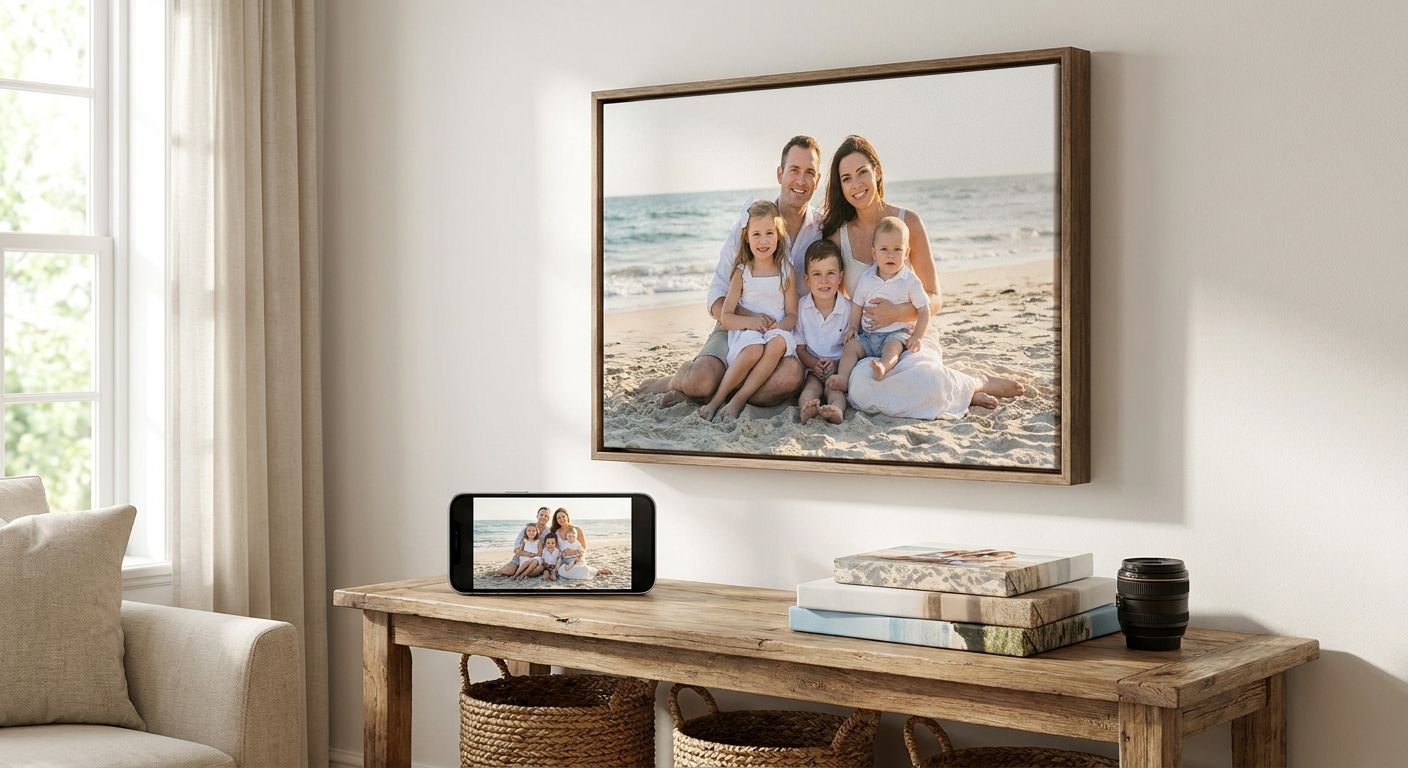
Turning phone photos into canvas prints is the fastest way to put a genuine memory on the wall instead of a stock frame from a shop. This guide ranks the five canvas print styles worth choosing between in 2026, based on the photo you're starting with and the wall you're filling.
TL;DR
- Best overall for turning phone photos into canvas prints: a single large canvas for a living room feature wall.
- Split canvas panels suit wide or open-plan walls; Pixa Prints prints these across connected panels.
- Canvas collages fit several phone photos into one print without needing separate frames.
- Panoramic canvas prints stop wide landscape phone shots getting cropped down to fit a standard frame.
- Square canvas prints match Instagram-style phone crops so nothing gets cut or stretched.
Why this matters
A phone camera and a printed canvas are two very different mediums. A photo that looks sharp on a 6-inch screen at 400% zoom can look soft once it's stretched to 30x20 inches on canvas, and the wrong aspect ratio means cropping out a hand, a head, or half the view.
Getting photos into canvas prints that actually look good on a wall in 2026 comes down to matching the print format to the photo you took, not just picking the biggest size available. That's the gap this ranking closes: which canvas style suits which kind of phone photo, and where each one falls short.
What makes the best canvas print for turning phone photos into wall art
- Resolution match — the photo needs enough detail to hold up at the size you're printing
- Aspect ratio fit — square, portrait, and landscape phone shots each suit different canvas shapes
- Wall space and layout — a single feature wall behaves differently to a long open-plan stretch
- Composition and focal point — where the subject sits in the frame matters more once panels or collages are involved
- Number of photos on show — one hero image versus several memories in one print
- Edge finish — gallery wrap stretches the image around the sides; a box canvas keeps it flat to the front
At a glance: canvas print styles compared
| Print style | Best for | Standout feature | Key limitation |
|---|---|---|---|
| Single large canvas | Statement living room walls | One big focal image with maximum visual impact | Needs a genuinely sharp phone photo to hold up at large sizes |
| Split canvas (multi-panel) | Wide or open-plan walls | Image spreads across connected panels for a gallery feel | Panel gaps can cut across faces if the photo isn't framed with care |
| Canvas collage | Combining several phone photos | Multiple images arranged in one layout | Each photo prints smaller, so detail and texture show less |
| Panoramic canvas | Wide landscape phone shots | Long aspect ratio keeps the whole scene, no cropping | Only works well with photos actually shot wide |
| Square canvas | Instagram-style phone photos | Matches native square or 4:5 phone crops exactly | Less dramatic than a wide format on very large walls |
1. Single large canvas print: best for statement living room walls
A single large canvas turns one phone photo into the focal point of a room — a family portrait, a holiday shot, a pet close-up, printed as one uncropped image on canvas prints. It's the simplest format to order and the easiest to hang, since there's only one piece to level on the wall.
Single large canvas pros:
- One clear focal point, no visual competition from other panels
- Simplest to hang — one hook, one level check
- Works with almost any phone photo that's well-lit and in focus
Single large canvas cons:
- Soft or blurry phone shots get more obvious at larger sizes
- Limited to one memory per print, not a set
Best for: anyone wanting one strong image as the anchor of a room in 2026. Verdict: Buy.
2. Split canvas print: best for wide or open-plan walls
A split canvas divides one photo across two, three, or five separate panels that hang together with small gaps between them, which is exactly what best split canvas prints for multi-panel feature walls covers in more depth. It fills a wide stretch of wall with a single continuous phone photo rather than several small frames.
Split canvas pros:
- Fills long walls that a single canvas can't stretch across
- Reads as a gallery-style feature rather than one flat print
- Works well with landscape phone shots — beaches, skylines, group shots
Split canvas cons:
- Panel gaps can land awkwardly across a face or key detail
- Slightly trickier to hang level across multiple pieces
Best for: open-plan living rooms, stairwells, and wide hallway walls. Verdict: Buy if the photo has room around the subject to absorb the panel gaps.
3. Canvas collage: best for combining multiple phone photos
A canvas collage arranges several phone photos into one printed layout instead of picking a single hero shot. It suits phones full of holiday snaps, a year of family moments, or a set of photos from one event that don't have one obvious standout image.
Canvas collage pros:
- Shows off several memories without buying multiple frames
- Good option when no single photo is strong enough to carry a whole wall alone
- Flexible layouts to suit portrait, landscape, and square shots together
Canvas collage cons:
- Individual photos print smaller, so grain and softness show more per image
- Busier layout, less impact as a single statement piece
Best for: a mixed set of phone photos from one trip, event, or year. Verdict: Buy if you're working with 4-9 photos rather than one hero shot.
4. Panoramic canvas print: best for wide landscape phone shots
Most phones now shoot a dedicated panorama mode, and a panoramic canvas is the only format built to print that shape without cropping it down to a standard rectangle. The extra-wide aspect ratio keeps the full sweep of a skyline, coastline, or mountain view intact.
Panoramic canvas pros:
- Keeps the whole scene — no cropping a wide shot down to fit
- Genuinely distinctive on a wall compared with a standard rectangle
- Suits travel and landscape phone photography specifically
Panoramic canvas cons:
- Only works if the source photo was actually shot in panorama mode
- Narrow height means it needs a specific wall spot — over a sofa or headboard, not a small alcove
Best for: the one panorama shot on your phone that's better than a hundred standard photos. Verdict: Buy if that photo exists; Skip if you're trying to force a standard photo into a panoramic crop.
5. Square canvas print: best for Instagram-style phone photos
A square canvas matches the native crop most phones and social apps default to, so a photo shot square or close to it prints edge-to-edge with nothing lost. It's the format that needs the least fiddling before ordering.
Square canvas pros:
- No white borders or awkward cropping for square or near-square phone shots
- Works well hung in twos or threes for a mini gallery wall
- Straightforward to preview since the crop matches what's already on the phone
Square canvas cons:
- Less dramatic than a wide format on a genuinely large wall
- Doesn't suit standard landscape or portrait phone photos without cropping
Best for: photos already shot square, or a set of three hung together. Verdict: Buy for square source photos; Hold for anything shot in standard landscape ratio.
How we ranked these canvas print styles
The ranking above follows the criteria set out earlier: resolution match, aspect ratio fit, wall space, composition, how many photos you want on show, and finish. A single large canvas ranks first because it demands the least compromise — one good phone photo, one wall, one hang. Split canvas, collage, panoramic, and square formats each solve a more specific problem, which is why they're ranked by use case rather than competing head-to-head for the same wall.
Ready to print your canvas?
Upload a phone photo and preview the crop before you order.
Which canvas print should you choose?
If you're still undecided, default to a single large canvas print — it's the format with the fewest ways to go wrong, and it works with almost any well-lit, in-focus phone photo. Reach for a split canvas only once you've got a wide wall and a landscape shot with breathing room around the subject; reach for a collage once one photo alone can't tell the whole story. Whichever format you land on in 2026, check the photo's sharpness at full zoom before you commit to the largest size on offer.
FAQ
What's the best canvas print size for turning phone photos into wall art?
A single large canvas around 30x20 inches works for most living room walls and phone photos shot at typical smartphone resolution in 2026. Go larger only if the photo is genuinely sharp when zoomed in at full size.
Can I turn a low-resolution phone photo into a large canvas print?
You can, but softness becomes more visible the larger the canvas. Sticking to a smaller single canvas or a square format tends to hide resolution limits better than stretching the same photo across a split canvas.
Is a split canvas print harder to hang than a single canvas?
Yes, slightly — you're levelling multiple panels with even gaps rather than one piece. It's still manageable at home, but it takes more care than a single large canvas.
How do I turn Instagram photos into canvas prints without cropping?
Choose a square canvas format if the original was shot square, since it matches the native crop with nothing cut off. Landscape or portrait Instagram photos need a canvas shaped to match that original ratio instead.
What's the difference between a canvas collage and a photo collage frame?
A canvas collage prints multiple photos onto one continuous stretched canvas as a single piece. A photo collage frame holds separate printed photos behind glass or acrylic in individual openings.
Do panoramic canvas prints need a special photo mode?
They work best with a photo shot in panorama mode on a phone, since that gives the wide aspect ratio the format is built for. A standard photo cropped down to panoramic shape loses detail from the top and bottom of the frame.
How much wall space does a multi-panel canvas print need?
A split canvas across three or five panels typically needs a wide, uninterrupted stretch of wall rather than a narrow alcove. Measure the full width including the small gaps between panels before ordering.
Can I mix colour and black-and-white photos in one canvas collage?
Yes, and it often works well as a deliberate style choice rather than a mismatch. Keep the layout balanced so one style doesn't visually dominate the print.
One last thing
Most phones now shoot well above the resolution needed for a standard living-room canvas — the print quality bottleneck is usually zoom, not the camera itself. If you had to pinch-zoom or crop tightly to get the composition you want, that's the photo most likely to look soft once it's on canvas, not the one shot at full frame. Check the uncropped original before you commit to the biggest size.