
Best Personalised Phone Cases for iPhone 15 (2026)
· 8 min read
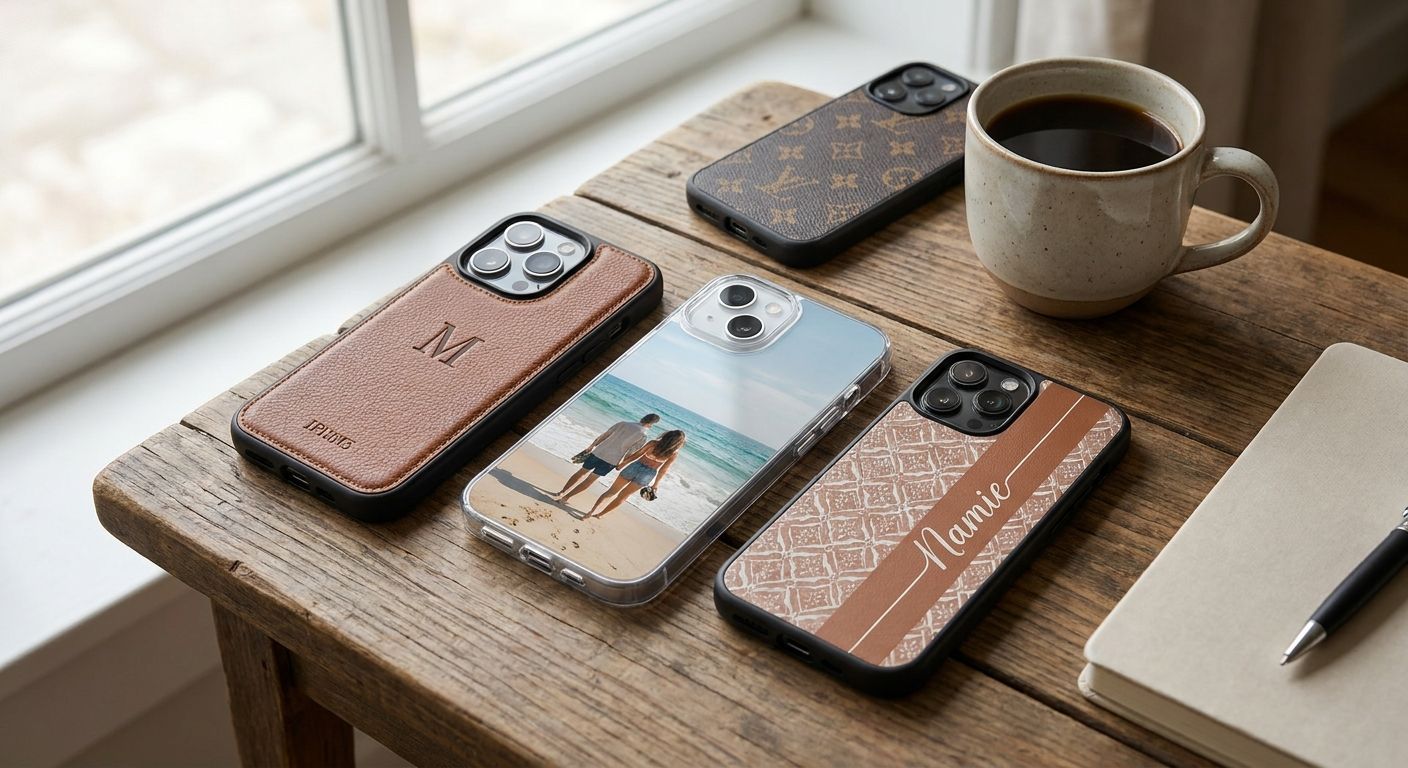
Picking a personalised phone case for iPhone 15 in 2026 means balancing photo quality, MagSafe compatibility, and drop protection — this guide ranks the case styles that actually hold up to daily use and tells you which ones to skip.
TL;DR
- MagSafe-compatible cases win for a personalised phone case iPhone 15 buyers who charge wirelessly — Buy.
- Clear slim cases show off full-bleed photo prints best but offer the least drop protection — Consider.
- Tough shockproof cases suit families and commuters; check camera cutout precision before ordering — Buy.
- Skip cheap silicone wraps with printed inserts — the colour fades within months of daily pocket wear.
Why this matters
Every iPhone 15 model ships with USB-C, MagSafe wireless charging up to 15W, and the Dynamic Island camera cutout — three details that determine whether a personalised case actually fits and functions once you've printed your photo onto it. A case cut for an older iPhone body will misalign the lens ring or block the charging coil, which ruins both the fit and the photo.
Getting the photo itself right matters just as much as the case shape. If you're pulling images straight from your camera roll, uploading photos straight from your phone keeps the file at full resolution instead of the compressed version that gets shared over messaging apps. A blurry or low-resolution upload is the single most common reason a personalised phone case looks worse in hand than it did on screen.
2026 also brought more case makers offering MagSafe as standard rather than an upgrade, so it's no longer a premium feature you have to hunt for — it's a baseline expectation.
How we ranked
Each case style below is judged against four criteria that matter specifically for a personalised photo case: camera cutout precision against the Dynamic Island housing, MagSafe magnet alignment, how well the printed surface resists scratching and fading, and how much of the photo actually stays visible once the case is on the phone.
Styles that trim heavily into the photo — thick bumper edges, oversized camera rings — score lower even when they're tougher, because the entire reason to personalise a case is to see the picture. Durability data reflects widely published drop-test standards (MIL-STD-810G, the US military transit-drop benchmark most case makers test against) rather than any single retailer's in-house claim.
The ranked list
1. MagSafe-compatible case — the safe pick
The magnet ring sits under the printed layer and aligns to Apple's official MagSafe spec, so wireless chargers and MagSafe wallets snap into place at the full 15W charging speed. Photo coverage on these cases typically loses only a thin ring around the magnet zone, leaving the rest of the image untouched.
Buy this if you already own a MagSafe charger or car mount, because a non-aligned case means the magnet just won't grip. Verdict: Buy.
2. Clear slim case — the photo-quality pick
A clear back panel with the photo printed on an inner layer shows the full image edge to edge, with none of the crop losses that thicker cases force. If the source image came from social media, turning Instagram photos into print-ready files before ordering avoids the soft, pixelated look that low-res exports produce at case size.
The trade-off is protection — slim clear cases typically survive shorter drops than a padded case and yellow faster under UV exposure over 12 to 18 months. Verdict: Consider.
3. Shockproof tough case — the rugged pick
Raised bezels around the screen and camera, plus a soft inner shell, are what let tough cases pass MIL-STD-810G-style drop testing. The photo sits on a printed insert panel rather than the outer shell, so the image survives scuffs that would scratch a direct-print surface.
This is the pick for anyone who drops their phone weekly, works a trade job, or hands their phone to small children. The camera cutout on well-made tough cases still lines up cleanly with the Dynamic Island housing, so check that detail before you buy. Verdict: Buy.
4. Wallet case with photo insert — the everyday-carry pick
A wallet case swaps card-carrying convenience for a smaller visible photo area, since the front flap covers part or all of the printed panel when closed. It works well for anyone who wants to ditch a separate cardholder, but the photo becomes a reveal rather than an always-visible feature.
MagSafe support varies a lot by design here — some wallet cases skip it entirely because the card slot and magnet ring compete for the same space. Verdict: Consider.
5. Biodegradable or recycled-material case — the eco pick
Cases built from plant-based or recycled plastics print photos onto a matte surface rather than a glossy one, which mutes colour saturation slightly compared to a standard polycarbonate shell. Camera cutout precision on these tends to match standard cases since the mould process is the same.
If print vibrancy matters more to you than material sourcing, this isn't the pick — the softer finish changes how bright colours look. Verdict: Consider.
Comparison table
| Case style | MagSafe support | Photo coverage | Drop protection | Verdict |
|---|---|---|---|---|
| MagSafe-compatible | Full 15W | High | Moderate | Buy |
| Clear slim | Varies | Full edge-to-edge | Low | Consider |
| Shockproof tough | Varies by model | Moderate (insert panel) | High | Buy |
| Wallet case | Limited | Partial (flap covers photo) | Moderate | Consider |
| Biodegradable/recycled | Varies | High, muted finish | Moderate | Consider |
Where to buy
- Confirm the listing states "iPhone 15" specifically, not "iPhone 14/15 compatible" — the Dynamic Island cutout position has shifted across generations and a generic listing risks a misaligned lens ring.
- Check whether the print uses UV-resistant ink; cases without it visibly yellow or fade within a year of regular sun exposure.
- Upload the highest-resolution version of your photo you have — a personalised phone case is small enough that even modest compression shows up as softness once printed.
Turn your own photos into personalised gifts
Upload a favourite photo and design it your way at Pixa Prints.
FAQ
What's the best personalised phone case for iPhone 15?
A MagSafe-compatible case is the best all-round personalised phone case for iPhone 15 in 2026 because it keeps the full 15W wireless charging speed while still showing most of the printed photo. Clear slim cases win on photo visibility if you rarely use MagSafe accessories.
Is a clear case or a tough case better for a photo print?
A clear case shows more of the photo edge to edge, while a tough case protects the print better against daily drops. Choose clear for display purposes and tough case if you handle your phone roughly.
Does a personalised case block MagSafe charging on iPhone 15?
Only if the magnet ring inside the case is misaligned or missing. Cases specifically listed as MagSafe-compatible preserve the full 15W charging speed; generic printed cases often skip the magnet ring entirely.
How much detail can a phone case photo actually show?
A phone case print is small, roughly the size of the phone itself, so fine detail and small text rarely reproduce well. Close-up portraits, pets, and simple landscapes print more clearly than busy group shots.
Do biodegradable phone cases print photos as well as plastic ones?
Biodegradable and recycled-material cases print onto a matte surface, which mutes colour saturation compared to a glossy polycarbonate case. The camera cutout precision is typically the same across both materials.
Will a case fit both iPhone 15 and iPhone 15 Pro?
No. The camera module size and button placement differ between the standard and Pro models, so a case must be listed for the exact model to align correctly with the Dynamic Island and camera housing.
How long does a printed phone case last before it fades?
A case with UV-resistant ink typically holds colour for well over a year of daily pocket and bag use. Cheaper unprotected prints can visibly fade or yellow within a few months of regular sun exposure.
One last thing
The detail most people miss when ordering a personalised phone case for iPhone 15 isn't the case style at all — it's cropping the photo before upload so the subject sits in the centre third of the frame, away from the camera cutout and edges. A photo composed for a phone screen almost always gets clipped badly once it wraps around a case shell in 2026's slimmer designs.