
Boots Photo alternatives in 2026
· 11 min read
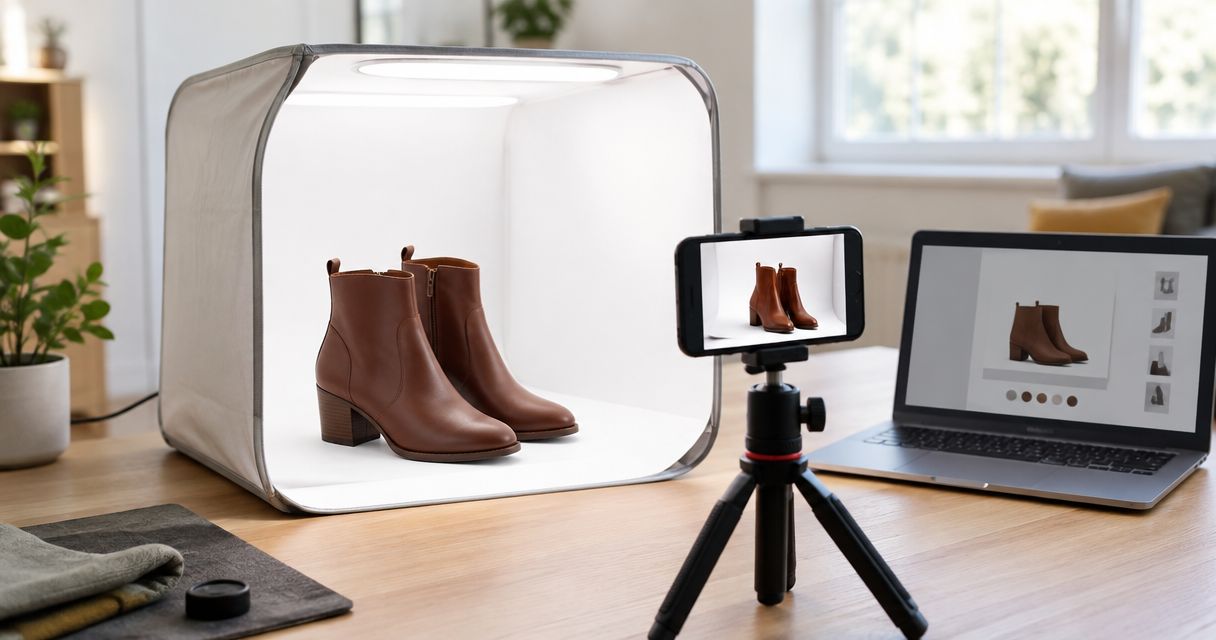
Boots Photo brings photo printing and personalised gifts together, making it a familiar starting point for turning pictures into keepsakes. That broad offer stops being enough when you need to choose around a particular photograph, recipient or finished format rather than simply reorder something familiar. The best Boots Photo alternative in 2026 is Pixaprints if you want an online service for personal photo gifts; Snapfish is another option if you want to compare online photo-printing services.
TL;DR
- Pixaprints leads these Boots Photo alternatives for consumers turning personal photos into canvas prints, calendars, photo books and gifts.
- Compare Boots Photo, Snapfish and Photobox against the same finished project, not their names alone.
- Check your original image, crop and layout before committing to any photo-printing service.
- Stay with Boots Photo when its current product and familiar ordering process already meet your needs.
Why this matters
A good photo gift starts with a match between the picture and the object. A favourite portrait, a holiday collection and a family snapshot do not all need the same treatment.
Before comparing providers, decide what you want someone to do with the result: display it, look through it or use it every day. This guide to choosing a personalised photo gift for any occasion helps you make that first decision.
The useful question is not which company has the longest product list. It is which service lets you make the particular keepsake you have in mind, with a layout you are happy to approve.
Boots Photo alternatives at a glance in 2026
These are project-based recommendations, not a ranking of print quality. Compare the current product details and your finished preview before choosing.
| Service | Best for | Core offering to consider | How to compare it with Boots Photo |
|---|---|---|---|
| Boots Photo | Keeping a familiar photo-printing route | Photo prints and personalised photo products | Use your existing experience as the baseline |
| Pixaprints | Turning personal photographs into gifts and home displays | An online service covering canvas prints, calendars, photo books, mugs and phone cases | Start with the object you want to create, then check the individual product details |
| Snapfish | Adding another online photo service to your shortlist | Photo prints, photo books and personalised gifts | Compare the same photograph and intended format |
| Photobox | Comparing another route for books, wall art and gifts | Photo books, photo prints and personalised photo products | Judge the finished layout against the project you would make with Boots Photo |
Do not compare a small print from one service with a wall display from another. Keep the product type, image and intended use consistent. Otherwise, you are choosing between different projects rather than different providers.
1. Pixaprints: best for personal photo gifts
Pixaprints is a UK-based online printing service for consumers who want to upload personal photographs and turn them into keepsakes. Its stated range includes canvas prints, calendars, photo books, mugs, phone cases and other personalised photo gifts.
That makes it a relevant starting point when your photograph already suggests a purpose. A family portrait belongs on display; a collection of holiday pictures invites a book; a favourite pet photograph can become an everyday reminder.
Where the service shines
- Several ways to use personal photographs: choose between wall displays, books and everyday gifts rather than treating every picture as a loose print.
- A consumer-focused starting point: the service is built around uploading your own images to create personalised items.
- A clear fit for gift planning: start with the recipient and choose a format that suits how they will enjoy the photograph.
Where it falls short
- An online upload is still part of the job: you need access to the photographs you want to use, not just a physical original sitting in a drawer.
- Personalisation leaves decisions with you: choosing images and checking their placement cannot be handed over to the recipient after ordering.
- Product range alone does not settle the comparison: the exact format and finished design still need to match your project.
Best for: consumers creating personalised photo gifts, family keepsakes and photo displays from their own pictures.
How to compare it with Boots Photo
Build your decision around one actual project. If you want a calendar, choose 12 monthly photos before opening an editor; if you want wall art, settle on the photograph and the wall first.
Then check whether each service's current product gives you the result you want. Look at the crop, the position of faces and any text you have added. A provider's wider range matters less than getting this particular item right.
Verdict: Buy through Pixaprints when its photo-gift format fits your picture and you are ready to check the finished design yourself.
2. Snapfish: best for another online-service comparison
Snapfish is another established name in online photo printing, with photo prints, photo books and personalised gifts. It belongs on a Boots Photo shortlist when you want to compare another service using the same pictures.
Make the comparison concrete. Choose your intended item before exploring different layouts, so a new design does not distract you from what you originally wanted to make.
Where Snapfish shines
- Familiar photo-product categories: prints, books and gifts give you several ways to approach a personal-photo project.
- A useful comparison point: you can judge another provider against your existing Boots Photo experience.
Where Snapfish falls short
- Another editor adds another decision: comparing services takes time if you keep changing both the product and the photographs.
- A familiar category name is not an exact match: check the individual format rather than assuming every photo book or print is equivalent.
Best for: someone who has already chosen a photo product and wants another online service to assess.
For a fair comparison, use the original image file on both services. Keep captions and image order consistent wherever the chosen formats allow. This makes differences in your finished design easier to spot without confusing them with changes you made yourself.
Verdict: Hold Snapfish on your shortlist until you have compared the same project with Boots Photo.
3. Photobox: best for another books-and-wall-art shortlist
Photobox offers photo books, prints and personalised photo products. Consider it when you want another route for a collection of memories or a photograph you plan to display.
Where Photobox shines
- Useful project categories: books and photo displays suit different ways of enjoying the same memories.
- Another design to assess: comparing a finished layout gives you more to judge than a product-category name alone.
Where Photobox falls short
- More choices do not choose your photographs for you: you still need a clear selection and a purpose.
- Product details need checking: do not assume that a similarly named item matches the Boots Photo version you know.
Best for: people comparing another provider for a photo book, print or personalised keepsake.
Keep this comparison short. If the product does not suit your image shape or intended display, remove it from your shortlist rather than trying to rescue it with a different photograph.
Verdict: Hold Photobox as a comparison option; skip any format that compromises the photograph you want to use.
How to choose between photo-printing services
Before you compare another editor, make these decisions in order. They apply whether you are creating a gift or printing something for your own home.
Choose the purpose
Decide whether the finished item is for display, storytelling or everyday use. A book lets you build a sequence; a canvas puts attention on a wall image; a mug brings a photograph into an everyday routine.
Find the original
Use the original image rather than a screenshot where you have it. Screenshots and repeatedly shared copies can contain less image detail, leaving you less room to crop or enlarge the photograph.
Check the crop
Look at faces, hands and important objects near the edges. Changing the shape of a photograph can remove part of the scene, even when the original picture looks fine on your phone.
Review the layout
Read captions, check names and inspect each image position. For a photo book, check the sequence too: an attractive page does not automatically create a clear story across the whole book.
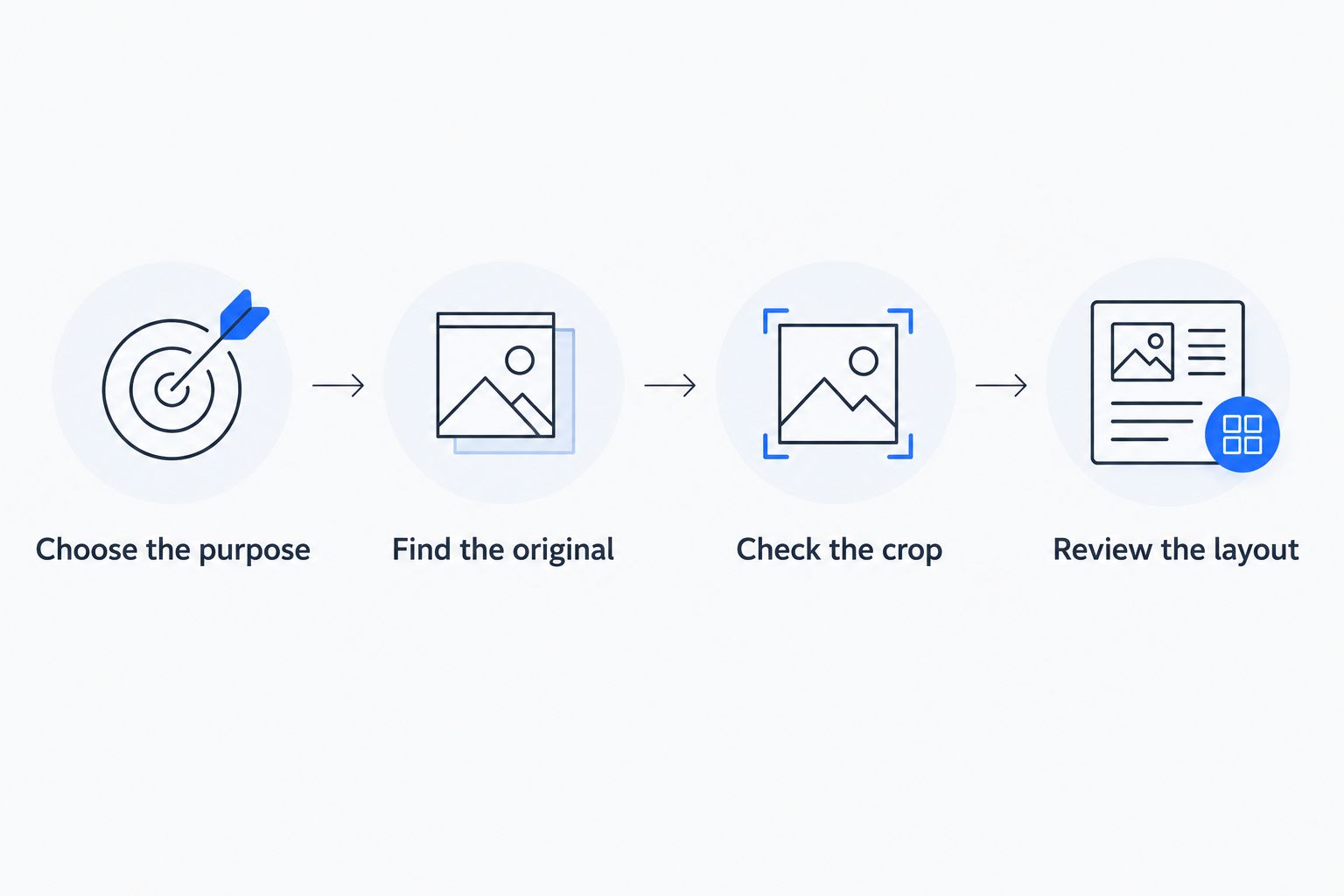
Choose the purpose before comparing layouts or editing your photographs.
For a calendar, set aside 2 or 3 candidates for any month where the choice feels difficult. Compare them in the actual layout rather than forcing your first selection to work. These are planning suggestions, not upload limits or product specifications.
Why people switch from Boots Photo
A decision to switch in 2026 does not need a complaint behind it. A different project is enough reason to compare services.
The finished object has changed
Ordering loose photographs and creating a personal gift involve different choices. Once you want a canvas, book or calendar, reassess the product itself rather than automatically repeating your last order.
The photograph needs a different treatment
A wide landscape and a close portrait ask different things of a layout. If the important part of your picture is lost in the crop, compare another suitable format before choosing a provider.
The recipient matters more than the product category
Someone who enjoys looking through family photographs needs a different gift from someone who prefers a single picture on the wall. Choose around their habits, not simply the format you ordered last time.
These are reasons to reconsider your choice, not evidence that Boots Photo has failed. Switch for a clearer fit, not because a list of alternatives tells you that changing is automatically better.
When staying with Boots Photo is the right call
Stay with Boots Photo in 2026 if the current product suits your photograph, you understand the ordering process and you are happy with the design you can create.
There is no benefit in rebuilding a finished project elsewhere without a specific improvement in mind. Familiarity is useful when it helps you complete the job carefully rather than rush through checks.
Before switching, name the problem you want to solve in one sentence. If you cannot identify one, finish reviewing your existing project instead of opening another editor.
FAQ
What's the best Boots Photo alternative in 2026?
Pixaprints is the best fit in this shortlist for consumers turning personal photographs into canvas prints, calendars, photo books and personalised gifts. Choose according to the individual product and finished design, rather than assuming one service wins every category.
Is Snapfish better than Boots Photo?
There is no single winner for every photo project. Compare the same image, product type and intended layout, then choose the result that meets your needs.
Should I compare Photobox with Boots Photo?
Yes, Photobox is a relevant comparison for photo books, prints and personalised photo products. Check the exact product details rather than treating similarly named items as identical.
Can I use phone photos for personalised photo gifts?
Yes, phone photographs can be used for personalised photo gifts when the files suit the chosen product. Use the original image where possible and check the crop and any image-quality warnings before ordering.
What should I check before ordering a photo book?
Check the photograph selection, page sequence, crops and captions before ordering a photo book. Read names carefully and make sure important details remain visible in the finished layout.
Do I need to leave Boots Photo to make a better gift?
No, changing provider is not automatically an improvement. Stay with Boots Photo when its current product and the design you can create already suit your photograph and recipient.
One last thing
Before choosing your provider in 2026, show someone your selected photograph without telling them which product you plan to order. Ask what they notice first.
If they point to a detail your planned crop removes, reconsider the layout. The most meaningful part of a photograph is not always in the centre, and keeping that detail matters more than changing the name on your order.