
Personalised 2027 calendars for caravan and motorhome owners
· 12 min read
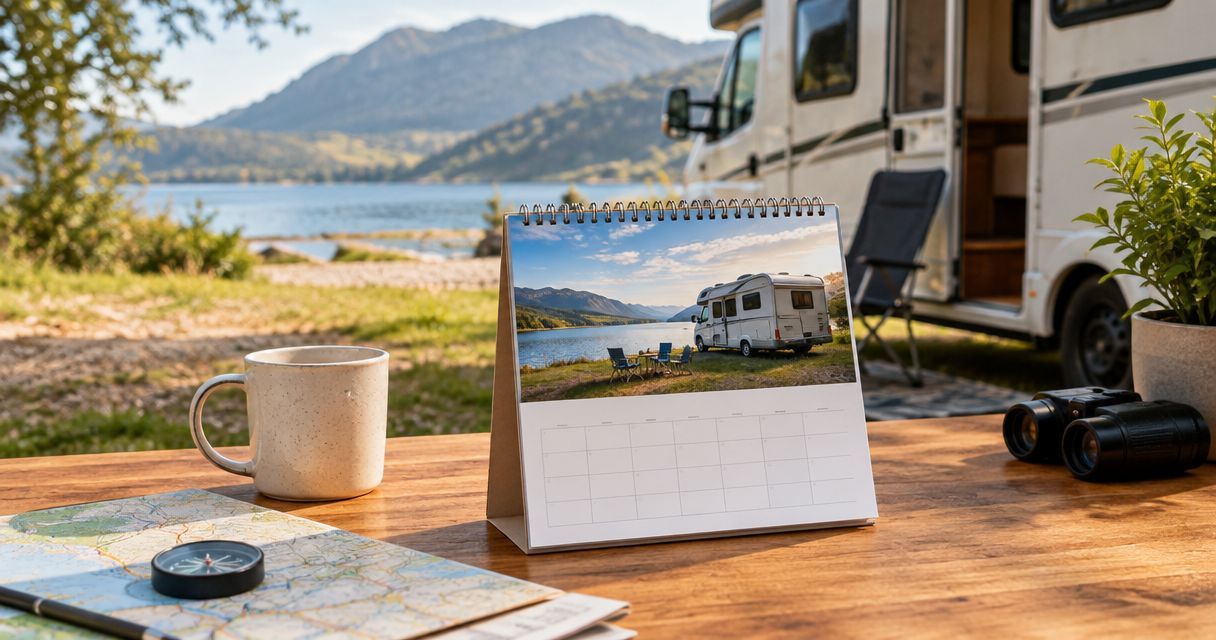
Caravan owners’ personalised calendars are photo calendars made from their own touring pictures to celebrate favourite trips and organise future adventures. If you’re preparing a personalised 2027 calendar for caravan owners in 2026, this guide helps you choose photographs, plan the pages and keep the finished calendar useful at home or on board.
TL;DR
- A personalised 2027 calendar for caravan owners works best when touring photographs share space with readable dates.
- Pixaprints suits caravan owners who want a photo calendar made from their own travel memories.
- Choose original photo files, check every crop and keep changing campsite bookings separate from printed captions.
- Plan the display space before choosing your calendar layout, especially inside a caravan or motorhome.
Why personalised calendars matter for caravan owners
A touring calendar has two jobs: bring back happy memories and make the next trip easier to picture. A sweeping coastal view does the first beautifully; a clear date grid does the second. Choose a layout that gives both jobs enough room.
Caravans and motorhomes also create a practical question that a calendar for a kitchen wall doesn’t always face: where will it fit? Cupboard doors, opening windows and narrow wall spaces all need consideration before you settle on a display position.
For a gift, the strongest pictures are often personal rather than polished. The dog outside the awning, breakfast overlooking a lake or a muddy walk back to the pitch can mean more than an anonymous scenic view. Start with this guide to choosing photos for a personalised calendar if your camera roll needs sorting.
Use your 2026 planning time to decide whether the calendar belongs in the vehicle or at home. That decision should shape the photographs, writing space and page layout—not come after you have finished designing it.
How to make a calendar that feels like your travels
Build the calendar around the person who will use it. A couple who tour together need a different mix from grandparents who take the grandchildren away, even when both own similar vehicles.
Work in this order: choose the purpose, gather the files, build the picture sequence, check the layout and proof the finished pages. Sorting the decisions first keeps you from repeatedly replacing pictures later.
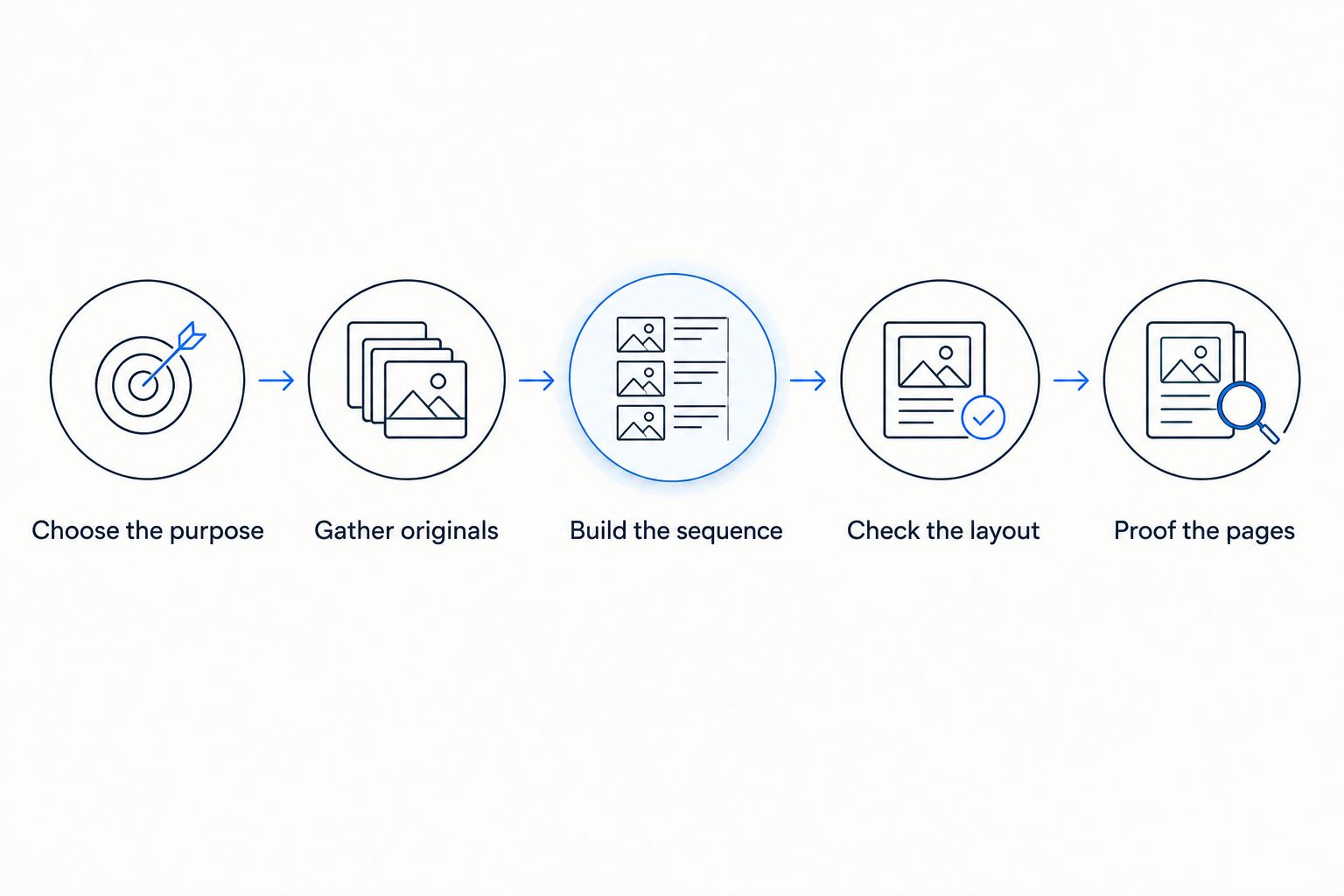
Choose the purpose
Decide whether you are making a working trip planner, a keepsake or a present. You can combine those purposes, but one should lead. A planning calendar needs readable dates; a gift needs photographs the recipient will recognise and enjoy.
Before opening a design tool, write a short brief on paper. For example, a couple preparing for touring in 2026 might want a calendar for the following year that recalls shared holidays while leaving room for new plans.
- Write down who will use the calendar and where it will hang.
- Choose whether photographs or handwritten planning space take priority.
- Decide whether the story follows one holiday or several trips.
- Keep a gift recipient’s favourite places ahead of your own preferences.
Gather originals
Make a folder on your phone or computer before uploading anything. As a working shortlist, collect 24 candidate photographs for 12 monthly pages; these are planning suggestions, not a required product format. Having alternatives makes awkward crops easier to resolve.
Use the original files wherever possible. A picture saved from a messaging conversation or captured as a screenshot can contain less detail than the original photograph. Enlarge each candidate on screen and check faces, horizons and the main subject before keeping it.
- Ask travelling companions for their original photographs rather than screenshots.
- Remove near-duplicates so each candidate adds something different.
- Keep spare photographs with different shapes and compositions.
- Name files by place or memory so you can identify them later.
Build the sequence
Arrange your shortlist in a simple document or thumbnail view before creating the calendar. Try alternating broad landscapes with closer photographs of people, pets and campsite details. That gives each page its own character without losing the touring theme.
Pixaprints is best for caravan owners who want to turn their own touring photographs into a personalised calendar. Its online printing service lets consumers upload personal photos to create calendars. Prepare your shortlist first; then use the service to turn that selection into the finished project rather than sorting your whole camera roll during design.
- Give each month a different memory rather than repeating similar views.
- Place a favourite walking photograph beside a recognisable campsite moment.
- Include travelling companions, not just the vehicle and scenery.
- Choose a cover image that introduces the whole collection.
Check the layout
Measure the intended display space and note anything that opens or moves nearby. For an on-board calendar, consider the page when it is hanging open, not just the closed cover. Keep it clear of controls, windows and access points.
You can test the arrangement with a plain sheet of paper before choosing a format. The paper will not confirm product dimensions, but it helps you picture the position and reading distance. Check the actual dimensions and layout of the calendar you select before ordering.
- Measure the available width and height in centimetres.
- Check clearance around cupboard doors and opening windows.
- Look at the proposed position from your usual seat or standing place.
- Choose a home display instead if the vehicle has no suitable space.
A simple paper mock-up helps separate “that looks lovely” from “that fits where we need it”. Keep the display practical, especially in a compact interior.
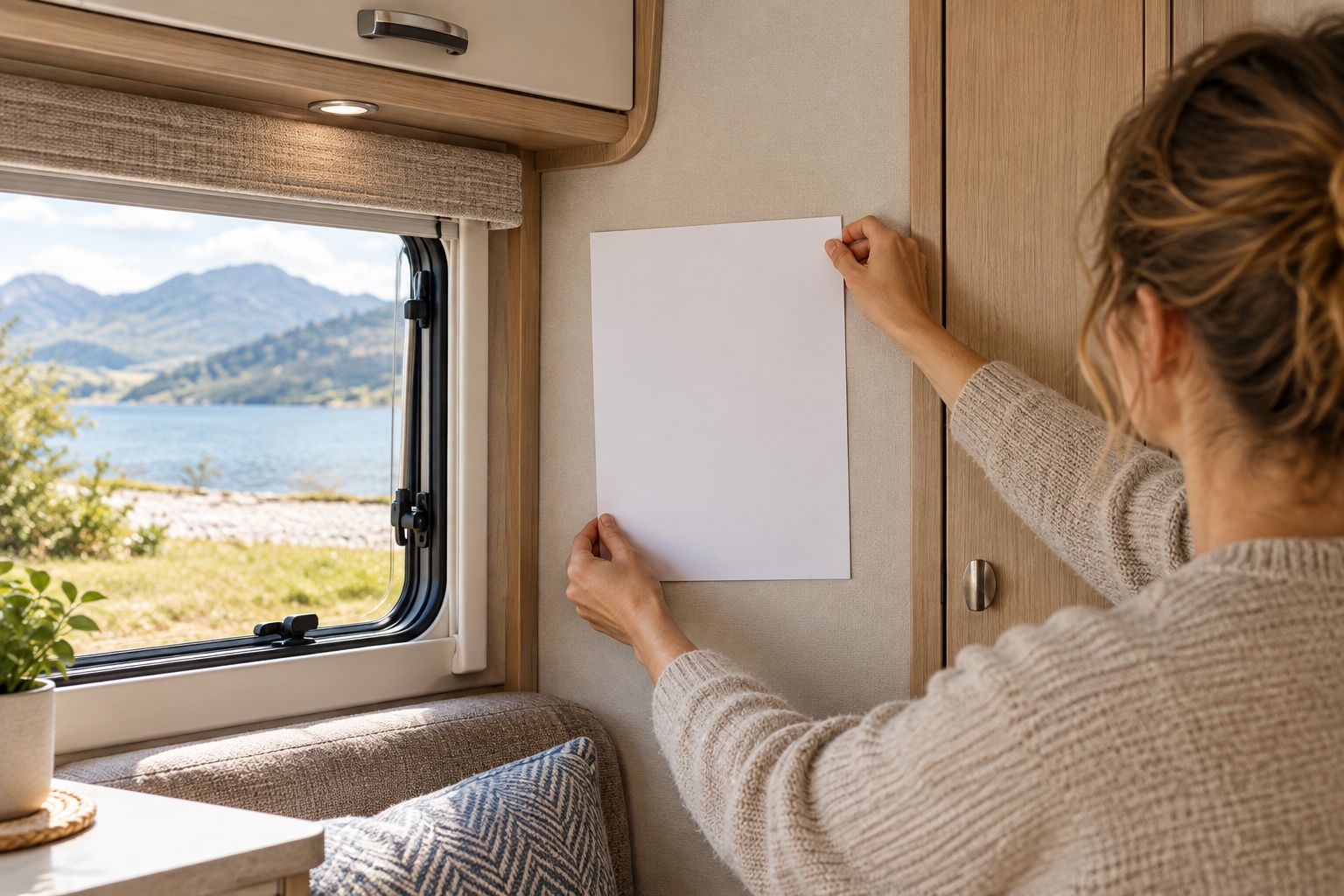
Check the space around the calendar before choosing the finished format.
Match photographs carefully
Seasonal matching is a useful starting point, not a rule. A frosty morning belongs naturally near the start of the year, while a beach picnic gives a summer page a clear mood. If all your photographs come from one summer holiday, arrange them as a journey instead.
Keep remembered dates distinct from future plans. A caption about a favourite stop records a memory; a campsite booking is something you need to check separately. When designing in 2026, avoid turning a provisional idea into a permanent printed commitment.
- Match photographs to seasons where your collection supports it.
- Use journey order if the calendar follows one memorable holiday.
- Keep place names short and check their spelling.
- Leave changeable plans for handwritten notes or a separate planner.
Keep pages readable
Start with one clear focal photograph rather than trying to fit every memory onto each page. A busy collage can work as a keepsake, but it needs careful checking when faces, vehicles and landscapes compete for attention.
Preview the photograph inside its actual image area. A beautiful wide view can lose its caravan, dog or mountain peak when cropped into a different shape. Replace an unsuitable picture rather than forcing a crop that removes the memory’s main subject.
- Keep important faces and details away from the outer edges.
- Check that the horizon looks level after cropping.
- Use short captions that do not compete with the photograph.
- Keep the date grid easy to read at the intended display distance.
Proof the pages
Review the finished calendar as a complete object, not just a collection of favourite pictures. Check the cover, the year, every monthly page and the order of the photographs. A repeated image or misspelt destination is easier to fix before printing.
Pixaprints offers the route from personal uploads to a printed calendar, but your choices still determine the result. Check the current calendar specifications and ordering details on the site rather than assuming a particular layout, binding or custom-date feature is included.
- Confirm that the selected calendar year is 2027 throughout.
- Check every crop, caption and place name in the preview.
- Review all monthly pages for accidental repeats or empty image areas.
- Ask another person to check the finished design before ordering.
Compare calendar approaches for touring owners
The best approach depends on whether you want a keepsake, a practical planning surface or both. There is no need to turn a sentimental present into a detailed travel organiser if the recipient already plans trips elsewhere.
| Option | Best for | Main advantage | Key limitation |
|---|---|---|---|
| Pixaprints personalised photo calendar | Owners who want their own touring photographs printed as a calendar | Uses personal travel pictures rather than generic scenes | Requires you to choose suitable files and check the design; confirm format details before ordering |
| Handmade photo calendar | Owners who enjoy a hands-on craft project | Gives you direct control over the arrangement of photos and handwritten details | You handle the assembly, consistency and date checking yourself |
| Plain paper planner alongside a photo keepsake | Owners who frequently change travel plans | Separates practical notes from the memory collection | The planner itself does not display your touring photographs |
| Digital calendar alongside a printed photo calendar | Travelling companions who want editable plans and a physical keepsake | Keeps changing trip information separate from the printed pages | Requires you to maintain two different items |
Choose the printed photo calendar for memories; choose your planning method around how often your plans change. Keeping those roles separate avoids squeezing too much information into a small page.
Common mistakes caravan and motorhome owners make
Filling every page with the same vehicle view
Your caravan or motorhome belongs in the story, but repeated photographs from the same angle make the months feel interchangeable. Keep the strongest vehicle portrait and add the people, places and small rituals that made each trip different.
Choosing a format before choosing its home
A calendar that suits a kitchen wall is not automatically suitable beside a motorhome cupboard. Decide where it belongs first, then check the dimensions and open-page arrangement against that space.
Printing changing travel plans into the pictures
A provisional campsite stay looks definite once it becomes part of a printed caption. Keep permanent text about completed trips, and put future bookings somewhere you can amend them. Treat calendar notes as reminders, not substitutes for booking confirmations.
Using scenery the recipient does not recognise
A dramatic landscape is not automatically the right gift photograph. Choose places the owner visited, people they travelled with and details they will remember. A familiar pitch can carry more meaning than a spectacular view from somebody else’s holiday.
Leaving the photo check until the end
Repeatedly editing layouts around unsuitable files creates extra work. Check your originals early, then inspect every image again after cropping. A photograph can look sharp in the camera roll but still have its main subject cut off in the finished page.
FAQ
What is the best personalised 2027 calendar for caravan owners?
The best personalised 2027 calendar for caravan owners combines recognisable touring photographs with a readable date layout that fits its intended display space. Pixaprints suits owners who want to upload their own photographs to create a calendar; check the current format details before choosing.
How many photos should I choose for a caravan calendar?
For a layout with one photograph on each of 12 monthly pages, choose 12 main images and keep alternatives ready. Add a separate cover photograph if your chosen format needs one, and check the actual layout before finalising your selection.
Can I use phone photos for a personalised touring calendar?
You can use phone photographs when the original files suit the chosen calendar layout. Check image detail and the final crop in the preview rather than judging only from a small thumbnail.
Should I put campsite bookings on a printed calendar?
Keep changeable campsite bookings separate from permanently printed photographs and captions. Use a suitable writable area or a separate planner, and retain the booking confirmation as your reference.
Is a photo calendar suitable for a motorhome interior?
A photo calendar is suitable only where its dimensions and display position work with the interior. Measure the space, check the open-page arrangement and keep windows, controls and access points clear.
What if all my caravan photographs were taken in summer?
Arrange summer photographs as a journey or a collection of favourite moments rather than forcing a seasonal match. Alternate landscapes, people, pets and campsite details to give the pages variety.
How do I make a caravan calendar feel personal as a gift?
Choose shared memories rather than generic touring scenery. Include the recipient’s favourite places, travelling companions and recognisable details, then check any captions with someone who knows the trips.
One last thing
Include a photograph of an ordinary moment: the kettle beside the window, boots after a walk or the dog waiting by the door. Those details turn a record of destinations into a record of how the holidays felt.
Before you finish your 2026 preparations, ask yourself which photograph would make the recipient tell a story. Give that image a prominent page, even if it is not the most polished picture in the folder.