
Photo Books for Travel: 2026 Guide to Holiday Albums
· 9 min read
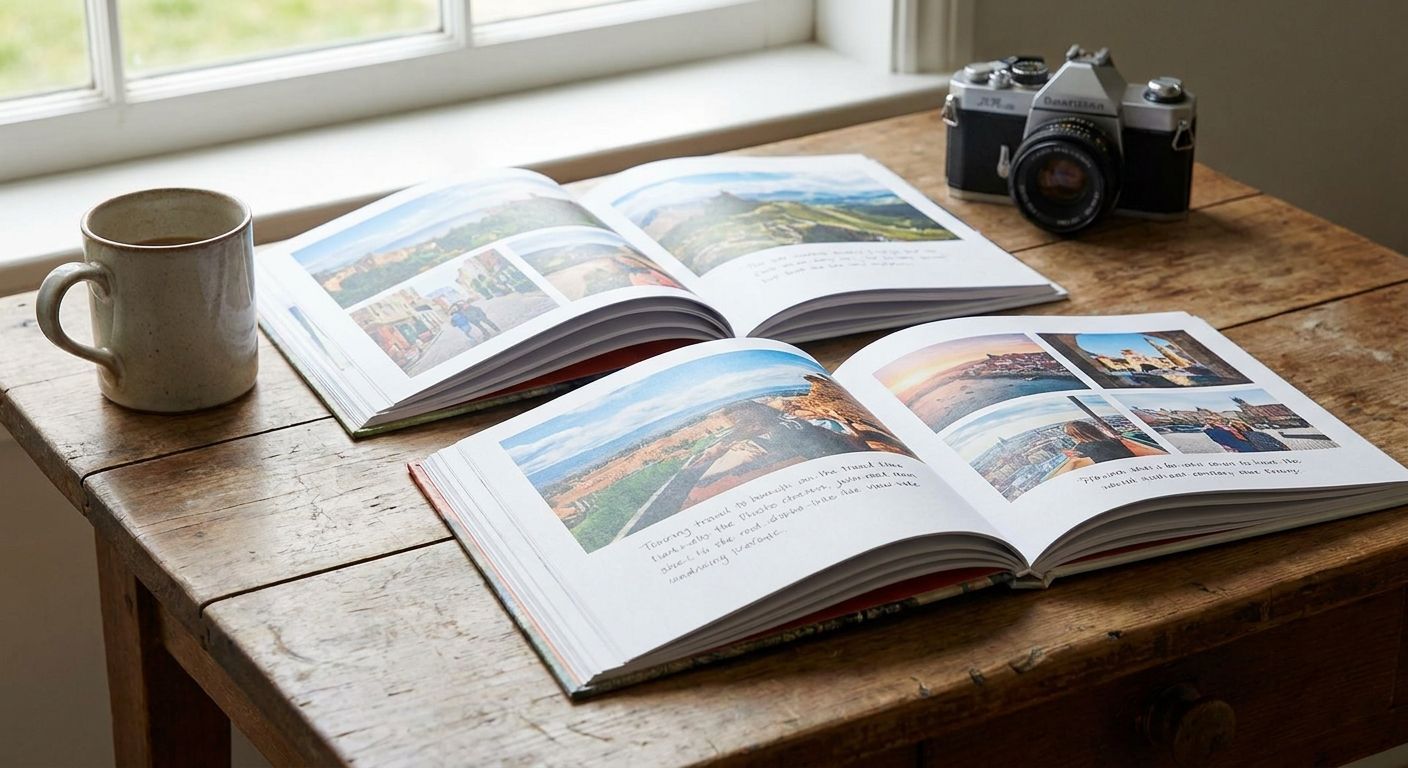
Travel photo books turn scattered holiday shots into one bound record you actually pick up again, built to move a trip through story order rather than a random camera roll dump. Travellers need something different from a birthday album: more pages, a stronger sense of place-to-place sequence, and layouts that can handle a mix of skylines, food shots and close-up faces without looking cluttered.
TL;DR
- Photo books for travel work best sorted by day or destination, not by camera timestamp alone.
- A 20-30 page layout covers a 1-2 week trip without forcing weak filler shots onto the page.
- Panoramic spreads suit landscapes and skylines; grid layouts suit food, markets and street shots.
- Order the book within a month of returning, while captions and place names are still fresh.
- Curate to 40-80 photos per trip. More than that reads as an unsorted camera roll.
Why photo books matter for travel more than other photo prints
A holiday produces hundreds of images in a few days, and most of them get looked at once on a phone screen and never again. A photo book forces a decision: which 40 to 80 images actually tell the story of the trip, and in what order.
That editing step is the whole point. Loose prints or an untouched camera roll don't ask you to choose a narrative, so nobody ends up with a single object that captures the trip as a sequence: arrival, the first proper meal, the day it rained, the sunset that made the whole thing worth it. Travellers searching for photo books for travel in 2026 are usually looking for that sequencing, not just a way to print pictures.
Compare that to a single canvas print for the living room wall, which does one image well but can't carry a story across two weeks. If you also want a wall piece from the same trip, turning your best Instagram travel shot into a canvas print is a separate job from the book itself.
Build the book: 6 steps that actually work
Pick your trip's story arc before you touch a single photo
Decide the shape of the book before sorting anything. A book with no arc turns into a slideshow with covers.
- Chronological: day one to the flight home, the safest default for a single trip
- Destination-by-destination: better for multi-city trips such as Rome, then Florence, then Venice
- Theme-led: food, landscapes, people, repeated across the whole trip
- Highlights-only: 30-40 best shots with no filler, good for a short weekend break
Sort photos by destination and date, not by camera folder
Phone camera rolls mix video thumbnails, screenshots and duplicate burst shots into the same folder as your best sunset. Clean that out before you open any design tool.
- Delete near-duplicate burst shots, keep the sharpest one
- Group by day or by location, whichever matches your chosen story arc
- Pull out 3-5 hero images per day that could carry a full page on their own
- Set aside wide establishing shots separately from close detail shots
- Flag blurry, dark or badly framed shots for the cutting-room floor
Choose a page layout that matches the shot, not the other way round
A landscape photo forced into a small square grid loses everything that made it worth taking. A phone photo of a coffee cup does not need a full spread.
- Full-bleed single-page spreads for wide landscapes, skylines and coastlines
- Panoramic double-page spreads for anything shot in wide or panorama mode. Read how to print panoramic photos without cropping first, because panoramic files behave differently to standard prints
- Grid layouts of 4-6 photos per page for food, markets, street scenes and small details
- One large photo plus 2-3 small supporting shots for a hero-plus-context page
- Blank or near-blank pages between destinations to give the eye a break
Write captions while the memory is still fresh
A date stamp alone tells the reader nothing. A caption written a month after the trip, while you still remember the vendor's name or the joke that made everyone laugh, is what makes the book worth re-reading in 2027 and beyond.
- Keep captions to one line: place, date, or a single detail worth remembering
- Skip captions on pages where the sequence already tells the story
- Add one longer caption per destination as a mini-intro, not one on every page
- Note the names of people who are not immediate family, because you will forget by 2028
Balance wide shots against detail shots across every spread
A book that is all skylines feels like a travel brochure. A book that is all close-ups feels like nobody left the hotel room. Alternate scale on every spread.
- One wide establishing shot per destination, minimum
- 2-4 detail shots per wide shot: food, texture, hands, small moments
- At least one shot with people in it per double-page spread, ideally candid
- Cap any single spread at 6 photos, because past that the layout reads as a wall of thumbnails
Check a digital proof before you commit to print
Colours on a phone screen and colours on a printed page are not the same thing, and a photo book is harder to reprint casually than a single canvas.
- Review every page at full size, not thumbnail view, before ordering
- Check for text or captions running into image edges
- Confirm photo orientation matches the layout, since a portrait shot in a landscape slot gets cropped hard
- Ordering from your phone? The guide to ordering photo prints straight from your phone covers the file-quality checks worth doing before upload
Start your travel photo book today
Upload your trip photos and build the layout online in minutes.
Photo book formats for travel: which one fits your trip
| Option | Best for | Format | Key limitation |
|---|---|---|---|
| Hardcover photo book | Longer trips of one to two weeks or more, the main keepsake | Bound, thick pages, cover options | Bulkier to store than a softcover |
| Softcover photo book | Short weekend trips | Bound, lighter pages | Less durable with repeated handling |
| Loose photo prints for a scrapbook | Travellers who want to add tickets, maps and handwriting | Individual prints, DIY layout | Far more manual assembly time. See ideas for scrapbooking projects |
| Photo album with print pockets | Travellers who keep adding photos after the trip | Reusable sleeves, no fixed layout | Layout looks casual rather than designed |
Verdict: for most single-trip holidays in 2026, a hardcover photo book with 40-80 photos across 20-30 pages is the format that gets pulled off the shelf again. Softcover works fine for a short break where cost matters more than durability.
Common mistakes travellers make with photo books
- Cramming in every photo instead of editing. A book with 200 images and no curation reads like an unsorted camera roll with a hard cover. Cut hard: 40-80 photos is the sweet spot for most trips.
- Ignoring orientation mismatches. Portrait phone shots dropped into landscape slots without checking the crop first, losing heads and horizon lines.
- Skipping captions entirely. Six months later nobody remembers which market was in which city. One line per page fixes it.
- Mixing unrelated trips into one book. Jumping from a beach holiday to a city break with no separation breaks the sequence. Split them, or add a clear section break.
- Waiting too long to order. Files sit untouched for a year, memory of names and places fades, and caption quality drops with it.
FAQ
What's the best photo book size for travel photos?
A 20-30 page book covers a typical one to two week trip without forcing in weak filler shots. Weekend trips work better at 15-20 pages, and multi-city trips of a month or more often need 40 or more pages split by destination.
Is a photo book better than a photo album for holiday photos?
A bound photo book suits a finished, edited story of one trip, while a photo album with print pockets suits travellers who want to keep adding photos later. For a single completed holiday most people prefer the book, because the layout is designed rather than loose.
How many photos should go in a travel photo book?
Most travel photo books work best with 40-80 curated photos rather than every shot from the trip. That range covers arrival, key locations, food and people without the pages feeling like an unsorted camera roll.
Can I make a travel photo book from my phone photos?
Yes, phone photos print well in a photo book as long as you review them at full size before ordering rather than in thumbnail view. Check file quality on each image before upload, especially anything shot indoors or at night.
Should I use a panoramic layout for travel photos?
Use a panoramic double-page spread for any photo shot in wide or panorama mode, because a standard single-page crop cuts off the edges of the scene. Skylines, coastlines and mountain ranges benefit most.
How soon after a trip should I make a photo book?
Order within a month or two of returning, while place names, dates and small details are still easy to caption accurately. Waiting a year makes the captioning step noticeably harder.
Do photo books work for multi-destination trips?
Yes. Sort by destination rather than strict chronology and add a clear section break between cities or countries. That keeps the story readable instead of blending separate locations into one confusing sequence.
What order should travel photos go in?
Chronological order works for a single-location trip, while destination-by-destination order works better for multi-city travel. Pick one structure before laying out pages, because switching midway makes the book feel disjointed.
One last thing
The detail that separates a travel photo book people reopen from one that sits on a shelf is not photo quality. It is the caption written while the memory was still sharp. Six months after a trip, most people cannot recall which market stall sold the good coffee or what the joke was at dinner on day four. Write that line down before you order in 2026, not after.