
Photo Prints for Scrapbooking: 2026 Buying Guide
· 8 min read
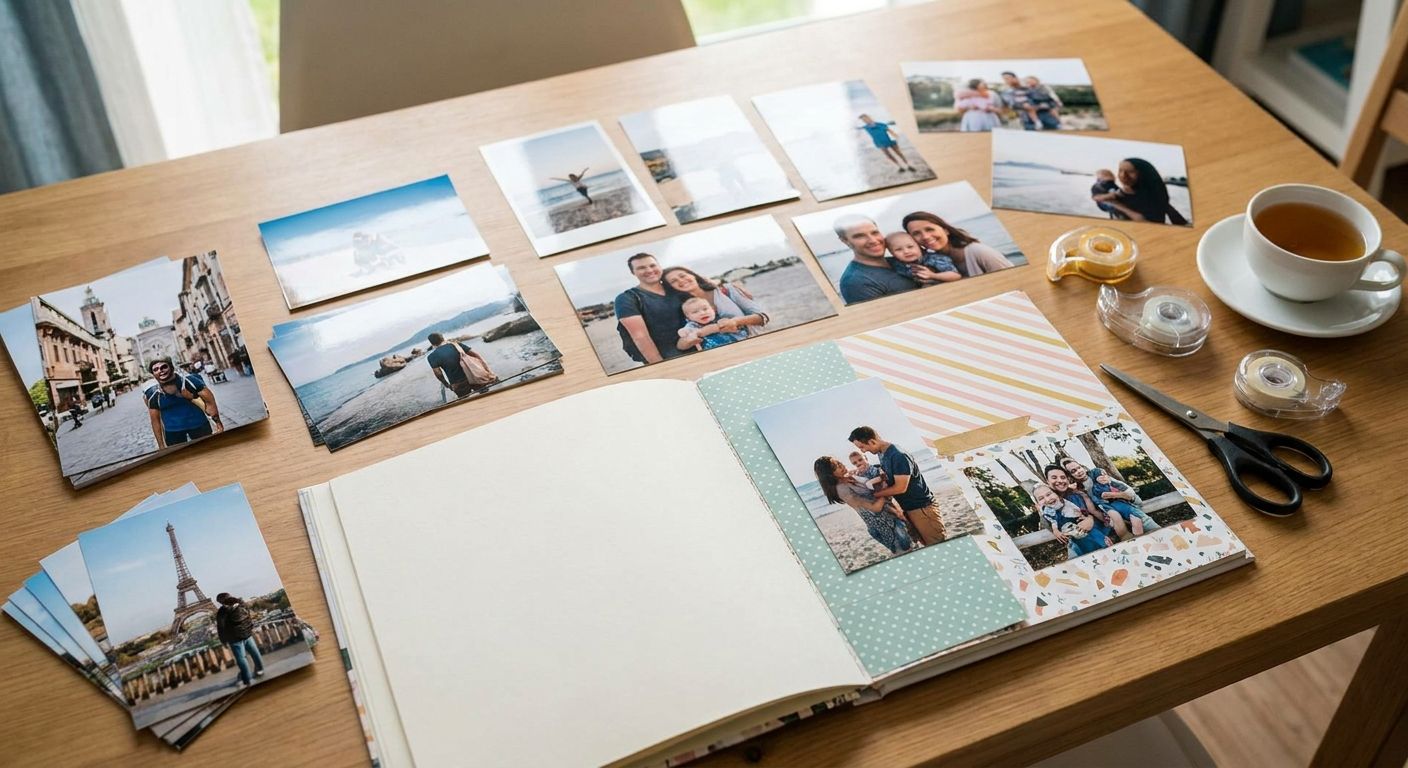
Scrapbooking runs on paper you can touch, trim, and glue down — the wrong photo prints for scrapbooking projects curl under lamination, jam your glue stick, or fade before the page is even finished. This guide covers what to look for, which print formats actually work on a scrapbook spread, and what to skip in 2026.
TL;DR
- Classic 6x4 matte prints handle adhesive and cropping best — Buy for everyday scrapbook pages.
- Square format prints suit Instagram-style grids but cost more per print — Consider for statement spreads only.
- Mini canvas collage panels work as centrepieces, not filler — Buy for milestone or anniversary layouts.
- Glossy, large-format prints curl and smudge under lamination — Skip for photo prints for scrapbooking.
Why this matters
A scrapbook page isn't a frame — it gets handled, glued, layered, and sometimes laminated. Photos printed on the wrong stock either resist adhesive, show fingerprints along the trimmed edge, or fade faster once exposed to page protectors that trap light and moisture. Pixa Prints customers building family albums in 2026 are moving away from generic glossy 6x4 packs and toward matte finishes specifically because matte holds up better against PVA glue, washi tape, and photo corners without smearing ink.
The format question matters just as much as the finish. A print sized for a frame doesn't crop well into a 12x12 inch layout, and a square Instagram crop looks awkward dropped into a traditional rectangular page without planning. Getting this right before you print saves you from re-ordering halfway through a project — which is the single biggest time cost scrapbookers report when a print run doesn't fit the layout.
Who this is for
This guide is for memory keepers building physical albums by hand — baby books, wedding albums, travel journals, family history projects, and pet tribute pages. If you're assembling pages with adhesive, washi tape, or lamination sleeves rather than sliding prints into pre-made photo book templates, the print choices below apply directly to you. You can order photo prints straight from your phone in a single sitting, which matters if you're working through a backlog of years of photos before a big project deadline like a milestone anniversary.
What to look for in photo prints for scrapbooking
Matte vs glossy finish
Matte finish resists fingerprints and glue residue far better than glossy, which is the main reason experienced scrapbookers avoid glossy stock for pages that get handled repeatedly. Glossy also reflects light under plastic page protectors, making photos harder to see once the album is closed and reopened years later. For 2026 projects that will sit in a lamination sleeve, matte is the safer default every time.
Paper weight and thickness
Thin prints buckle once glue or double-sided tape hits the back, especially on pages with multiple photos layered close together. Look for stock that holds flat under adhesive pressure — this is less about the number printed on a spec sheet and more about whether the print survives trimming with craft scissors without the edges fraying.
Colour accuracy and consistency
Scrapbook pages often mix photos taken years apart, on different phones, in different lighting. If your prints come back with visibly different colour casts from batch to batch, the page looks disjointed no matter how well it's laid out. Consistent colour calibration across an order matters more here than in single framed prints, because scrapbook spreads put multiple prints side by side where any mismatch is obvious.
Print size and aspect ratio
A classic 6x4 inch print fits most pre-made scrapbook page templates without cropping, but a square Instagram photo forced into that ratio loses the top and bottom of the frame. Decide your page layout before ordering — if you're building grid-style spreads, order square format from the start rather than cropping standard prints down afterward.
Turnaround time and bulk ordering
Scrapbook projects rarely need one print — they need dozens, sometimes hundreds, for a single album. Ordering in bulk from one run keeps colour and finish consistent across the whole project, rather than topping up in small batches over months where paper stock or calibration can shift slightly between orders.
Top picks for scrapbooking projects
Classic 6x4 matte prints — the safe pick. Standard 6x4 inch matte prints fit almost every pre-made scrapbook page template on the market without cropping, and matte finish holds up against glue and tape far better than glossy. If you're building a traditional family album in 2026 and want zero surprises, this is where to start. Buy.
Square format prints — the wildcard. Square crops suit Instagram-heavy albums and grid-style layouts, but they cost more per print than standard sizing and don't fit older pre-cut page templates. If your source photos are already square from phone cameras, cropping them into Instagram photos into canvas prints sizing principles works the same way for flat prints — check your layout grid before ordering a full batch. Consider for statement spreads only.
Mini canvas collage panels — the statement pick. A small canvas panel with a multi-photo collage layout works as a centrepiece on an anniversary or graduation page, sitting alongside standard prints rather than replacing them. Planning the canvas collage layout before ordering avoids a panel that's too visually busy for a single page. Buy for milestone pages, skip for everyday filler.
Personalised photo strips — the budget filler. Small strip-format prints work well for filling gaps around a main photo without the cost of a full 6x4 print for every image. They're not built to be the star of a page, but they add texture and variety cheaply across a large album project. Consider as a supporting format, not a primary one.
Start your scrapbook print run
Upload your photos and create scrapbook-ready prints in minutes.
What to avoid
- Large-format canvas prints built for feature walls. These are sized and finished for framing on a living room wall, not for trimming into a page — they don't cut down cleanly and the canvas texture resists glue.
- High-gloss finish prints. Glossy stock smudges under handling and reflects light through plastic page protectors, making photos harder to see once an album is closed.
- Poster-sized prints scaled for framing. These are cropped and calibrated for wall display resolution, not scrapbook trimming — cutting one down wastes most of the print and often ruins the composition.
Format comparison
| Format | Finish | Best for | Typical size | Verdict |
|---|---|---|---|---|
| Classic prints | Matte | Everyday album pages | 6x4 inch | Buy |
| Square format | Matte | Instagram-style grids | 6x6 inch | Consider |
| Mini canvas collage | Textured canvas | Milestone centrepieces | Small panel | Buy for statement pages |
| Photo strips | Matte | Filler and borders | Strip format | Consider |
| Large wall canvas | Canvas | Feature walls, not pages | Large format | Skip |
FAQ
What's the best photo finish for scrapbooking prints?
Matte finish is the best choice for photo prints for scrapbooking in 2026 because it resists glue smudging and fingerprints better than glossy stock. Glossy reflects light under plastic page protectors, making photos harder to see once the album is closed.
Is matte or glossy better for scrapbook pages?
Matte is better for scrapbook pages because it holds up against adhesive, tape, and repeated handling without smearing. Glossy looks sharper on its own but performs worse once glued into a page and covered with a protector sleeve.
What size photo prints work best for scrapbooking?
Standard 6x4 inch prints fit most pre-made scrapbook page templates without cropping. Square 6x6 inch prints suit grid-style Instagram layouts but need a different page template to avoid awkward cropping.
Can I order photo prints for scrapbooking straight from my phone?
Yes, you can upload and order photo prints for scrapbooking directly from your phone camera roll in one sitting. This is the fastest way to work through a backlog of years of photos before a bulk print run.
How do I stop photo prints curling in a scrapbook?
Choose matte finish prints on thicker paper stock, which resists buckling once glue or double-sided tape is applied. Thin, glossy prints are far more likely to curl or bubble once adhesive is applied to the back.
Are canvas prints suitable for scrapbooking?
Small canvas collage panels work well as centrepieces on milestone scrapbook pages, but large wall-format canvas prints are built for framing, not trimming into a layout. Reserve canvas for a single statement piece rather than every photo on the page.
How many photo prints do I need for a scrapbook page?
Most scrapbook spreads use 3 to 8 photos per double-page layout, mixing a main image with smaller supporting prints and strips. Bulk-ordering the full set in one run keeps colour and finish consistent across the album.
What's the difference between scrapbook prints and photo book pages?
Scrapbook prints are individual loose photos you trim, glue, and arrange by hand, while photo book pages are pre-designed and printed as bound spreads. Scrapbooking gives you full control over layout; photo books trade that control for speed.
One last thing
Matte prints at 300 dpi minimum resolution crop cleanly for close-up detail shots — a common scrapbooking mistake is ordering standard resolution prints and then cropping them tighter after the fact, which softens fine detail like faces in group photos. Order at the crop size you actually need for the page, not the size you'll trim down later.