
Personalised mouse mats for freelancers and small business owners
· 12 min read
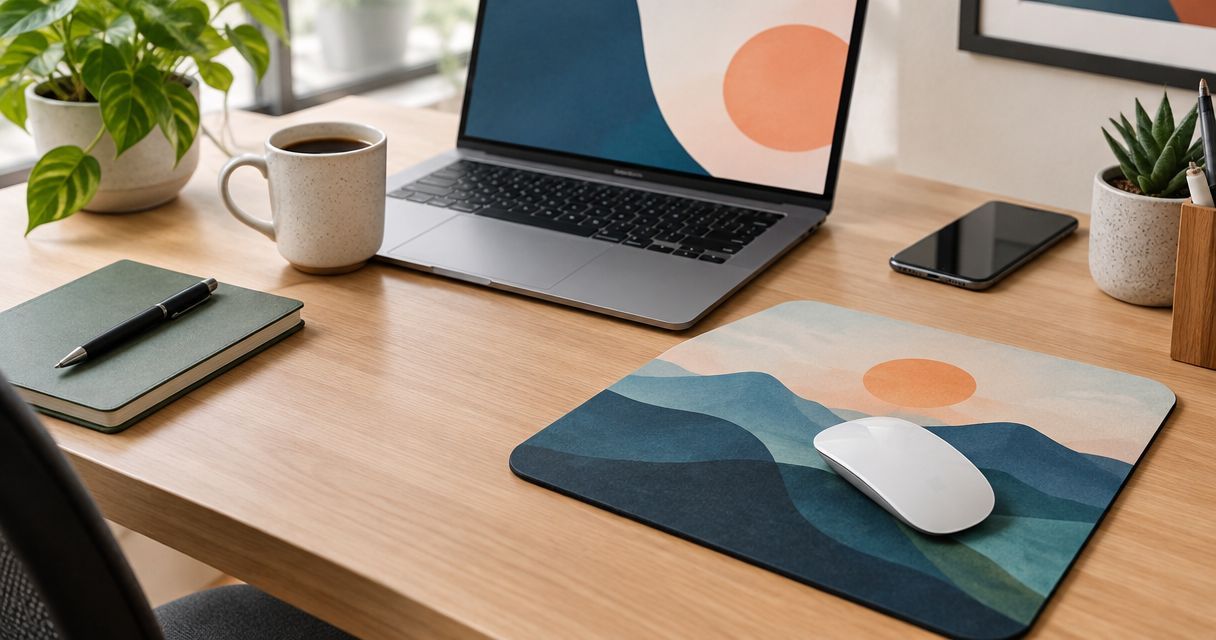
Freelancers’ personalised mouse-mat design is the process of turning a photo, illustration or business identity into a desk accessory with the aim of making your workspace feel your own. Choosing a personalised mouse mat for freelancers means balancing personal taste with practical desk space, readable artwork and the impression you want to give clients.
TL;DR
- Choose a personalised mouse mat for freelancers around your desk space and artwork, not decoration alone.
- Pixaprints suits freelancers looking for personalised photo gifts made from their own pictures.
- Use a favourite photo for a private workspace; choose restrained business artwork for a client-facing desk.
- Check dimensions, cropping and product details before ordering; personalisation does not establish comfort or mouse compatibility.
Why personalised mouse mats matter for freelancers
Your desk might be a dedicated studio, a corner of the living room or a shared workspace. A personalised mouse mat gives you somewhere to add a favourite memory or business detail without committing to a larger decorating project. For broader layout inspiration, explore these ideas for personalised photo mouse mats for home offices.
The right design depends on who sees it. A family photograph suits a private working corner; a simple illustration or business name is another direction for a desk where you meet clients. Neither needs to look like an advertisement.
For your 2026 workspace refresh, choose the practical fit first and the picture second. A lovely design does not tell you whether a mat fits beside your keyboard, works with your mouse or has the surface you prefer.
How to design a mouse mat around your working day
1. Define the job your design needs to do
Start with a sentence describing what you want: a reminder of home, a little creative inspiration or a consistent business detail. You can write this in a notebook before opening any design software. Keep it nearby when you compare pictures and layouts.
A freelance illustrator might choose original artwork. A consultant might prefer a business name on a quiet background. A small shop owner might use a photograph they took of their own work, provided the image is suitable for printing.
Choose one main purpose rather than asking the design to do everything. A mouse mat is not a brochure, portfolio and family album combined. Give yourself 10 minutes to write the brief before browsing images; treat that as a planning exercise, not a promise about production time.
- Name the person who will use the mat.
- Decide whether the desk is private or client-facing.
- Choose between personal memories and business identity.
- Write down the feeling you want the picture to bring.
- Remove details that do not support that purpose.
2. Check the space beside your keyboard
Use paper or a piece of card to explore the available space before choosing a product. Place it where your mouse normally sits, move the mouse as you usually would and check what happens near the keyboard, monitor stand and desk edge.
Your aim is to understand your setup, not to guess a universal size. A desk shared with sketchbooks needs a different arrangement from a workstation with a fixed keyboard position. If you move between locations, check the space at each desk rather than designing around the roomiest one.
Repeat the check with your usual working posture. Do not choose a shape purely because it frames your photo nicely. Once you have shortlisted a product, compare its stated measurements with the space you have marked out.
- Measure the clear desk area in centimetres.
- Note where your hand naturally moves.
- Leave room for your usual notebook or other tools.
- Check whether the mat would overlap the desk edge.
- Compare the product’s published dimensions with your paper outline.
3. Choose artwork you own and want to see daily
Begin with pictures already saved on your phone or computer. Shortlist 3 photos with different compositions, then look at the original files rather than screenshots or copies downloaded from messages. Examine the subject, background and space around the edges.
A meaningful photograph does not need to be formally posed. Your dog waiting beside the desk, a favourite coastline or an image of something you made can all provide a personal starting point. Choose a picture you enjoy without needing a caption to explain it.
Pixaprints is an online printing service for uploading personal photos to create personalised photo gifts. That upload-your-own-photo approach starts with the same useful task: finding an image you genuinely want to keep. For a mouse mat specifically, check the relevant product information before assuming any material, format or finish.
- Retrieve the original image where possible.
- Check that the main subject looks clear.
- Avoid images with important details against every edge.
- Use your own artwork or confirm permission to reproduce it.
- Exclude confidential client work and private information.
4. Build a layout with a clear focal point
Make a rough layout using a drawing tool you already know, or sketch it on paper. Place the main photograph or illustration first. Add a business name only if it serves the brief, then remove anything that competes with the main subject.
For a 2026 business design, favour information you expect to keep using. A business name is easier to keep relevant than a dated promotion. If your identity is still changing, a personal photograph avoids committing the mat to a temporary logo or message.
Leave breathing room around faces, lettering and recognisable objects. Do not invent a fixed safe margin: use the printer’s actual template or guidance when available. A simple composition is also easier to inspect when reviewing the crop.
- Choose a clear focal point.
- Keep text readable against its background.
- Place essential details away from the trim edge.
- Remove decorative elements that crowd the picture.
- Test the layout without a slogan or contact details.
The layout process is straightforward: set the purpose, check the space, choose the image and simplify the artwork. Follow that order so an attractive picture does not distract you from practical requirements.
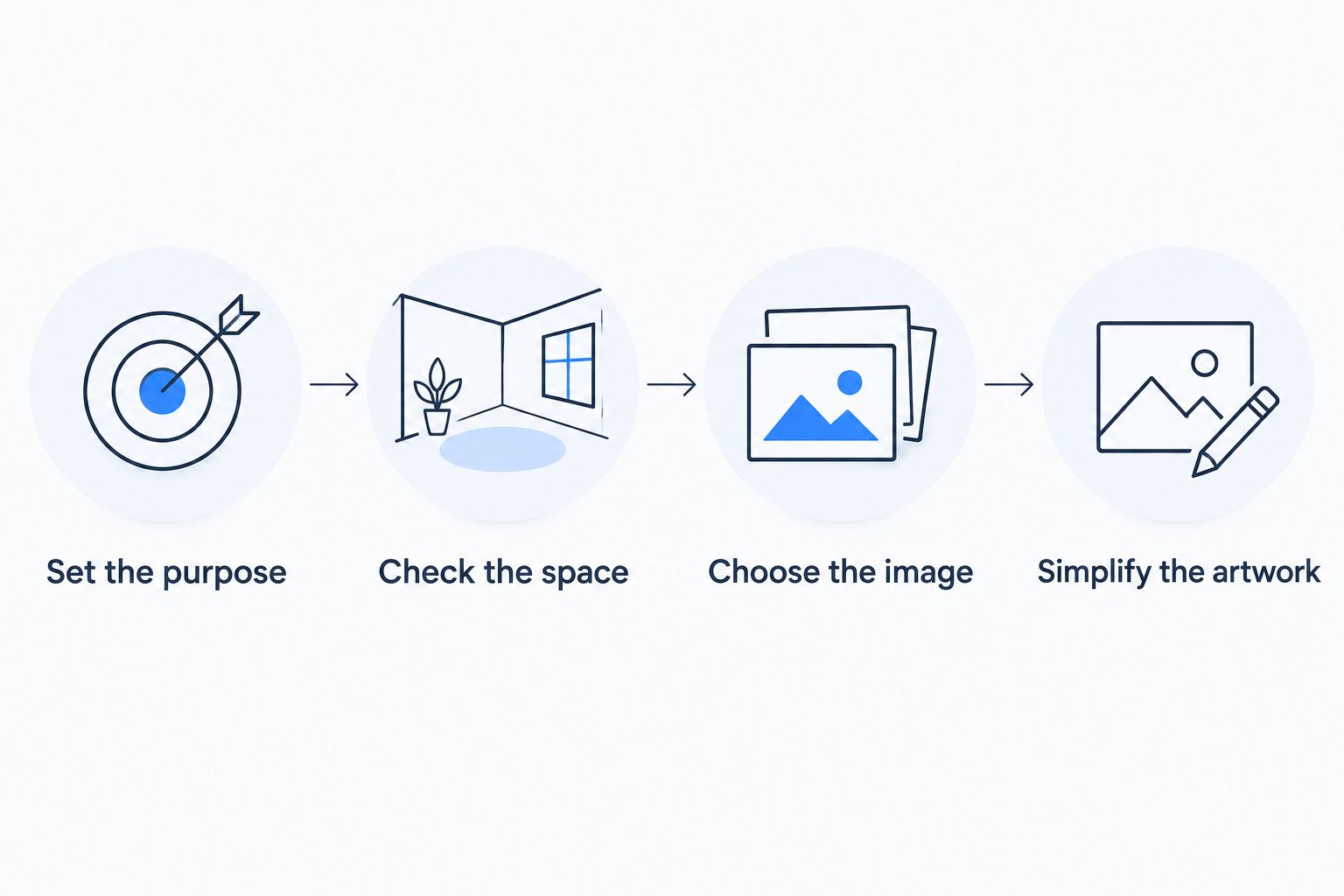
Decide what the mat needs to do before arranging the picture.
5. Compare product details separately from the design
Write a shortlist of practical questions before you order. Check the stated dimensions, surface description, backing and care instructions. If a feature matters to your work and the listing does not explain it, ask the seller rather than treating a photograph as proof.
Personalisation describes the artwork; it does not establish ergonomic support, tracking performance or durability. A mat with a photograph is not automatically suitable for specialist gaming or precision work. Equally, a business logo does not make an unsuitable size a better fit.
Keep your 2026 checklist focused on your actual setup. Choose a product whose stated details meet your needs, then adapt the artwork to it. The manual route is to compare listings yourself; a clear product template can shorten the layout work, but only use specifications the seller actually provides.
- Confirm the finished dimensions and shape.
- Read the surface and backing descriptions.
- Check guidance relevant to your mouse and intended use.
- Read the stated cleaning instructions.
- Ask about any essential detail that remains unclear.
6. Review the finished artwork before submitting it
Open the final design somewhere you can inspect it comfortably. Check the whole composition first, then look closely at the crop, spelling and image quality. Use any supplied preview as a check on placement, not as proof of a particular material or texture.
For business artwork, make 2 proofs: one showing the overall layout and another enlarged enough to inspect lettering. Ask someone else to read the business name without prompting. If they struggle, simplify the design rather than explaining what it says.
Before submitting your 2026 artwork, save the original photo and an editable version separately from the final file. That makes a later change easier without rebuilding everything. For a gift, confirm the recipient’s name and image permissions before placing the order.
- Check every word, including names and web addresses.
- Inspect faces and important objects near the edges.
- Follow the seller’s file and template instructions.
- Review any image-quality warnings before proceeding.
- Save a clearly labelled final version.
Compare design options for your workspace
Choose the artwork style according to your desk’s role. These are design approaches, not claims about particular products: the finished mat’s practical qualities still depend on the item you select.
| Design option | Best for | Main advantage | Key limitation |
|---|---|---|---|
| Single personal photo | Freelancers with a private home workspace | Gives a favourite memory a place on your desk | The subject needs to suit the available crop |
| Business name or logo | Small business owners with client-facing desks | Keeps the design connected to the business | Outdated branding makes the artwork less useful |
| Original illustration | Creative freelancers using their own work | Shows your personal style without contact details | Fine details need checking at the finished size |
| Photo collage | Owners who want several memories together | Brings different moments into one design | Individual pictures become smaller and the layout busier |
| Plain, unpersonalised mat | Freelancers who prioritise a neutral setup | Avoids artwork preparation | Adds no personal photograph or business identity |
A single photo is the clearest starting point when the memory matters more than the message. Choose a business-led design when you specifically want your workspace to reflect your trading identity. Leave the mat plain when neither purpose appeals to you.
Pixaprints suits freelancers looking for personalised photo gifts made from their own pictures. The limitation for this decision is specific: choosing a personalised photo gift service does not replace checking the details of the mouse mat you intend to order.
Common mistakes freelancers and small business owners make
Treating the mat as a miniature advert
A logo, service list, telephone number and promotional message compete for space. Decide whether the mat is for your own desk or intended as business gifting. For your own workspace, keep only the details you want to look at throughout the working day.
Printing client work without checking permission
Creating a design for a client does not settle whether you can reproduce it on your own accessories. Check the relevant agreement and obtain permission where needed. Your own photographs or original personal artwork offer another starting point.
Choosing a collage before checking the crop
Several favourite images can look appealing together on a screen, then lose their impact when each occupies a smaller area. Test a single-photo version alongside the collage. Keep the version in which the important subjects remain clear.
Expecting personalisation to solve discomfort
A custom image changes the appearance of a mouse mat, not the position of your desk, chair or keyboard. If discomfort is the problem, review your workstation rather than expecting a decorative purchase to resolve it.
FAQ
What’s the best personalised mouse mat for freelancers?
The best personalised mouse mat for freelancers is one that fits the available desk space and supports the intended use. Choose the artwork afterwards, and check the seller’s dimensions, surface description and care guidance before ordering.
Should I put my logo or a personal photo on my mouse mat?
Choose a logo when you want a business-led desk accessory, and a personal photo when the mat is mainly for your own enjoyment. Keep either design simple enough for its main subject to remain clear.
Can I use a phone photo for a personalised mouse mat?
A phone photo is a possible starting point, but its suitability depends on the original file and the printer’s requirements. Upload the original where possible and check the crop and any image-quality warnings.
Does a personalised mouse mat make a good freelancer gift?
A personalised mouse mat suits a freelancer who uses a mouse and enjoys personal desk accessories. Check their workspace and taste first, and avoid choosing business artwork they have not approved.
Is a photo collage better than a single picture?
A single picture gives the design a clearer focal point; a collage lets you include several memories. Compare both layouts and choose the one that keeps the important subjects recognisable.
Can I use client artwork on my own mouse mat?
Use client artwork only when you have the right permission to reproduce it. Check your agreement rather than assuming that creating or possessing the file gives you unrestricted use.
What does Pixaprints offer for personalised gifting?
Pixaprints lets consumers upload personal photos to create personalised photo gifts, including canvas prints, calendars, photo books, mugs and phone cases. Check the relevant product information for the specific item you want.
One last thing
Before committing to your 2026 design, place the paper outline back on your desk and rest your hand where you normally use the mouse. Notice which part of the artwork your hand will cover. Put the detail you most want to enjoy somewhere you can actually see it between tasks.