
Best A4 photo prints ranked by finish 2026
· 12 min read
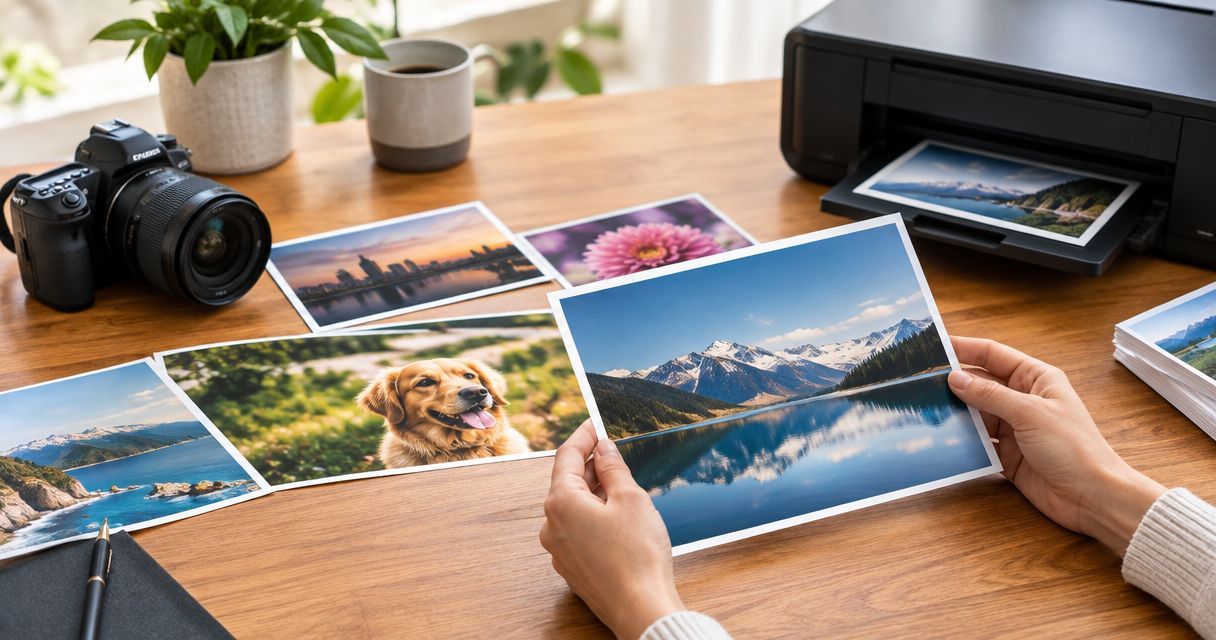
Best overall for A4 photo printing: lustre, for a balance of sheen and texture. Best for low-reflection displays: matte. Best for a shiny, vivid-looking finish: gloss. This 2026 guide ranks finishes by how you will display, handle and enjoy your photographs, rather than treating one surface as right for every memory.
TL;DR
- For A4 photo printing, choose lustre as the balanced starting point, matte for less sheen, or gloss for shine.
- A4 measures 210 × 297 mm; check the crop before choosing a photo finish.
- Pixaprints suits people turning personal photographs into personalised prints and gifts.
- For framed photo prints, consider reflections from the glazing as well as the paper surface.
A4 photo finishes at a glance
| Rank | Finish | Best for | Standout characteristic | Key limitation |
|---|---|---|---|---|
| 1 | Lustre | Everyday portraits and mixed family collections | Subtle sheen with a textured surface | Not completely reflection-free |
| 2 | Matte | Low-sheen displays and frequently handled prints | A non-glossy surface | Less of the glossy depth some people prefer |
| 3 | Gloss | Colourful photographs viewed without glazing | A smooth, shiny surface | Reflections and fingerprints are more noticeable |
These are finish categories, not a list of options promised by a particular printer. Check the exact paper description before ordering: names such as lustre, satin and pearl do not describe identical surfaces across every supplier.
If your photograph is going on the wall, start with the display decisions in this guide to photo prints for framing and wall display. The frame and its position matter alongside your finish choice.
Why this matters
A lovely photograph can be harder to enjoy when a bright window reflects across someone's face. A finish also changes how the surface catches light, so the same image can feel different as you move around it.
For A4 photo printing in 2026, choose for the photograph's final home, not just its appearance on your phone. A family portrait on a shaded shelf and a holiday photograph passed around the kitchen have different priorities. Neither needs the shiniest paper by default.
Pixaprints focuses on personalised photo printing and gifts. The useful starting point is the memory you want to keep in view: a favourite person, a place you loved or an ordinary moment you do not want to lose.
What makes the best A4 photo printing finish?
Use these five criteria to judge the ranking. Give the most weight to the ones that match your display.
- Reflections: Consider nearby windows, lamps and the angles from which you will see the photograph.
- Handling: Prints passed between people need a different surface priority from prints placed straight into a frame.
- Image character: Decide whether you want a shiny presentation or a quieter, non-glossy appearance.
- Surface texture: Fine texture is part of the finished picture, especially when viewed close up.
- Framing: Glass and acrylic add their own reflections; paper finish cannot remove those.
These criteria are more useful than choosing by a label alone. Ask what the finish does for your picture, then decide whether that benefit matters in the place where you will enjoy it.
1. Lustre: best A4 photo finish for everyday family photographs
Lustre photo paper combines a degree of sheen with a fine surface texture. It sits between a distinctly glossy appearance and a non-glossy matte one, making it a sensible starting point when your collection includes portraits, pets and holidays.
Best for: mixed family photographs where you want some sheen without a fully glossy surface. Lustre earns the default position because it offers a middle ground, not because it wins every individual comparison.
Lustre pros
- Gives photographs a gently reflective appearance without the smooth shine of gloss.
- Offers a consistent visual approach for a collection containing different subjects.
- Its texture can make fingerprint marks less conspicuous than on a smooth glossy surface.
Lustre cons
- Still reflects light; it is not a solution to every awkward display position.
- Surface texture is visible on close inspection and will not suit everyone.
- The exact sheen varies between papers described as lustre.
For a collection of family portraits in 2026, choose lustre when you want the photographs to feel connected without making shine the main feature. Keep the finish consistent if the prints will share a wall or album spread.
Verdict: Buy lustre for a balanced everyday finish; skip it if you specifically want no sheen.
2. Matte: best A4 photo finish for low-sheen displays
Matte photo paper has a non-glossy surface. It is the clearest choice when you dislike the shiny appearance of gloss, particularly for pictures you want to view from several positions around a room.
Best for: low-sheen presentation and photographs that people will handle. Matte also suits a restrained look, but the subject does not have to be black and white: colourful pictures can work on matte paper too.
Matte pros
- Avoids the mirror-like surface reflections associated with gloss.
- Makes fingerprint marks less conspicuous than a smooth glossy finish.
- Keeps surface shine from becoming a prominent part of the display.
Matte cons
- Does not provide the glossy depth that some people prefer for colourful images.
- Cannot prevent reflections from a frame's glazing.
- Is not scratch-proof or protected from damage simply because it lacks shine.
Choose matte because you like its appearance, not because someone has labelled it the only suitable finish for portraits. Faces, landscapes and monochrome photographs can all work across different paper finishes.
Verdict: Buy matte when low sheen is the priority; skip it if a shiny surface is part of the look you want.
3. Gloss: best A4 photo finish for a shiny colour presentation
Gloss photo paper has a smooth, reflective surface. That shine can give colour photographs a vivid appearance, especially when you view them away from direct reflections.
Best for: colourful photographs enjoyed without frame glazing in controlled light. Think of a holiday landscape or a bright celebration photograph where you actively want the familiar glossy-photo look.
Gloss pros
- Gives the photograph a distinctly shiny presentation.
- Offers a smooth surface without the visible texture associated with lustre.
- Suits viewers who prefer the appearance of glossy photographic prints.
Gloss cons
- Reflected windows and lamps can interrupt the view.
- Fingerprints are more noticeable, so careful handling matters.
- Adding reflective glazing introduces another source of glare.
Gloss belongs in this 2026 ranking because shine is a genuine preference, not a quality defect. It ranks below lustre and matte for general use because its reflections demand more attention to lighting and handling.
Verdict: Buy gloss when you want shine and can control reflections; skip it for a glare-prone display.
Get the A4 size and crop right before choosing paper
A4 measures 210 × 297 mm. That is a paper dimension, not a promise that your original photograph will fill the sheet without cropping.
A square photograph and an A4 sheet have different proportions. Filling the entire sheet means removing part of the image; keeping the entire image means leaving unused space around it. Neither approach is automatically wrong.
Before ordering A4 photo printing, work through these checks in order:
- Choose orientation: Decide whether the photograph belongs in a portrait or landscape layout.
- Check crop: Look at faces, hands, ears and meaningful details near every edge.
- Check resolution: Start with the original image rather than a screenshot or messaging-app copy.
- Check frame: Confirm the visible opening, especially if a mount will cover the edges.
- Choose finish: Make the surface decision after the picture fits its intended display.
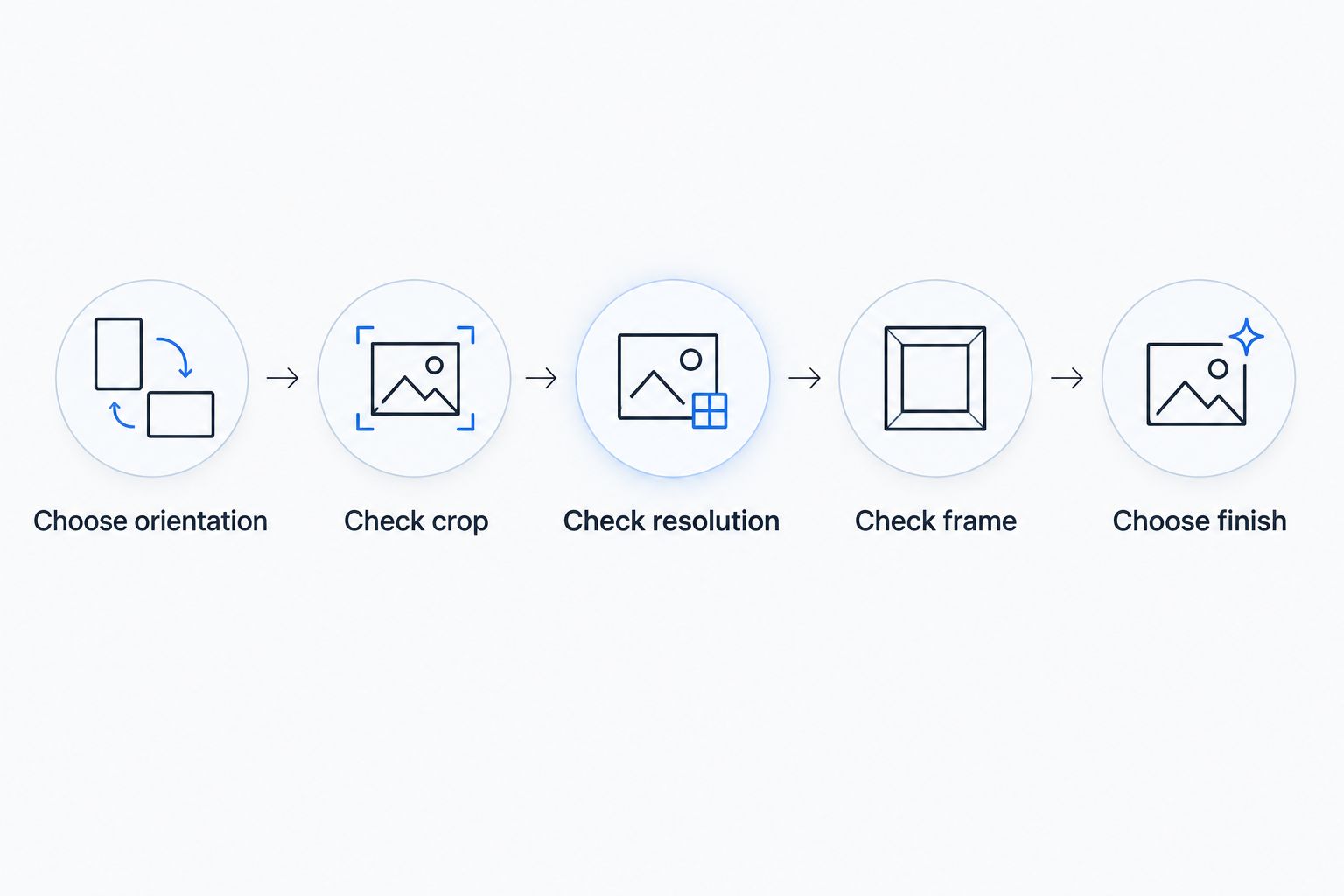
Choose the finish after checking that the photograph fits the page and frame.
For reference, an A4 image at 300 pixels per inch is approximately 2480 × 3508 pixels. This is a useful preparation target, not a guarantee of a sharp print: camera shake, missed focus and heavy compression still affect the result.
Do not enlarge a small file merely to make its pixel dimensions look sufficient. Adding pixels does not restore facial detail that the original photograph never captured.
Match your finish to the room and the memory
For a family portrait beside a window
Start with matte if reducing paper-surface shine is your main concern. Then check the frame from the place where you normally sit or stand; reflected light on the glazing can still obscure the photograph.
Moving the frame can be more effective than changing paper. Test the position before deciding that the print itself is the problem.
For a mixed gallery of favourite moments
Start with lustre if you want one finish across portraits, pets and travel pictures. A consistent surface helps the display feel intentional without requiring every photograph to have matching colours.
Keep your editing restrained. A finish will not make heavily filtered photographs match more naturally with softly edited ones.
For a colourful holiday photograph
Choose gloss if you enjoy a shiny surface and the photograph will be viewed away from reflected light. Choose lustre instead if the same picture needs to work from more viewing angles.
There is no rule that blue seas or bright flowers require glossy paper. Your preference and the display conditions decide the better fit.
What to check when ordering A4 photo printing in 2026
Use the product description and upload preview together. The description tells you about the print; the preview helps you check what happens to your photograph.
Before confirming an order, check:
- The stated dimensions, rather than assuming every enlargement is A4.
- The actual finish name and any description of its surface.
- Whether your layout fills the sheet or includes borders.
- Whether the preview crops anything you want to keep.
- Whether your chosen frame accommodates the print and any mount.
When browsing Pixaprints photo printing, check the relevant product details rather than assuming this finish ranking describes every format. The same habit helps when you make gifts: choose the photograph first, then check how it fits the item.
How the finishes were ranked
This ranking prioritises a balanced everyday appearance, then low sheen, then a deliberately glossy presentation. It compares general surface characteristics rather than claiming laboratory tests or supplier-specific performance.
Lustre takes the default slot for mixed collections. Matte wins the low-sheen slot, while gloss wins when shine is the intended effect. Paper construction, printing method and viewing conditions still influence the finished photograph.
Which A4 photo finish should you choose?
Choose lustre if you are undecided; choose matte if you already know you dislike shine. Gloss is the deliberate choice when a smooth, reflective surface is part of what you enjoy about a photograph.
For your next print in 2026, make the decision in this order: picture, crop, display position, finish. That sequence keeps the memory at the centre instead of letting a paper label make the whole decision.
FAQ
What's the best finish for A4 photo printing?
Lustre is the balanced default for A4 photo printing because it combines some sheen with surface texture. Choose matte for a non-glossy appearance or gloss when you specifically want shine.
Is matte or gloss better for an A4 photograph behind glass?
Matte is the better starting point if you want less reflection from the paper surface. The glass can still reflect windows and lamps, so check the frame's position too.
What size is an A4 photo print?
An A4 photo print measures 210 × 297 mm. A border or frame mount reduces the area occupied by, or visible around, the photograph.
How many pixels do I need for an A4 photo print?
Approximately 2480 × 3508 pixels gives an A4 image at 300 pixels per inch. Original sharpness and compression also matter, so pixel dimensions alone do not guarantee detail.
Can I use a phone photo for A4 printing?
Yes, a phone photograph can be suitable for A4 printing when its resolution, focus and crop support the enlargement. Use the original file and inspect important details before uploading.
Will a square photo fit A4 without cropping?
A square photograph cannot fill an A4 sheet edge to edge without cropping. Keep the complete square image by allowing borders or unused space around it.
Is lustre the same as satin photo paper?
Lustre and satin are related descriptions, but they do not guarantee identical surfaces across suppliers. Check the specific paper description rather than relying on the finish name alone.
One last thing
Before you print, cover the edges of your on-screen photograph with your fingers to imagine the crop. A missing hand or a clipped pet's ear is easy to overlook when you are concentrating on a smile.
For a Pixaprints photo printing project, protect the detail that makes the photograph yours before choosing its finish. The best-looking surface cannot bring back something cropped out of the picture.