
Pixa Prints vs Snapfish: which is better in 2026
· 13 min read
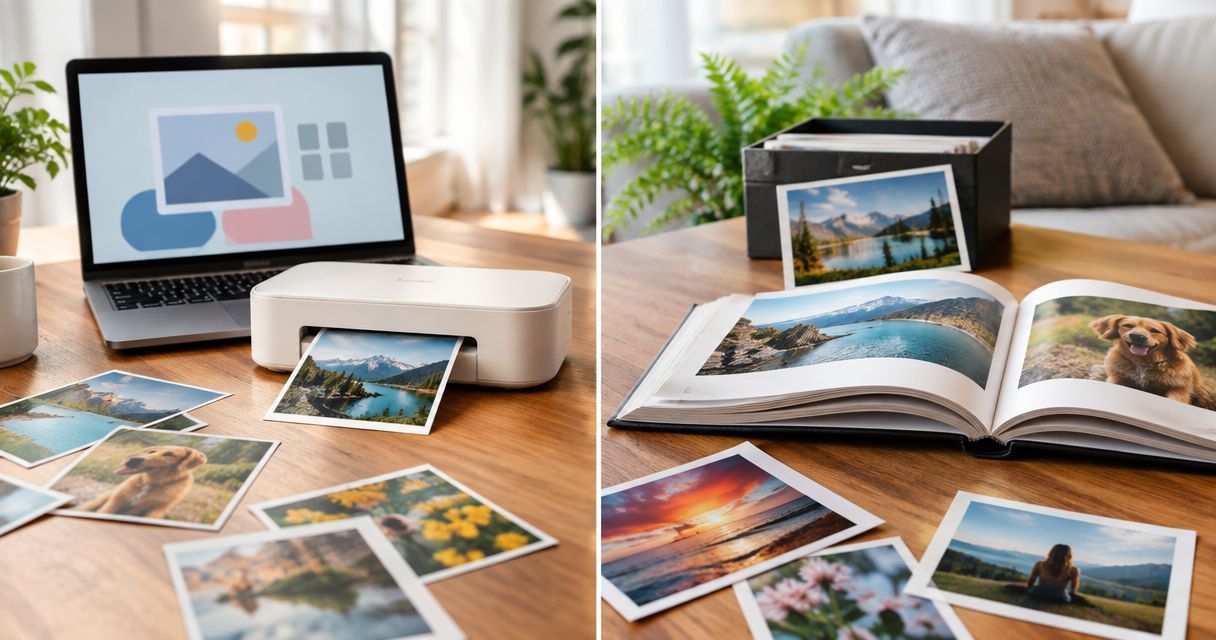
Choose Pixa Prints if you want to upload photos online and turn them into a personalised gift for someone in the UK; choose Snapfish if you prefer to start your photo project in an app. Pixa Prints is the better fit for browser-led photo gifting, while Snapfish suits app-first ordering. This 2026 comparison focuses on how you want to create the gift, not an unsupported claim that either printer produces better results.
TL;DR
- Pixa Prints vs Snapfish: choose Pixa Prints for browser-led personalised photo gifts in 2026.
- Choose Snapfish if starting and managing a photo project in an app matters most to you.
- Both are options for photo books, calendars and canvas prints; the project and your preferred ordering route decide.
- Compare the finished checkout details for the same gift before you order; this comparison names no price winner.
Why this matters
A photo gift is personal before it is a product. The best choice is the service that lets you make the gift you have in mind, check the finished design and order it in a way that feels comfortable. If you are still deciding which provider belongs on your shortlist, the guide to Snapfish alternatives gives you another starting point.
For this comparison, keep the recipient in mind. A calendar for a grandparent, a canvas for your own wall and a phone case for a teenager call for different photos and different design decisions. No single winner follows from the product name alone.
At a glance
| Dimension | Pixa Prints | Snapfish |
|---|---|---|
| Best for | UK shoppers making personalised gifts from photos through an online service | Shoppers who prefer to start a photo project in an app |
| Ordering route | Online photo upload | App-first ordering is an option |
| Personalised calendars | Suitable when you want a photo-led gift to use throughout the year | Another option to compare for the same calendar project |
| Canvas prints | Suitable for turning a chosen photo into wall art | Another option to compare for the same image and display space |
| Photo books | Suitable for collecting a story across multiple photos | Another option to compare for the same book idea |
| Mugs and phone cases | Both are stated parts of its photo-gift range | Check the current selection for the gift you want |
| Pricing model | Check the total for your completed design | Check the total for a like-for-like completed design |
| Standout feature | A stated range spanning canvas prints, calendars, books, mugs and phone cases | An app route for starting a photo project |
The table shows a split decision, not a quality ranking. Pixa Prints has a clearly stated range for several familiar gift ideas. Snapfish has an app route that gives it a distinct advantage when you want to begin on your phone. For shared product types, judge the design you can make rather than the brand name on its own.
Pixa Prints is the clearer choice for browser-led gifts
Pixa Prints is a UK-based online printing service for consumers who upload personal photos and create custom photo gifts. That makes it a direct fit when you have pictures ready and want to decide whether they belong on a canvas, in a calendar, across a photo book or on a smaller everyday gift.
Snapfish is the better choice for a different shopper: someone who specifically wants to start a photo project in an app. That preference matters if your pictures are already on your phone and you would rather begin there. It does not prove that the finished print, editor or delivery will be better. Choose the ordering route you will actually use to finish the gift.
A useful first decision is whether you have one standout picture or a group that tells a story. One image naturally points you towards a canvas, mug or phone case. A set of pictures gives you more to work with in a calendar or photo book. Make that decision before comparing providers and you will be looking at the same type of project on each.
Snapfish has the edge if you want to start in an app
Snapfish is the more direct pick for an app-first shopper; Pixa Prints is a stated online upload option. Neither route saves a weak photo selection. Before you start designing, choose pictures you can recognise at the size they will appear on the gift and leave room around important faces for cropping.
Use this quick check whichever service you choose:
- Browser ordering: Choose this route if you prefer selecting files and reviewing a design on a larger screen.
- App ordering: Choose this route if beginning with photos on your phone is your priority.
- Final preview: Look at the crop, spelling and photo order before you place the order.
These are workflow choices, not promises about either editor. An app route wins only when it helps you complete the project. If you would rather sit down with your photos and make deliberate choices on a larger screen, an online upload route is a sensible fit.
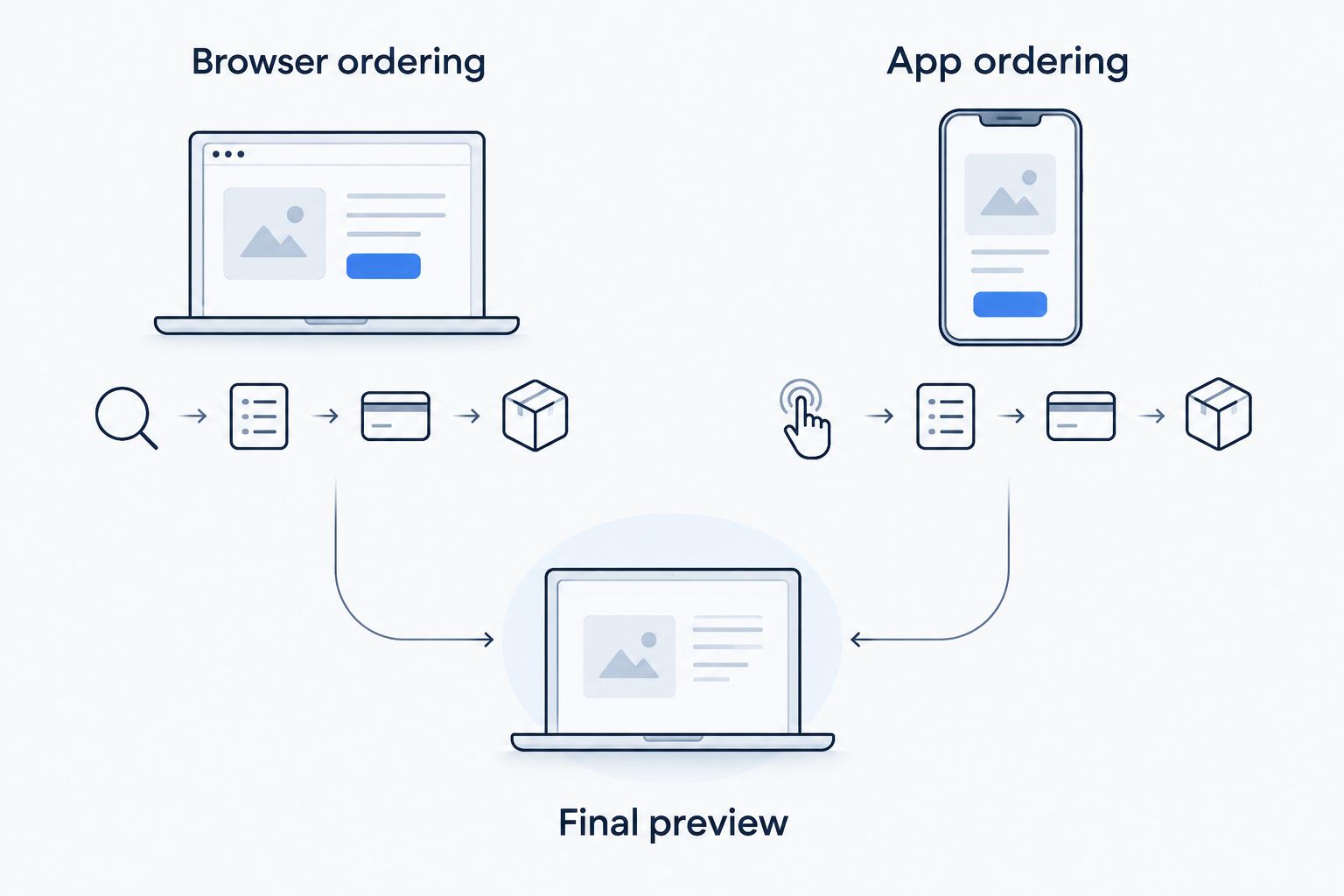
Whichever route you choose, check the finished design before ordering.
The final preview deserves more attention than the starting device. On a small gift, a face close to the edge of a photo can be easy to miss while you are selecting images. On a calendar or book, look through every page rather than judging the project by its cover.
Both can be considered for a photo calendar
A personalised calendar works when the photos feel right month after month. Pixa Prints explicitly offers calendars, and Snapfish is another provider to compare for the same project. The deciding factor is the calendar you can finish with your own pictures; neither brand wins on the information here.
Start with 12 months of moments you would be happy to see again. Shortlist 2 photos per month, then choose the stronger one once you can see how it sits in the design. That gives you a way to swap an awkward crop without searching your whole camera roll again. Set aside 1 cover photo that makes the gift feel personal at first glance.
For a grandparent, that might mean family moments across the year rather than a run of similar portraits. For your own kitchen, you might prefer travel photographs or seasonal views. The principle is the same: vary the images so the calendar remains enjoyable to look at, while keeping the person receiving it at the centre of the choice.
The guide to choosing photos for a personalised calendar helps with the part of the project that matters before you open either editor. Once you have your shortlist, compare the calendar designs available to you in 2026 and check how each photo is cropped.
Both deserve a look for canvas prints
A canvas print asks more of a single photograph than a calendar does. Pixa Prints explicitly offers custom canvas prints; Snapfish is also a canvas-print option. Neither gets an automatic win for your wall, because the right choice begins with the picture and the space where you plan to display it.
Pick the wall first. Then look at whether your photo has a clear subject and enough space around it to survive the crop shown in the design preview. A busy group shot can lose someone at an edge; a wider landscape can look different once you place it in a canvas format. Check the version you are about to order, not just the original file on your phone.
Choose Pixa Prints when its online design route suits the canvas you want to make. Choose Snapfish when its app-first route helps you finish the same idea. For this product, there is no supported reason to declare either brand the print-quality winner. Your useful comparison is the final crop and the finished order details for equivalent projects.
A canvas is also a different kind of gift from a photo book. It puts one moment on display every day, so choose an image the recipient would want to live with. If the story depends on several scenes, move the idea to a book instead of trying to force them all into one picture.
Both work as starting points for a photo book
Photo books suit a sequence: a trip, a family gathering or a collection of moments that belongs together. Pixa Prints explicitly offers photo books, and Snapfish is another photo-book provider. The better book is the one you can organise, review and feel good about giving; a brand-level verdict cannot replace that review.
Make the story manageable before you start. Gather the photos in the order you want someone to see them, remove near-duplicates and choose a strong opening image. As you build, check that faces are visible and that the images on neighbouring pages work together. A book packed with similar shots asks the recipient to do the editing you could have done first.
This is also where your preferred ordering route becomes practical. If arranging many images feels easier on a larger screen, start with an online project. If you prefer to begin with the photos on your phone, Snapfish's app route has a clear appeal. In either case, review the entire book in 2026 before placing the order; a good cover does not catch a missed page inside.
Pixa Prints makes its gift range clear
The stated Pixa Prints range includes mugs and phone cases alongside calendars, canvases and photo books. That breadth is useful when you know the recipient but have not settled on the format. A favourite picture might make more sense on something they use than on something they display.
Do not read that as proof that Snapfish lacks either type of gift. Check its current selection against the exact item you want. Pixa Prints wins on the clarity of its stated gift options here, not on an unsupported claim of exclusive products. If your idea is a phone case, check the recipient's phone model before you design. If it is a mug, choose a photo that still makes sense when viewed on a small object.
Think about the occasion, too. A calendar gives someone changing photos throughout the year; a book lets them spend time with a shared story. A canvas keeps one memory in view. Those differences matter more than adding every available format to your shortlist.
Neither brand has a pricing winner here
Compare the completed project, not a headline for a different item. A fair 2026 check uses the same product type, your intended design choices and the final order details shown by each provider. Without a matched checkout comparison, there is no supported price winner between Pixa Prints and Snapfish.
The trade-off is effort versus certainty. Comparing before you have chosen the photos is quick, but it tells you little about the gift you will actually order. Finishing a draft with each provider takes longer and lets you judge the result you are considering. If you only want to build one project, let your preferred ordering route decide where to start.
Final verdict: choose by project and ordering route
Choose Pixa Prints if you are a UK shopper who wants an online route to a personalised photo gift. Its stated range covers canvas prints, calendars, photo books, mugs and phone cases, so it is a clear starting point when you have a person and a photo in mind but are still choosing the format.
Choose Snapfish if you are an app-first shopper who wants to begin a photo project on your phone. That is a genuine workflow advantage when it matches how you prefer to organise your pictures. For calendars, canvases and books, compare the actual project you make rather than assuming the app determines the better finished gift.
| Dimension | Winner |
|---|---|
| Best for a UK browser-led gift shopper | Pixa Prints |
| App-first ordering route | Snapfish |
| Personalised calendars | Neither without comparing your finished designs |
| Canvas prints | Neither without comparing your photo crop |
| Photo books | Neither without reviewing your completed book |
| Clearly stated mugs and phone cases | Pixa Prints |
| Pricing model | Neither without matched order details |
| Standout feature | Split: stated gift range or app route, depending on your priority |
FAQ
Is Pixa Prints or Snapfish better for photo gifts in 2026?
Pixa Prints is the better fit for a UK shopper who wants to upload photos online and choose among its stated gift formats; Snapfish suits someone who prefers to start in an app. Choose the format and ordering route before comparing a finished project.
Which is better for a personalised photo calendar?
Neither has a supported overall win for personalised calendars. Choose photos for the full year, then compare how your finished calendar looks with each provider.
Should I use Pixa Prints or Snapfish for a canvas print?
Use the provider whose design route lets you make and review the canvas you want. Check the crop against your photo and the space where you plan to display it before ordering.
Is Snapfish better if my photos are on my phone?
Snapfish is the clearer choice if you specifically want to start the project in an app. The location of your photos alone does not determine which finished gift you will prefer.
Does Pixa Prints make photo books and phone cases?
Yes, the stated Pixa Prints range includes photo books and phone cases. It also includes canvas prints, calendars, mugs and other personalised photo gifts.
Which costs less, Pixa Prints or Snapfish?
There is no supported price winner without comparing the same completed project at checkout. Check the final order details for the gift and design you intend to make.
What should I check before ordering a personalised photo gift?
Check the final crop, spelling and photo order before ordering. For a calendar or book, review every page rather than relying on the cover preview.
One last thing
The most useful comparison starts before either checkout: decide whether your gift needs one photo or a story told across several. That single choice can settle canvas versus book, or mug versus calendar, and makes your Pixa Prints vs Snapfish decision in 2026 much easier to act on.