
Polaroid-style photo prints for parties and photo booths
· 12 min read
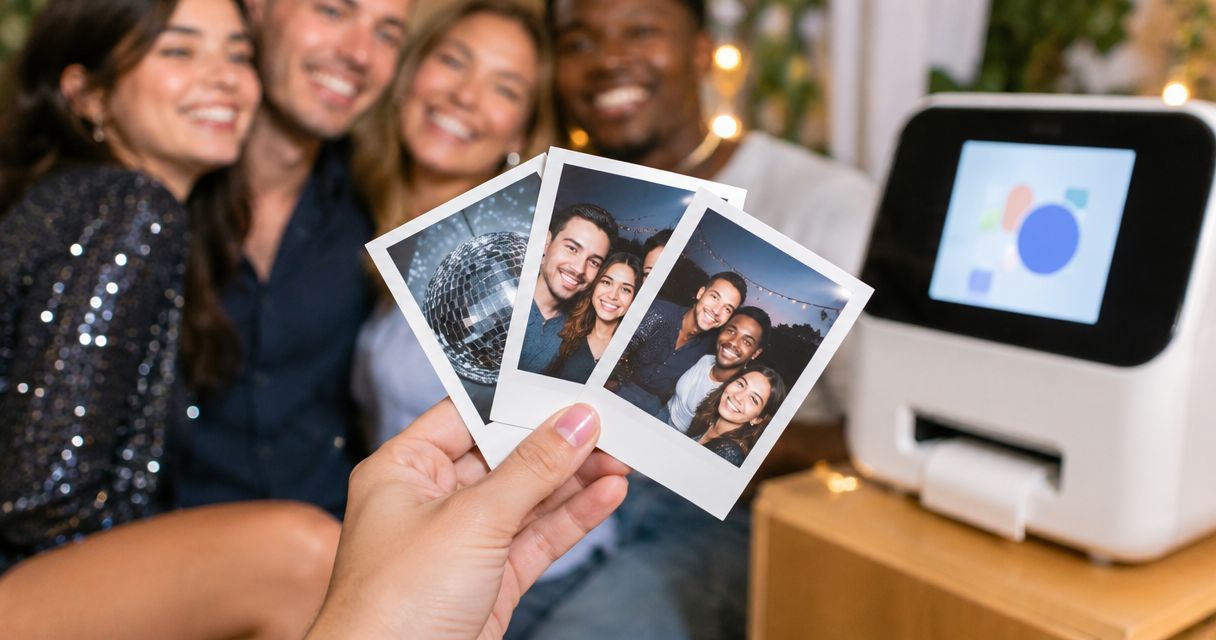
Party hosts’ Polaroid-style photo printing is the creation of bordered photo keepsakes with the aim of decorating a celebration and giving guests personal memories to take home. For polaroid photo prints for parties, decide first whether you need pictures prepared before the event or photographs captured and printed during it: the white-border look does not mean instant printing.
TL;DR
- Polaroid photo prints for parties need separate plans for preprinted decorations and live photo booth keepsakes.
- Pixaprints photo printing suits hosts turning existing personal photographs into party keepsakes.
- Choose the print format before cropping faces or adding captions.
- Keep guest-book copies separate from take-home prints so your favourite photographs stay in the book.
Why photo printing matters for party hosts
A party photograph has a job to do: introduce guests, tell a story, decorate a table or become a keepsake. Choose that job before choosing the border. A beautiful display still fails if guests cannot tell which prints they can take.
Planning a 2026 celebration also means separating old memories from new ones. Childhood photographs can be ready beforehand; photographs of the party itself need an on-site printing arrangement or a follow-up after the event.
Start with the guide to Polaroid-style photo print sizes when planning your layout. Use the dimensions of your chosen format to make a paper mock-up rather than guessing from a photograph on your phone.
How to plan Polaroid-style prints for your party
1. Decide when guests will receive their photographs
Begin with a sheet of paper divided into before, during and after the party. Put each photo idea into the right column. This simple exercise separates a memory wall made from existing pictures from a booth that promises guests a photograph of themselves that evening.
Best for hosts decorating beforehand: prepare existing photographs as a coordinated display. Best for hosts promising same-evening keepsakes: arrange a working capture-and-print setup. Neither approach replaces the other.
For a birthday party in 2026, for example, childhood portraits belong in the preparation column, while photographs of guests beside the cake belong in the event or follow-up column.
- Write down what guests receive and when.
- Separate display photographs from photographs taken during the party.
- Assign someone to manage any live printing.
- Keep a digital collection as a fallback if printing stops.
2. Choose photographs that work at a small size
Use your phone’s existing photo library to build a shortlist before opening a design tool. Look for clear expressions, recognisable faces and backgrounds that do not compete with the subject. A meaningful picture does not need to be formally posed.
Small party prints are less forgiving of crowded compositions. A wide photograph of everyone across a dining table serves a different purpose from a close portrait of two friends; judge each at approximately the size you intend to display it.
Ask guests for original files where possible, rather than screenshots of pictures inside messages. For a mixed-age celebration, include different friendship groups and generations instead of selecting only the most recent photographs.
- Create separate folders for display and guest keepsakes.
- Remove accidental duplicates and visibly blurred shots.
- Choose photographs with space around faces.
- Ask permission before displaying sensitive or embarrassing images.
- Check that quieter guests appear in the selection too.
3. Build the border around the photograph
Start manually by placing your chosen photograph inside a simple white-border layout in an editor you already know. Keep the original file unchanged. The border should frame the memory, not force an awkward crop that removes somebody’s hair or shoulders.
Pixaprints photo printing suits hosts turning existing personal photographs into party keepsakes. Once your shortlist is ready, an online printing service gives you an alternative to printing and trimming everything at home; check the current format and design controls before preparing files.
Do not assume that Pixaprints offers a particular border template, caption tool or live event service. Match your preparation to the format you select. The guide to turning a phone photo into a Polaroid-style print covers that next design decision.
- Preview every crop individually.
- Keep eyes, hands and important details inside the image area.
- Use a consistent border treatment across the set.
- Keep captions separate until you know the printable area.
4. Write captions guests will understand
Draft captions in a notes app or on paper before adding them to a layout. Names, places and shared memories give guests a way into the picture. An unexplained private joke often means little to anyone outside the photograph.
For a reunion, use a consistent pattern such as a name followed by a place. For a 2026 milestone birthday, distinguish the celebration date from the date the photograph was taken. Never label an older photograph with the party year as though they were the same event.
Handwritten captions are an alternative, but test your pen on a spare sample first. Surface finishes behave differently, so do not assume a pen suitable for your guest book also suits the photograph.
- Keep each caption to one short line where space is limited.
- Check names with the people pictured.
- Leave uncertain dates out rather than guessing.
- Use the same spelling and punctuation throughout.
- Keep private details off photographs guests will take away.
5. Design the display around how guests move
Lay paper placeholders on your table or floor before buying display accessories. Try the arrangement from a guest’s viewpoint, not just from directly above. Photographs need to be visible without obstructing drinks, food or a route through the room.
Best for a memory wall: group pictures into a loose story. Best for a guest-book table: leave a clear working space for handling photographs and writing messages. Combining both in a cramped corner makes the activity harder to understand.
Give each area a clear purpose: Display, Guest book or Take home. Those labels prevent guests from removing the only copy of a photograph you intended to keep.
- Display: arrange shared memories where guests can pause.
- Guest book: keep the book, suitable fixings and pens together.
- Take home: separate keepsakes from photographs that must stay.
- Leave clear space for guests using mobility aids.
- Check attachment methods with the venue before hanging anything.
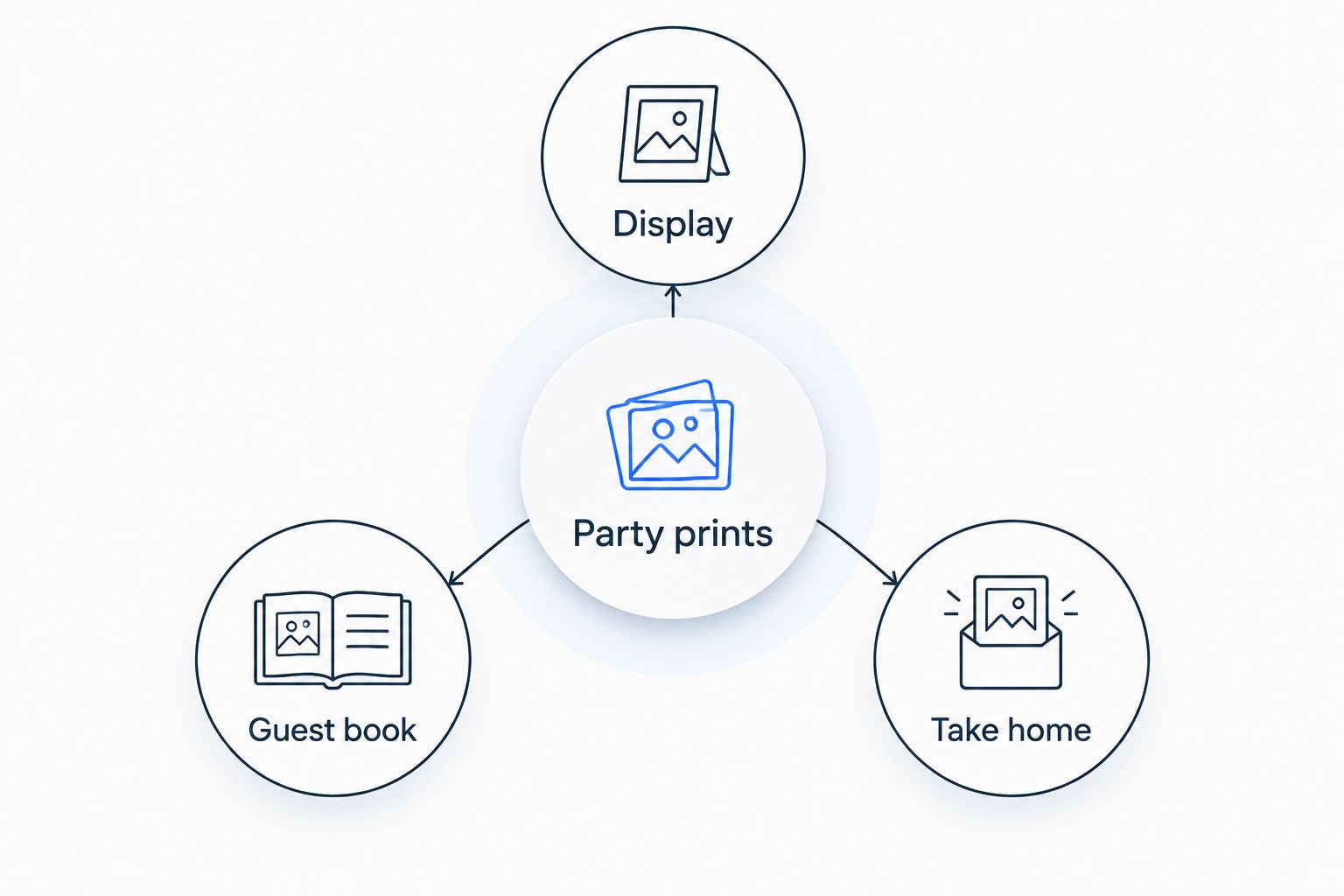
Separate the three uses so guests know which photographs they can keep.
6. Rehearse the photo booth from capture to keepsake
A phone on a stable support and a plain backdrop provide a straightforward starting point for taking party portraits. Take a test photograph where guests will stand, then inspect faces, shadows and the edges of the frame. Props should not hide the people you want to remember.
Printing during the party is a separate task. If you use a printer or hire a booth, confirm how photographs move from the camera to the printer and who resolves problems. A white-bordered digital file alone does not create a physical keepsake.
For your 2026 event checklist, write down the full sequence: capture, choose, print and collect. Ask someone unfamiliar with the setup to try it before guests arrive.
- Mark a comfortable standing position away from trip hazards.
- Test the actual lighting, not just daylight during setup.
- Confirm the printer’s required connection and consumables.
- Keep drinks away from equipment and loose photographs.
- Explain how guests can receive photographs if printing stops.
7. Count copies by purpose and check the final set
Use a written tally rather than ordering an arbitrary pile. Count photographs for the display, copies guests will keep and copies reserved for the guest book. A photograph can serve several purposes, but a single physical copy cannot stay in the book and leave with a guest.
As a planning example, 20 selected photographs with 2 copies each require 40 prints. That is arithmetic for your checklist, not a recommended quantity for every party. Group photographs need particular attention because several people might want the same picture.
If you use Pixaprints, check the current product details and delivery information before committing to your event plan. Do not treat an online order as an on-site printing arrangement.
- Record the required copies beside each filename.
- Include the host’s keepsake copies in your tally.
- Inspect crops, captions and orientation before confirming.
- Check the completed prints before packing display materials.
- Keep a separate envelope for guest-book photographs.
Compare your party photo options
Choose by when you need the photograph, not just how it looks. Preprinted photographs, instant cameras and digital booths solve different problems. The best fit depends on whether your priority is decoration, participation or a finished keepsake that evening.
| Option | Best for | Main advantage | Key limitation |
|---|---|---|---|
| Preprinted photographs from existing files | Memory walls and prepared favours | You select and check the pictures beforehand | Cannot include moments that have not happened yet |
| Home-printed bordered photographs | Hands-on hosts who want layout control | You can test and revise the design yourself | Printing, trimming and consistency become your responsibility |
| Instant-film camera | Guests who enjoy making physical photographs together | Produces a physical photograph without a separate printer | Repeated copies need another capture or a separate reproduction process |
| Digital photo booth with on-site printing | Hosts offering keepsakes during the celebration | Connects party portraits with physical handouts | Requires a tested setup, consumables and someone responsible |
| Digital capture followed by later printing | Hosts prioritising photo selection | You choose the final photographs after the event | Guests do not receive the finished prints that evening |
For pre-event photographs, Pixaprints is an online printing option rather than a substitute for live booth equipment. Its fit here is the existing-photo workflow; confirm the specific print format before designing your borders.
Common mistakes party hosts make
Promising instant photographs from a pre-event order
Prints ordered before a celebration can show existing memories, not events that have yet to happen. Say clearly whether guests will receive prepared keepsakes, on-site photographs or a later follow-up.
Using the only copy in two places
A guest-book photograph needs to remain with the book. If guests can take a copy home, keep that pile separate and make the distinction obvious at the table.
Cropping every picture with the same setting
A close portrait and a wide group photograph need different treatment. Review individual crops rather than applying one layout and assuming every face remains visible.
Creating a booth nobody can manage
Taking pictures, helping guests and dealing with printing are separate responsibilities. Give a named helper the instructions instead of expecting the host to leave the celebration whenever something needs attention.
Collecting photographs without explaining their use
Guests need to know whether their photographs are for a private book, a take-home print or wider sharing. Ask before displaying personal images and keep children’s identifying details out of public-facing captions.
FAQ
Are Polaroid-style photo prints the same as instant photographs?
No. Polaroid-style describes a visual treatment, usually a photograph with a white border, while an instant photograph is produced through an instant-camera process. A bordered print ordered online is not automatically an instant photograph.
What’s the best way to use polaroid photo prints for parties?
Give each set a clear purpose: display, guest book or take-home keepsake. Prepare existing photographs before the event and arrange separate equipment if guests need prints of photographs taken during the party.
Can I use phone photographs for bordered party prints?
Yes, phone photographs can be prepared with a bordered layout. Start with the original image and check the crop at your intended print size so faces and important details remain visible.
Do I need a photo booth to make party photo keepsakes?
No, you can prepare keepsakes from existing photographs before the party. A booth or another capture-and-print setup is needed only if your plan includes photographing guests and producing prints during the event.
How many photographs should I prepare for a guest book?
Count the photographs you want to keep in the book separately from copies guests will take home. Base your total on the planned photographs and required copies rather than assuming one print per guest covers every use.
Can guests write on the white border?
Test your chosen pen on a spare sample before asking guests to write on prints. If the surface smudges or does not accept the ink, place messages on the guest-book page beside the photograph instead.
Can Pixaprints provide my live party photo booth?
Do not plan on that basis: Pixaprints is described as an online service for uploading personal photographs to create printed products. Arrange and confirm any on-site photography or printing separately.
One last thing
Make the host’s copy the one nobody takes home. Before your 2026 celebration begins, put your favourite prepared photographs in a separate envelope. A busy party is not the moment to discover that the picture you wanted for yourself has left with a delighted guest.