
Best A3 photo prints for wall art 2026
· 12 min read
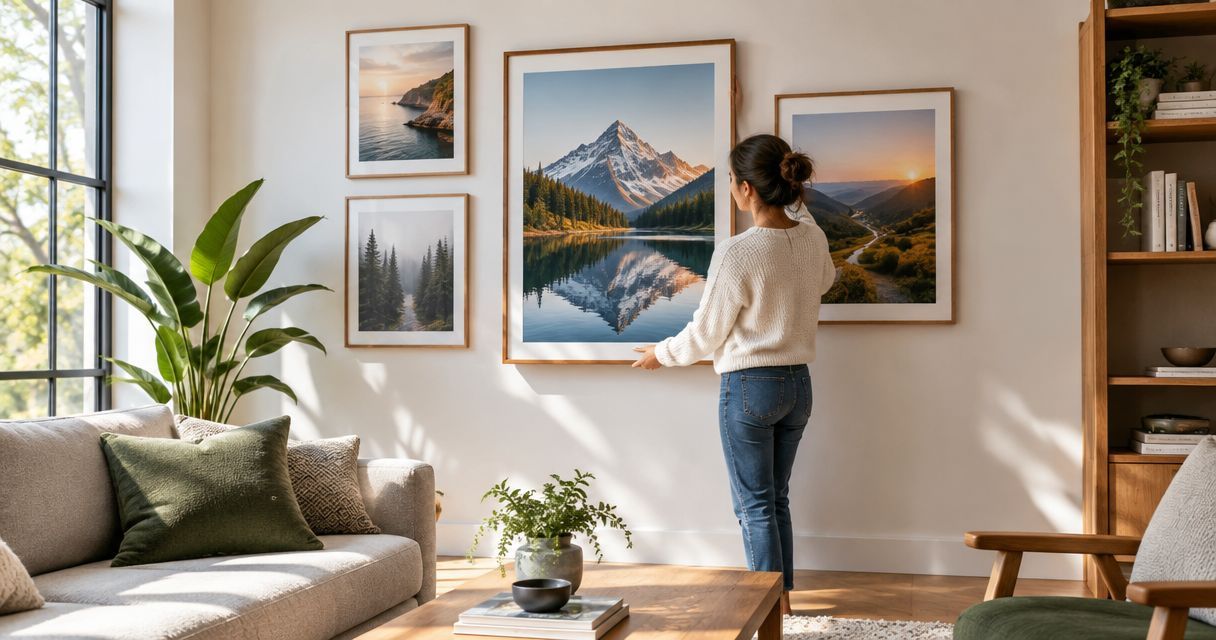
Best overall: a single-image A3 print for a clear focal point. Best for preserving the whole photograph: a white-bordered layout. Best for telling a story: a collage. This Pixaprints guide compares five ways to prepare A3 photo prints for your walls in 2026, with the cropping, framing and file checks that matter before you order.
TL;DR
- Pixaprints’ pick for everyday A3 photo prints is a single-image layout with one clear subject.
- A3 measures 297 × 420 mm; check the frame opening as well as the paper size.
- Choose white borders when preserving the original composition matters more than filling the sheet.
- Use a collage for connected memories, but avoid shrinking faces into tiny panels.
Why your layout matters more than the label
An A3 print enlarges everything: the expression you love, the distracting background and the crop you overlooked on your phone. Choose the layout around the photograph, not the other way round.
This ranking compares print layouts rather than printing companies or unverified paper specifications. For the framing basics, start with the guide to photo prints for framing and wall display.
A3 measures 297 × 420 mm, or 29.7 × 42 cm, under the ISO 216 paper-size standard. Those dimensions describe the sheet, not necessarily the visible photograph once a border or frame mount covers part of it.
What makes the best A3 photo prints?
Use these criteria for your 2026 wall-art shortlist before choosing a layout:
- Subject clarity: the main person, place or detail remains easy to recognise when you step back.
- Crop compatibility: the photograph fits the intended shape without losing faces, hands or meaningful scenery.
- File quality: the original contains real detail, rather than blur hidden by a small phone screen.
- Frame compatibility: the paper, image area and mount opening work together.
- Room suitability: the orientation and composition suit the space where the print will hang.
- Personal meaning: the photograph deserves a place on your wall, even without a caption explaining it.
A dramatic edit cannot repair missed focus. Likewise, a technically sharp image is not automatically the best choice if another photograph brings back a stronger memory.
A3 photo print layouts at a glance
| Rank and layout | Best for | Standout feature | Key limitation |
|---|---|---|---|
| 1. Single-image, edge-to-edge | One everyday focal photograph | Gives the subject the full sheet | Requires cropping when image proportions differ |
| 2. White-bordered | Keeping the original composition | Separates the image from the frame | Uses less paper area for the photograph |
| 3. Black-and-white | A gallery with distracting colour differences | Creates a shared monochrome treatment | Removes colour that might carry meaning |
| 4. Multi-photo collage | An event or family story | Brings connected moments together | Each photograph appears smaller |
| 5. Panoramic image with borders | A wide landscape or skyline | Preserves the photograph’s width | Leaves substantial space above and below |
These are design choices, not claims about a particular supplier’s product range. Check the available size, paper finish and layout controls before committing to your chosen treatment.
1. Single-image: best A3 photo prints for a focal point
A single photograph filling the sheet is the strongest default when you want one memory to hold attention. A relaxed family portrait, a pet looking towards the camera or a landscape with a clear subject all give your eye somewhere to settle.
A3 has a different shape from many camera files. Filling the sheet therefore requires a crop unless the photograph already matches its proportions.
Single-image pros:
- Gives one photograph the largest uninterrupted image area.
- Keeps the display easy to understand at a glance.
- Suits either portrait or landscape orientation.
Single-image cons:
- An edge-to-edge crop can remove important details.
- Enlarging the whole image makes blur and compression easier to notice.
Best for: a photograph with one clear subject and enough space around the edges to adjust the crop.
Before approving, inspect the corners as carefully as the centre. A bright bin, half-visible stranger or cut-off hand can distract from an otherwise lovely photograph.
Verdict: Buy this layout for a simple focal print; skip it when filling the sheet cuts away something important.
2. White-bordered: best A3 photo prints for uncropped images
A white-bordered layout places the photograph inside the A3 sheet rather than stretching it to every edge. It is useful when the original composition includes details you want to keep, such as a full wedding group or a building photographed from close quarters.
The border also gives the image breathing room. However, the paper remains A3 while the photograph inside it is smaller.
White-bordered pros:
- Preserves the original composition when the image is fitted without cropping.
- Creates a visual gap between the photograph and frame.
- Gives differently shaped images a consistent outer sheet size.
White-bordered cons:
- Reduces the space occupied by the actual photograph.
- Can look awkward when a frame mount adds another uneven border.
Best for: group photographs, architectural images and treasured pictures with important details near the edges.
Choose your framing approach before setting the border. Decide whether the visible white space will come from the printed sheet, a separate mount or a deliberate combination of both.
Verdict: Buy this layout to protect the composition; hold until you have checked the frame opening.
3. Black-and-white: best A3 photo prints for a mixed gallery
Black-and-white removes colour differences between photographs taken in different places or under different lighting. It can bring a family gallery together when clothing and backgrounds otherwise compete for attention.
It does not remove clutter or repair poor lighting. You still need a clear subject and enough separation between light and dark areas.
Black-and-white pros:
- Reduces distractions from clashing background colours.
- Draws attention to expression, shape and texture.
- Gives photographs from different occasions a shared treatment.
Black-and-white cons:
- Removes meaningful colour, such as a favourite outfit or sunset.
- Similar tones can merge even when the original colours looked distinct.
Best for: a coordinated portrait gallery assembled from photographs with distracting colour differences.
Preview every photograph individually after conversion. A face against a colourful background might become harder to distinguish once both turn into similar shades of grey.
Verdict: Buy this treatment for a coordinated portrait wall; skip it when colour is the reason you love the picture.
4. Multi-photo collage: best A3 photo prints for shared stories
A collage combines several photographs on one sheet. It suits a holiday, anniversary or family gathering where the story matters more than any single image.
Start with a lead photograph, then add supporting moments. A clear hierarchy gives your eye a starting point instead of making every panel compete equally.
Collage pros:
- Keeps connected memories together in one frame.
- Combines portraits, details and wider scenes.
- Lets you tell a story without arranging separate frames.
Collage cons:
- Small panels make faces and background details harder to see.
- Too many unrelated photographs create a crowded result.
Best for: an occasion with several meaningful moments and one photograph strong enough to lead the layout.
For a 2026 holiday collage, try a favourite portrait alongside a place-setting scene and a memorable detail. Remove any image that repeats the same moment without adding something new.
Verdict: Buy this layout for a connected story; skip it if every photograph needs close inspection.
5. Panoramic with borders: best A3 photo prints for wide views
A panoramic photograph can sit across a landscape A3 sheet with white space above and below. This preserves a wide skyline, coastline or mountain view without forcing it into a taller crop.
The compromise is scale. Keeping the whole panorama means the image occupies a shallow band rather than filling the sheet.
Panoramic pros:
- Preserves scenery at both ends of the photograph.
- Keeps the wide composition that made the original appealing.
- Provides an alternative to cutting a panorama into separate images.
Panoramic cons:
- Distant people and landmarks remain relatively small.
- Wide phone panoramas need careful inspection for stitching errors.
Best for: a landscape whose full width matters more than filling the paper.
Check horizons, railings and moving people before enlarging a stitched panorama. Look for doubled shapes, abrupt joins and sections that lean unexpectedly.
Verdict: Buy this layout for an uninterrupted view; skip A3 when the main subject becomes too small.
Check the file before you print
For your 2026 print project, use this sequence before making decorative edits. A good original gives you more useful choices than an enlarged screenshot.
Find the original
Retrieve the original camera file or full-resolution download where possible. Messaging apps and social platforms can reduce image dimensions or add compression, so compare the actual files rather than assuming every saved copy is identical.
Inspect the detail
Open the image at full size and check the main subject. Look for sharp eyes, readable detail where it matters and smooth areas without obvious compression blocks.
Preview the crop
Set the intended portrait or landscape shape before judging the composition. Keep faces and meaningful details away from any edge that a frame lip or mount might cover.
Check the frame
Confirm whether the frame accepts an A3 sheet directly or uses a mount with an A3 image opening. A frame’s advertised size does not tell you every dimension of its visible opening.
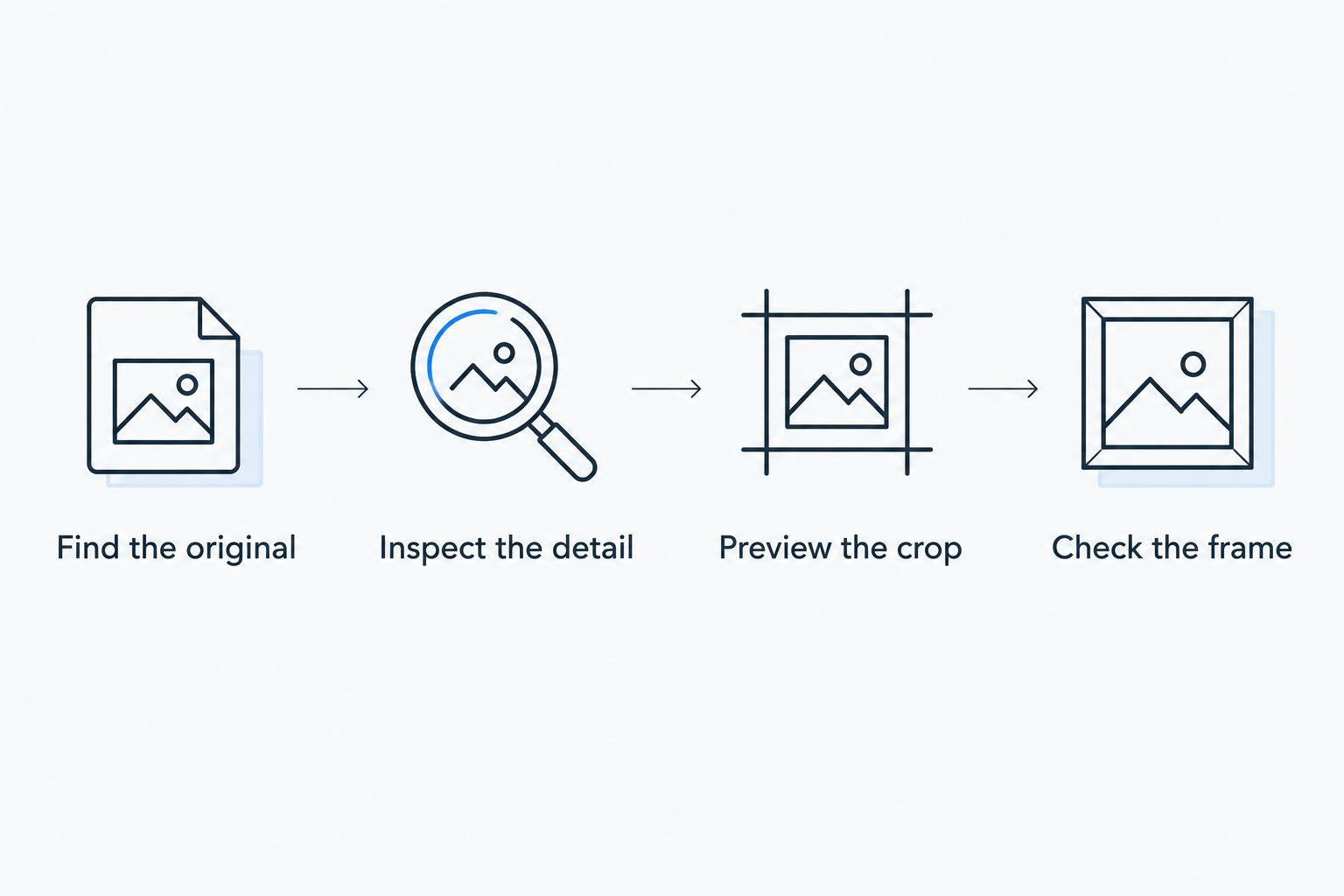
Check the photograph and frame together before approving the final layout.
As a reference, filling A3 at 300 pixels per inch requires approximately 3508 × 4961 pixels. That is a useful detail benchmark, not a guarantee of quality: missed focus stays blurred even in a large file.
A smaller image is not automatically unusable. Judge the subject, intended viewing distance and the printer’s file guidance rather than relying on pixel dimensions alone.
Picture the print on your wall
Mark out a 29.7 × 42 cm rectangle using plain paper before choosing a location. Then account for any mount and frame, which increase the finished outer dimensions.
Stand where you normally see the wall: the doorway, sofa or opposite side of the room. If the photograph will sit among other pictures, check how its orientation and frame relate to those neighbours.
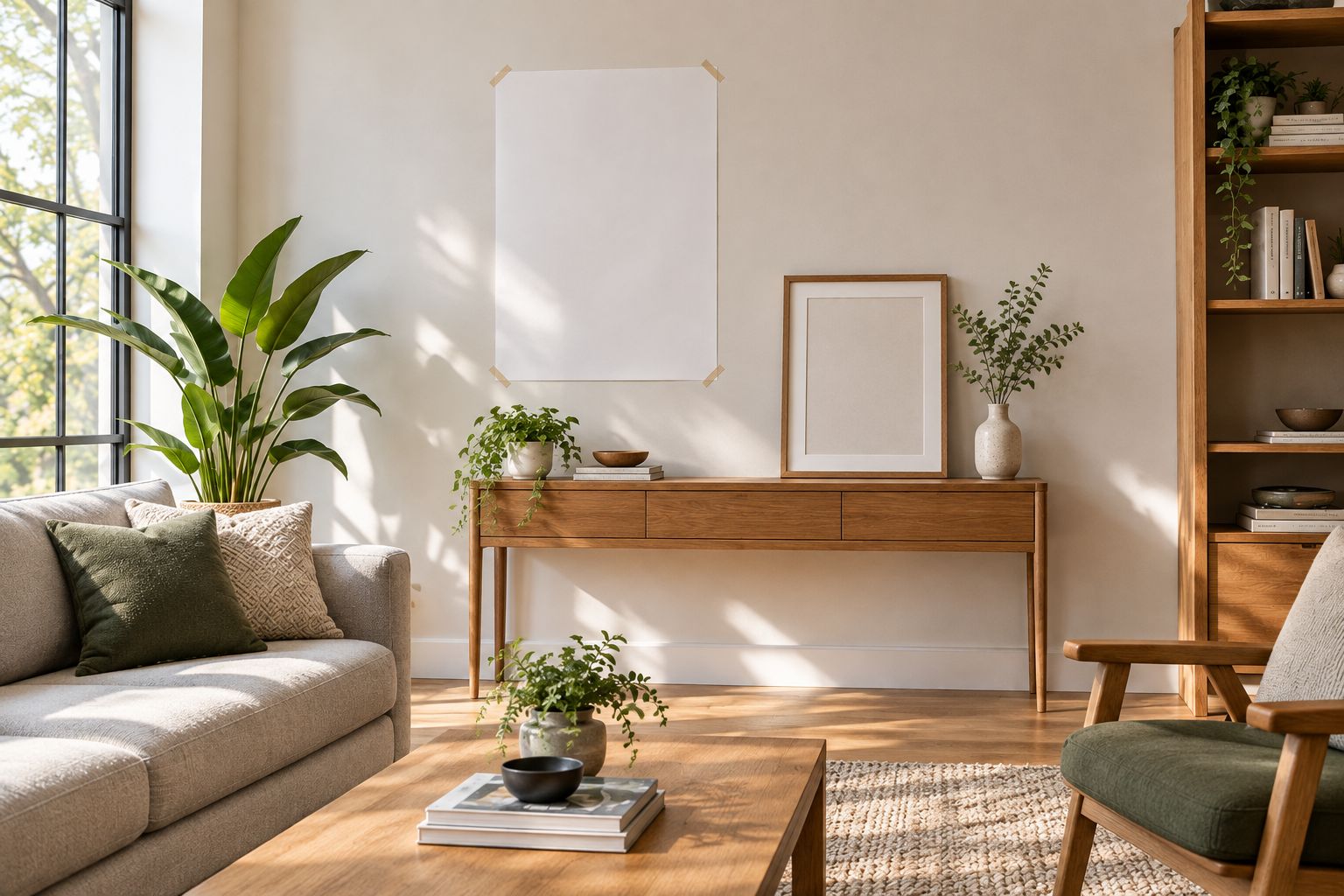
A paper template helps you judge the finished display before hanging it.
For a gallery, choose what should stay consistent: frame colour, border treatment or photographic style. You do not need every element to match, but a deliberate shared feature makes the arrangement easier to organise.
How the layouts are ranked
This Pixaprints ranking puts subject clarity and straightforward framing first, followed by preserving composition and telling a story. The single-image layout leads because it gives one chosen photograph an uninterrupted display; the alternatives solve more specific problems.
The ranking does not assess suppliers, print longevity or paper quality. Those require verified specifications for the product you are considering.
Which A3 photo prints should you choose?
Pixaprints’ pick for everyday A3 wall art is a single-image print with one clear subject. Choose white borders instead when cropping would remove part of the memory.
For your 2026 shortlist, keep the decision simple: monochrome for distracting colour differences, a collage for connected moments and a panoramic layout for an uninterrupted wide view. Let the photograph decide the treatment.
FAQ
What size are A3 photo prints in centimetres?
A3 photo prints measure 29.7 × 42 cm, equivalent to 297 × 420 mm. A printed border reduces the photograph’s area within that sheet, while a frame or mount adds to the finished display dimensions.
What is the best layout for A3 photo prints?
A single-image layout is the best default for one clear focal photograph. Choose a white-bordered layout instead when fitting the entire original image matters more than filling the sheet.
Can I use a phone photo for an A3 print?
Yes, a phone photo can work for an A3 print when the original file contains enough sharp detail. Check focus, compression and the intended crop rather than judging suitability by the phone model alone.
How many pixels should an A3 photograph have?
An A3 image at 300 pixels per inch needs approximately 3508 × 4961 pixels. Lower-resolution files require a judgement based on image detail, viewing distance and the printer’s guidance; increasing pixel dimensions cannot restore missing focus.
Will an A3 print fit an A3 frame?
An A3 print fits a frame designed to accept an A3 sheet without a mount. If the frame includes a mount, check its opening and the supported paper size before ordering.
Are black-and-white A3 prints better than colour?
Black-and-white is better when colour differences distract from expressions or the arrangement of a gallery. Keep colour when it carries the memory, such as a sunset, a colourful setting or meaningful clothing.
Should I crop a panoramic photo to A3?
Crop a panoramic photo only if losing the edges improves the composition. To preserve the full view, fit the panorama within a landscape A3 sheet and leave borders above and below.
One last thing
A3 has twice the area of A4, not twice the width. That difference is easy to underestimate when you choose a photograph on a small screen.
Before ordering, ask one final question: does this picture still work when you step back? Choose the photograph you want to live with, then give it the layout it needs.