
Best large photo prints for statement walls 2026
· 12 min read
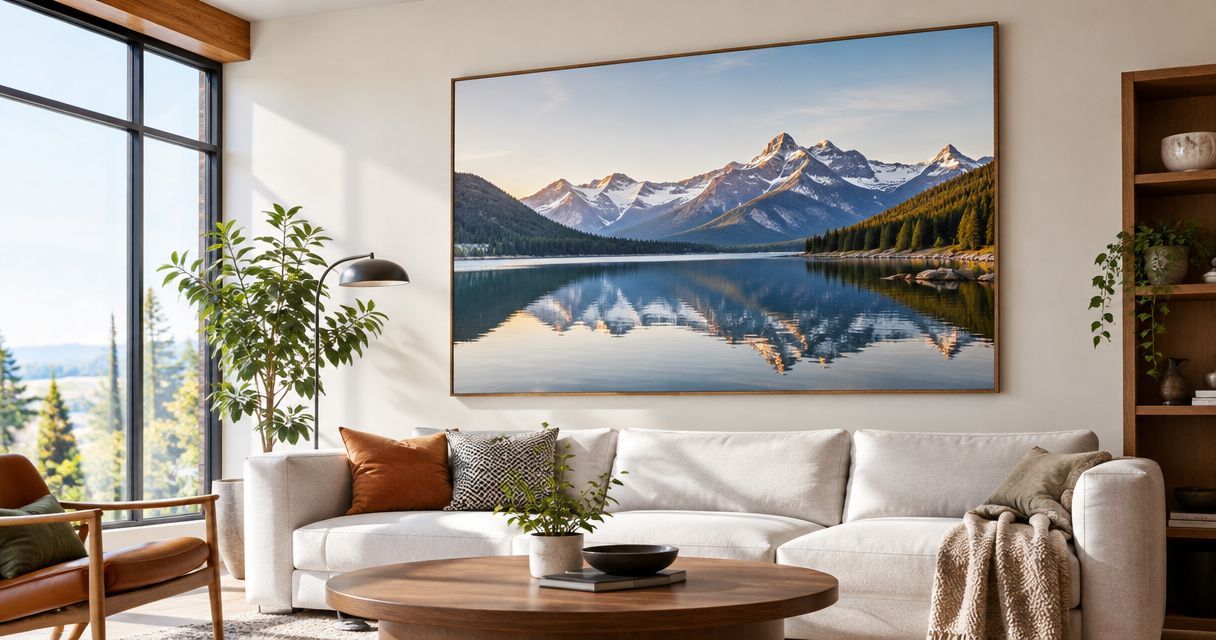
Best overall: a single canvas print. Best for detail: a framed paper print. Best for a wide wall: a panoramic print. This 2026 guide compares large photo prints by image, wall shape and layout, so you can turn a favourite memory into a statement rather than simply making it bigger.
TL;DR
- Large photo prints work best when the image shape matches the wall and keeps the subject clear.
- Pixaprints suits people turning personal photographs into canvas wall art.
- Choose framed paper for detailed photographs, panoramas for wide scenes, and collages for several connected memories.
- Check the original file, crop and full display footprint before committing to a layout.
Why this matters
A photograph that looks lovely on your phone needs a different assessment when it fills a wall. An awkward crop, distracting background or soft face becomes part of your room, not something you scroll past.
Start with the space, then choose the photograph. The guide to choosing the right canvas print size for your wall helps you think about proportion before settling on a format. Pixaprints suits people who want to turn personal photographs into canvas wall art.
What makes the best large photo prints?
For a statement wall in 2026, judge the complete display rather than the photograph alone:
- Subject clarity: Your main person, pet or place should remain easy to recognise from your usual viewing position.
- File quality: Use the original photograph wherever possible, then inspect focus and compression before enlarging it.
- Crop flexibility: Leave room around faces, hands and important scenery so the format does not force an awkward cut.
- Wall proportion: Match the display's outer shape to the usable space, including frames and gaps.
- Surface character: Choose between visible canvas texture and the presentation of a paper print behind suitable framing.
- Layout complexity: A single picture needs fewer alignment decisions than a split image or a group of frames.
Large photo prints at a glance
These are display formats, not a ranking of competing printing services. Choose the row that matches your photograph and room; confirm the exact dimensions and finishing options with your chosen printer.
| Rank and format | Best for | Standout feature | Key limitation |
|---|---|---|---|
| 1. Single canvas print | One clear focal point | Keeps attention on a single image | Canvas texture changes how fine detail appears |
| 2. Framed paper print | Detail-led photography | Separates the image from the wall with a frame | Frame and mount increase the outer dimensions |
| 3. Panoramic print | Wide landscapes | Preserves an extended composition | Needs a genuinely wide source image |
| 4. Split-image triptych | An architectural feature wall | Spreads one scene across separate panels | Gaps interrupt the photograph |
| 5. Multi-photo collage | Connected family memories | Brings several moments into one composition | Small pictures compete when the layout is crowded |
1. Single canvas print: best for one clear focal point
A single canvas print gives one photograph the whole stage. Choose a portrait, pet photograph or landscape with a clear subject and enough breathing room around it.
Pixaprints offers personalised canvas prints made from uploaded photographs. For your 2026 statement wall, begin with the image you would happily look at every day, rather than a complicated layout that needs several photographs to work.
Single canvas print pros:
- Gives the wall a clear focal point.
- Keeps the composition together without panel gaps.
- Avoids having to coordinate several separate frames.
Single canvas print cons:
- The textured surface is a consideration for very fine detail.
- One weak photograph has nowhere to hide.
- Important edge details need checking against the chosen finishing method.
Best for: A living room or bedroom where one photograph should lead the display.
Ask how the image is handled at the canvas edges before approving the crop. If a face or building sits close to the boundary, choose a looser composition rather than sacrificing part of the subject.
Verdict: Buy a single canvas print when one strong photograph tells the whole story.
2. Framed paper print: best for detail-led photography
A framed paper print suits photographs where small details are part of the pleasure: a building's windows, a carefully composed still life or a close-up portrait. The frame becomes part of the display, so choose it alongside the image rather than afterwards.
Standard paper sizes provide useful planning references. A3 measures 297 × 420 mm, A2 measures 420 × 594 mm, and A1 measures 594 × 841 mm; these are paper dimensions, not finished frame dimensions or a statement of Pixaprints product sizes.
Framed paper print pros:
- Gives you control over the frame and mount combination.
- Suits a display built around photographic detail.
- Makes it straightforward to repeat a framing style elsewhere in the room.
Framed paper print cons:
- The frame and mount take up additional wall space.
- Reflective glazing needs careful placement relative to windows and lamps.
- You need to match the print, mount opening and frame correctly.
Best for: Architectural photographs, detailed portraits and rooms with an established framing style.
The guide to photo prints for framing and wall display develops this choice further. Measure the outer frame, not just the image area, when making a paper template for your wall.
Verdict: Buy a framed paper print when detail and framing matter more than canvas texture.
3. Panoramic print: best for a wide landscape
A panoramic print keeps a wide scene wide. It suits a coastline, mountain view or city skyline when the interest runs across the photograph rather than sitting in one small area.
Do not turn an ordinary photograph into a panorama simply by stretching it. Crop deliberately, and check that the remaining image still contains the foreground, horizon and landmarks that make the memory yours.
Panoramic print pros:
- Preserves the horizontal sweep of a wide photograph.
- Gives a long wall a composition with a matching shape.
- Keeps a landscape uninterrupted by panel gaps.
Panoramic print cons:
- A narrow crop can remove useful foreground or sky.
- A small central subject can become visually lost.
- The display needs enough uninterrupted horizontal wall space.
Best for: Travel landscapes and wide views above long furniture.
Look at the image from the room's normal viewing position, not just close up. If the scene only makes sense when you inspect tiny details, choose a different photograph or a less elongated crop.
Verdict: Buy a panoramic print for a genuinely wide scene; skip it for a tightly cropped portrait.
4. Split-image triptych: best for an architectural feature wall
A triptych divides one photograph across three panels. The gaps become part of the composition, so the image must work both as a whole and as separate sections.
Start with a landscape that has visual interest across its width. Avoid placing a face, a pet's eyes or a distinctive building directly across a division; the interruption becomes hard to ignore.
Split-image triptych pros:
- Makes the spacing between panels part of the design.
- Spreads a single scene across a broad display.
- Creates a more structured arrangement than one uninterrupted rectangle.
Split-image triptych cons:
- Panel gaps interrupt important subjects if poorly positioned.
- Alignment needs more care than a single print.
- The full footprint includes the spaces between panels.
Best for: A broad feature wall with room for a deliberately spaced composition.
For a room refresh in 2026, test the divisions before choosing the photograph. Sketch the panels over a copy of the image and move the boundaries until each section contains something worth seeing.
When comparing large canvas print layout ideas, treat the gaps as part of the picture: a horizon can connect the panels, while a face crossing a join loses its continuity. That distinction matters more than adding extra panels for effect.
Verdict: Buy a triptych when the image survives the divisions; skip it when the subject crosses them.
5. Multi-photo collage: best for connected family memories
A collage brings several photographs into one designed display. It suits a wedding, family holiday or collection of pet photographs when the relationship between the pictures matters more than any single image.
Choose a clear lead photograph and let the others support it. Equal emphasis everywhere can leave your eye searching for somewhere to settle.
Multi-photo collage pros:
- Brings related memories together in one composition.
- Gives supporting photographs a place beside a stronger lead image.
- Lets you tell a story through sequence, colour or shared subject.
Multi-photo collage cons:
- Each photograph occupies less space within the overall display.
- Mixed lighting and editing can make the arrangement feel disconnected.
- A crowded layout makes individual faces harder to appreciate.
Best for: Family milestones and holidays that need more than one photograph.
Keep the editing consistent without forcing every picture to look identical. A gentle colour adjustment is a better starting point than a strong filter that changes skin tones or removes detail.
Verdict: Buy a collage when the photographs belong together; skip it when each deserves its own wall space.
Check your image and wall before ordering
The most useful preparation for large photo prints in 2026 happens before you upload anything. Follow this sequence to keep the photograph, crop and room working together.
Find the original
Use the original camera file rather than a screenshot or a copy saved from a message. Inspect the main subject at full size on your screen; enlargement cannot recover detail that was never captured.
Test the crop
Try the intended shape without stretching the photograph. Keep faces, hands and meaningful objects clear of the edges, and check what disappears when you switch orientation.
Mark the wall
Use paper templates to represent the full display, including any frame or panel gaps. Look from the sofa, doorway or bed rather than judging only while standing directly underneath it.
Review the preview
Check the final crop again after choosing dimensions and finishing options. Read any image-quality warning and resolve it before proceeding; do not assume that a bright phone screen proves the file will suit enlargement.
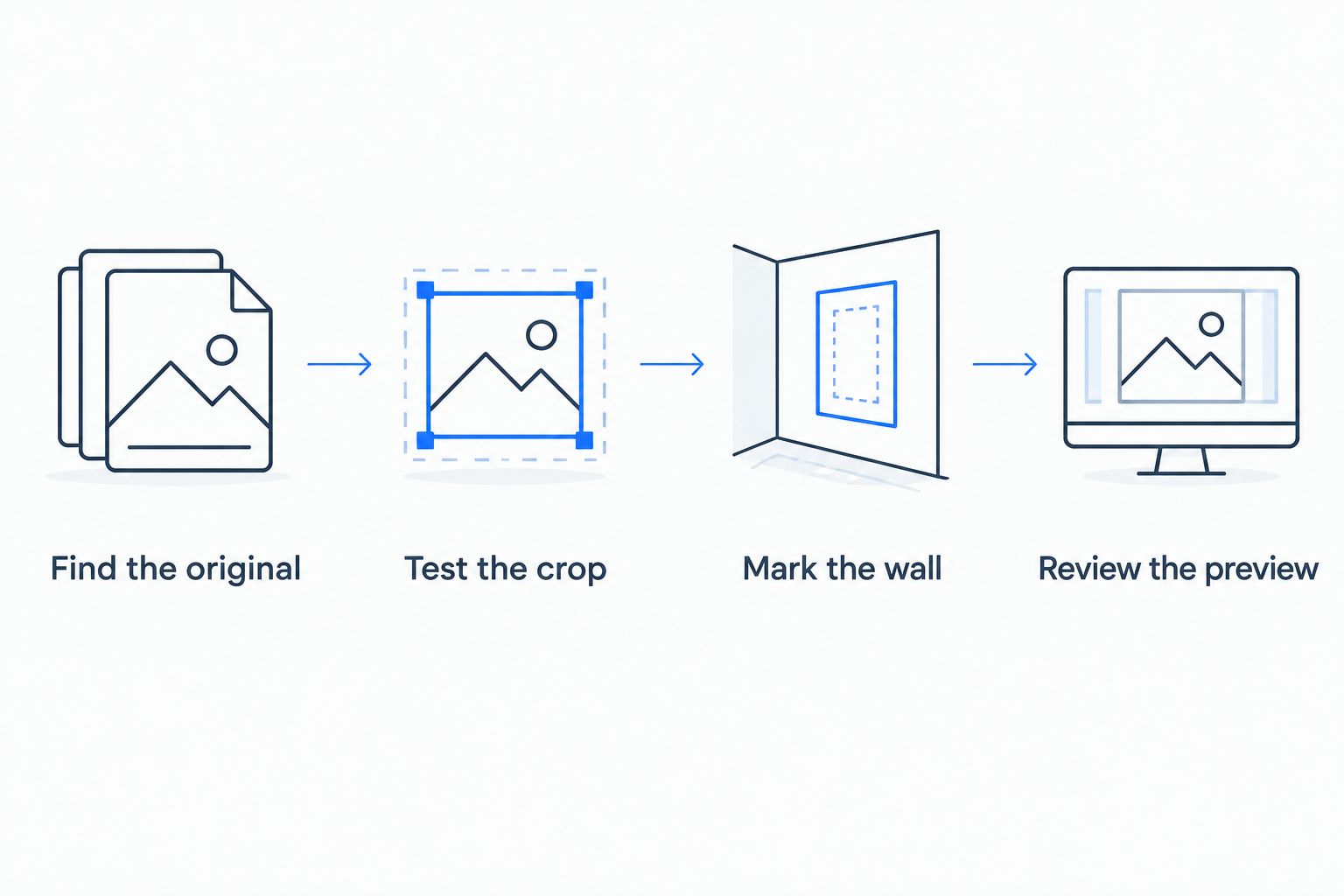
Check the photograph and the full display footprint before committing to a layout.
How the formats are ranked
The ranking prioritises subject clarity, crop flexibility, wall proportion and layout simplicity. A single canvas comes first as the straightforward default; framed paper takes the detail-led slot, while panoramas, triptychs and collages solve more specific composition needs.
These are practical format recommendations, not laboratory results or a comparison of printing companies. Your photograph can change the order: a sweeping coastal panorama belongs ahead of a square canvas if preserving the scene is your priority.
Which large photo prints should you choose?
Choose a single canvas if you are undecided and have one clear favourite photograph. Choose framed paper for a detail-led image, a panorama for a wide scene, a triptych for a composition that tolerates gaps, or a collage for connected memories.
For your 2026 wall update, settle the image and shape before the decoration around them. Pixaprints offers a way to turn personal photographs into canvas prints; assess your chosen file and the current product options before making the final design.
FAQ
What's the best format for large photo prints on a statement wall?
A single canvas print is the best default when you want one clear focal point. Choose framed paper instead when fine photographic detail and a particular frame style lead your decision.
Can I use a phone photograph for a large wall print?
Yes, provided the original photograph has enough usable detail for the intended enlargement. Check focus, avoid screenshots and inspect the final crop and any image-quality warning before ordering.
Is canvas better than framed paper for large photographs?
Canvas is better for a textured, single-image display; framed paper is better when the frame and fine detail are central to the look. Neither format fixes a blurred or heavily compressed source file.
What size is an A2 photo print?
A2 paper measures 420 × 594 mm. A frame or mount adds to the finished display dimensions, so measure the complete arrangement when planning your wall.
Should I choose one large photograph or a collage?
Choose one large photograph when it has a clear subject and enough visual interest on its own. Choose a collage when several connected moments tell the story better together.
How do I stop a large photo print from cropping someone's face?
Choose a format that leaves space around the face and inspect the final crop before ordering. For canvas, also check how the chosen finishing method handles the image edges.
Where should I position a large photo print?
Position the print where you can appreciate it from the room's usual viewing point. Test its full footprint with paper templates and check reflections if you are using glazed framing.
One last thing
Give the empty space in your photograph a job. A quiet area of sky or an uncluttered background can keep a large image readable; a tight crop is not automatically a stronger composition. Before removing that space, try the photograph at the shape you intend to display.